


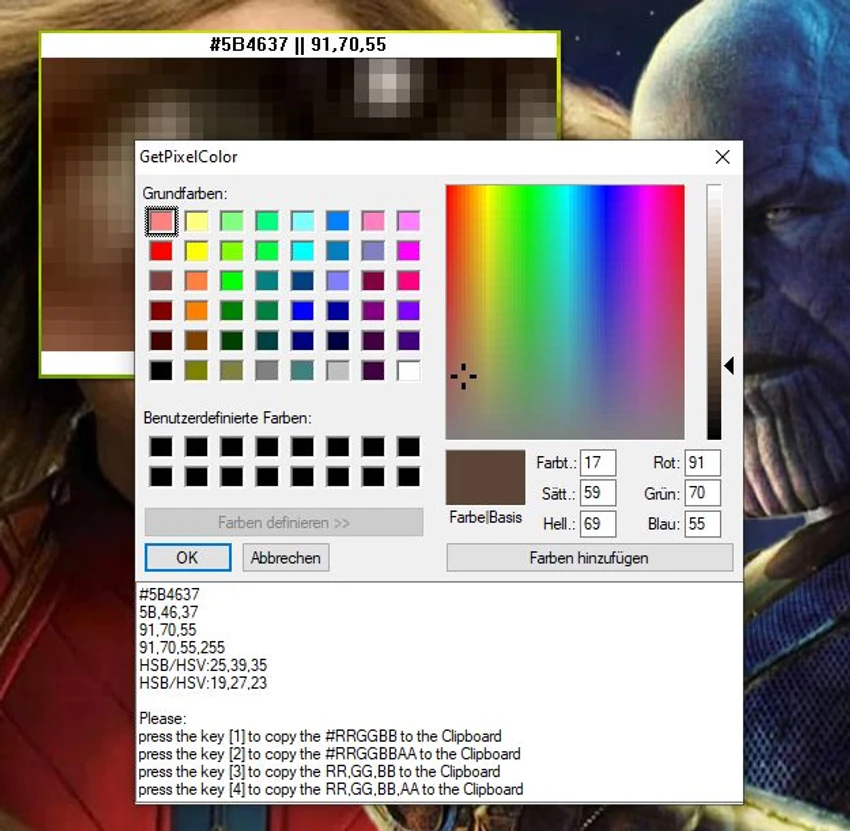

GetPixelColor is a lightweight Windows utility designed to identify the exact color value of any pixel displayed on your screen. Whether you're a graphic designer, web developer, digital artist, or simply working with color-sensitive projects, the application provides an easy way to inspect individual pixels and retrieve their color information. Despite its tiny footprint, GetPixelColor supports multiple color formats, including RGB, RGBA, and HLS, making it suitable for a variety of design and development workflows. The application is also portable, consumes very little system resources, and can optionally launch with Windows for quick access.
For users learning about digital color spaces, GetPixelColor also serves as a simple educational tool for understanding how colors are represented on a computer display.
Features of GetPixelColor
- Detects the exact color of any screen pixel
- Displays color values in RGB format
- Displays color values in RGBA format
- Displays color values in HLS format
- Allows pixel selection using a color picker
- Retrieves color information from the Windows taskbar notification area
- Optional startup with Windows
- Portable application with no installation required
- Extremely small file size
- Low CPU and system resource usage
- Optional language translation support
Interface and Usability
GetPixelColor focuses on doing one job well: identifying pixel colors accurately. The interface is compact and straightforward, allowing you to quickly sample colors from anywhere on your desktop without navigating through unnecessary menus. In everyday use, the application feels responsive and lightweight. Because it consumes very little CPU power, it can remain running in the background whenever you need to capture color values during design or development work. The ability to display multiple color formats makes it convenient when switching between different workflows or applications that require specific color representations.
Who Should Use GetPixelColor?
- Graphic designers
- Web designers
- Front-end developers
- UI/UX designers
- Digital artists
- Students learning color models
- Anyone who needs to identify exact screen colors
Conclusion
GetPixelColor proves that a focused utility doesn't need a long feature list to be useful. It delivers accurate pixel color detection in a compact package while supporting several common color formats, including RGB, RGBA, and HLS.


