


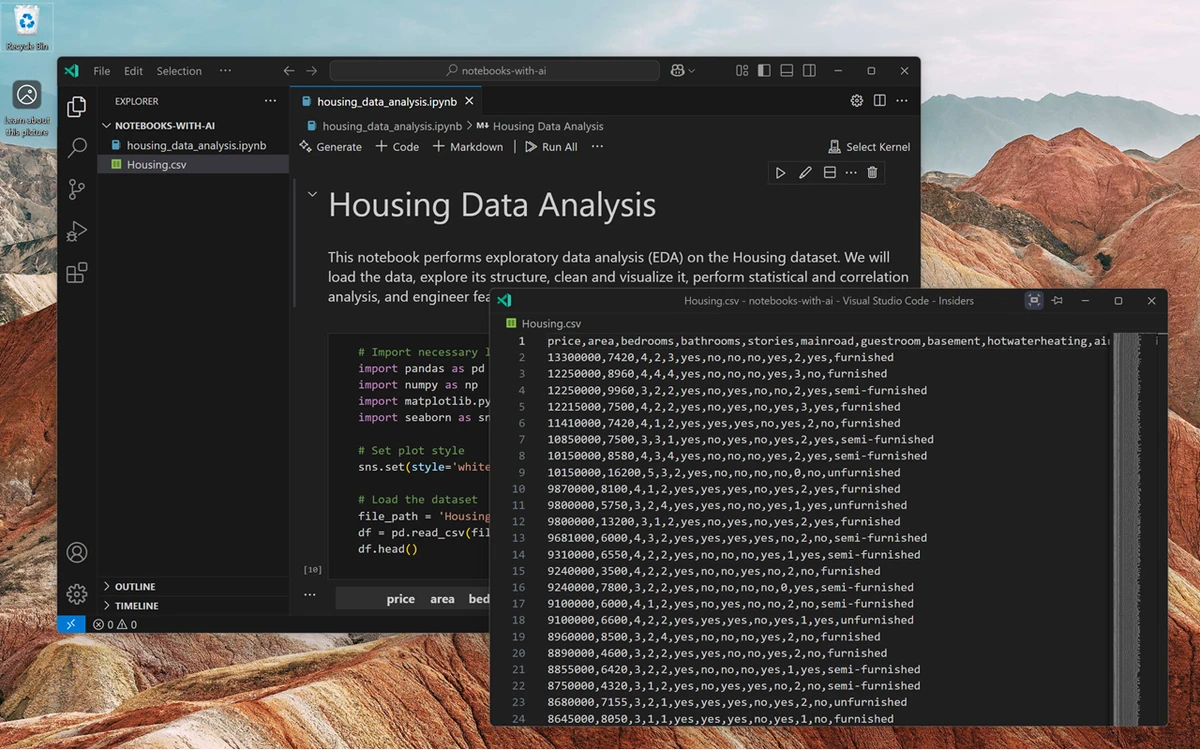

Visual Studio Code is Microsoft's modern code editor designed to meet the needs of developers across a wide range of programming languages and workflows. Unlike traditional heavyweight development environments, VS Code combines a clean interface with powerful development tools, making it suitable for both beginners and experienced programmers. What impressed me most while using Visual Studio Code is how much functionality it delivers without feeling bloated. Out of the box, it provides syntax highlighting, intelligent code completion, integrated terminal access, and source control support. Through its extensive extension ecosystem, it can easily adapt to almost any development stack.
Features of Visual Studio Code
- Supports most popular programming languages.
- Automatic language recognition and syntax highlighting.
- Large extension marketplace with automatic extension updates.
- Ability to add support for additional programming languages.
- Integrated debugging through extensions.
- Intelligent code completion.
- Built-in code navigation and symbol mapping.
- Smart search functionality with regular expression support.
- Integrated terminal for command-line tasks.
- Function parameter hints and suggestions.
- Quick navigation to functions and methods.
- Markdown preview support.
- Built-in source control integration.
- Regular and frequent software updates.
- Available for Windows, macOS, and Linux.
- Free and open-source software.
User Experience
After spending time with Visual Studio Code, it becomes clear why it has become one of the most widely adopted code editors among developers. The interface is clean and approachable, allowing users to focus on writing code without unnecessary distractions. The editor performs well across different programming languages and automatically recognizes file types, enabling syntax highlighting immediately. Features such as intelligent code completion and parameter hints help streamline development and reduce repetitive typing.
One of the strongest aspects of VS Code is its extension ecosystem. Whether I needed language support, debugging tools, code formatting, or additional development utilities, there was usually an extension available. The automatic update system also helps ensure extensions remain current and compatible. The integrated terminal is another productivity boost, allowing developers to run commands without leaving the editor. Combined with source control integration, Visual Studio Code creates a cohesive development experience that minimizes context switching. Markdown preview support is also useful for developers who maintain documentation, enabling real-time viewing of rendered Markdown content directly within the editor.
Who Should Use Visual Studio Code?
Visual Studio Code is ideal for:
- Software developers working with multiple programming languages.
- Web developers building frontend and backend applications.
- Students learning programming.
- Open-source contributors.
- Developers seeking a lightweight alternative to traditional IDEs.
- Teams that rely on Git and source control workflows.
Conclusion
Visual Studio Code delivers an exceptional development experience by combining speed, flexibility, and extensibility in a free package. The editor scales well from simple coding projects to complex development workflows thanks to its extensive extension marketplace and built-in developer tools.


