Garmin Express logo

Garmin Express 7.29.0.0

  • User Rating:
    ★★★★★
    ★★★★★
    0.0 ★ 0Votes
  • Requirements:
    Windows
  • Version: 7.29.0.0
  • Latest updated: 2 months ago
  • License: Freeware  
  • Publisher: Garmin Ltd
  • Size: 129 MB
× app stores

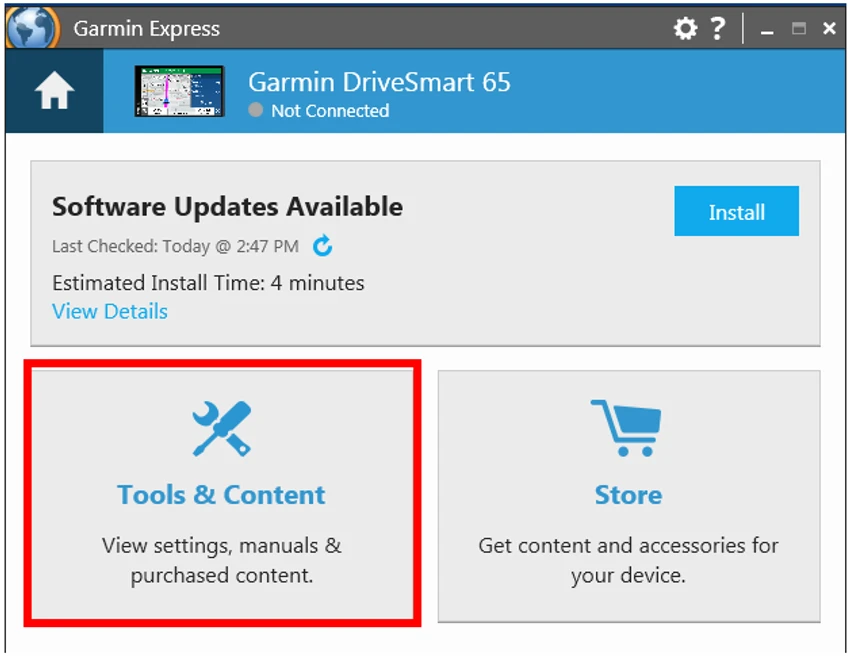
Garmin Express is the official device management software developed by Garmin to help users manage their GPS devices directly from a computer. The application serves as a central hub for updating maps, installing software updates, registering devices, creating backups, and accessing additional Garmin content and services. Whether you use a Garmin automotive navigator, marine chartplotter, or golf device, Garmin Express simplifies maintenance and ensures your device stays up to date with the latest navigation data and software improvements.

Features of Garmin Express

  • Update Garmin maps with the latest navigation data
  • Register Garmin devices from a computer
  • Install firmware and software updates
  • Create backups of saved routes and device data
  • Download free voices and media content
  • Access product manuals and documentation
  • Install the latest marine charts on supported devices
  • Download CourseView updates for compatible Garmin golf devices
  • Receive product notifications and special offers
  • Access Garmin customer support resources directly

User Experience

In my experience, Garmin Express provides a straightforward way to manage Garmin devices without needing to navigate multiple websites or manual update processes. After connecting a compatible GPS device to a computer, the software automatically detects the device and presents available updates and maintenance options. One of the most useful features is the one-click map update process. Keeping navigation maps current is important for accurate routing, and Garmin Express makes this task considerably easier. Instead of manually searching for updates, the software handles the process from detection to installation. The backup functionality is another practical addition. For users who store favorite routes, saved destinations, or navigation preferences on their devices, having the ability to create backups offers additional peace of mind before performing major updates.

I also appreciated the centralized access to product manuals, software updates, and support information. Everything is organized in a single interface, reducing the time needed to manage and maintain Garmin hardware. While the software is primarily intended for Garmin device owners, it fulfills its purpose effectively and provides an efficient maintenance experience for supported GPS products.

Who Should Use Garmin Express?

Garmin Express is ideal for:

  • Garmin GPS device owners
  • Drivers who rely on accurate navigation maps
  • Marine users needing chart updates
  • Golfers using compatible Garmin golf devices
  • Users who want a simple way to update and maintain Garmin hardware
  • Anyone looking to back up routes and saved navigation data

It is less relevant for users who do not own Garmin devices, as the software is specifically designed for Garmin's hardware ecosystem.

Overall Rating

Garmin Express delivers a reliable and convenient way to manage Garmin GPS devices. Its streamlined update process, backup capabilities, and centralized management tools make it an essential utility for Garmin users. While its usefulness is limited to Garmin hardware owners, it performs its intended role effectively and efficiently.

Conclusion

Garmin Express is an essential companion application for Garmin device owners. It simplifies map updates, software maintenance, backups, and device management through a single, easy-to-use interface. The software's focus on convenience and centralized management makes it a valuable tool for keeping Garmin GPS devices current and performing at their best.

Pros & Cons

✓

Pros

  • Official software developed by Garmin
  • Easy map and software updates
  • Supports device registration and management
  • Backup functionality for important GPS data
  • Access to free voices, media, and product manuals
  • Simplifies maintenance with a centralized interface
  • Supports multiple Garmin device categories
✕

Cons

  • Useful only for Garmin devices
  • Requires a computer connection for management tasks
  • Some content and updates depend on device compatibility
  • Limited value for users who do not own Garmin hardware

Frequently Asked Questions

What is Garmin Express used for?

Garmin Express is a device management application that allows users to update maps, install software updates, register devices, create backups, and manage Garmin GPS hardware from a computer.

Is Garmin Express free?

Yes. Garmin Express is available as a free download for managing compatible Garmin devices.

Can Garmin Express update maps?

Yes. The software allows users to download and install the latest available map updates for supported Garmin devices.

Does Garmin Express support backups?

Yes. Users can save routes, navigation data, and other important information from compatible devices to their computers.

Can I update Garmin device software with Garmin Express?

Yes. Garmin Express can detect and install available firmware and software updates for connected devices.

Does Garmin Express work with marine and golf devices?

Yes. The software supports chart updates for compatible marine devices and CourseView updates for supported Garmin golf products.

Recommended apps [Freeware]:
  • SSD Booster .NET 19.7 SSD Booster .NET logo a Windows tool designed to tweak system settings and optimize SSD performance with simple on/off controls
  • Norton 360 Remover 26.6.11050.2580 Norton 360 Remover logo a utility that completely uninstalls Norton 360 security software, removing leftover files and settings
  • Transmission 4.1.3 Transmission logo a lightweight, open-source BitTorrent client for fast and simple file sharing
  • SecretDNS 3.9.2 SecretDNS logo Improve online privacy with encrypted DNS requests and SNI protection while reducing access issues through secure network features.
  • Waterfox 6.7.2 Waterfox logo Browse faster with a 64-bit Firefox-based browser optimized for performance, security, extensions, bookmarks, and downloads.
  • DNSCrypt-Proxy 2.1.17 DNSCrypt-Proxy logo Encrypt DNS traffic, monitor queries, filter unwanted domains, and improve online privacy with this powerful command-line security utility.
Recommended apps [Shareware]:
  • ExamDiff Pro 17.0.1.5 ExamDiff Pro logo a Windows file comparison tool for code review, folder sync, and document diffing with merge support.
  • Coolutils Total Doc Converter 5.1.0.403/176 Coolutils Total Doc Converter logo Convert DOC, DOCX, RTF, and TXT files into PDF, HTML, images, and more with fast batch processing
  • ezAccounting 3.16.18 ezAccounting logo Manage accounting, payroll, invoicing, and tax forms locally with ezAccounting, an affordable desktop solution for small businesses
  • Image for Windows 4.12 Image for Windows logo disk imaging tool for full system backup, restore, and recovery with encryption, compression, and bootable rescue medi
  • WinCam 4.1 WinCam logo Record screens, applications, audio, and tutorials with a lightweight Windows recorder featuring real-time capture and editing tools.
  • WinSnap 6.2.4 WinSnap logo Capture and edit screenshots quickly with advanced shadows, transparency support, image effects, and flexible saving options.