


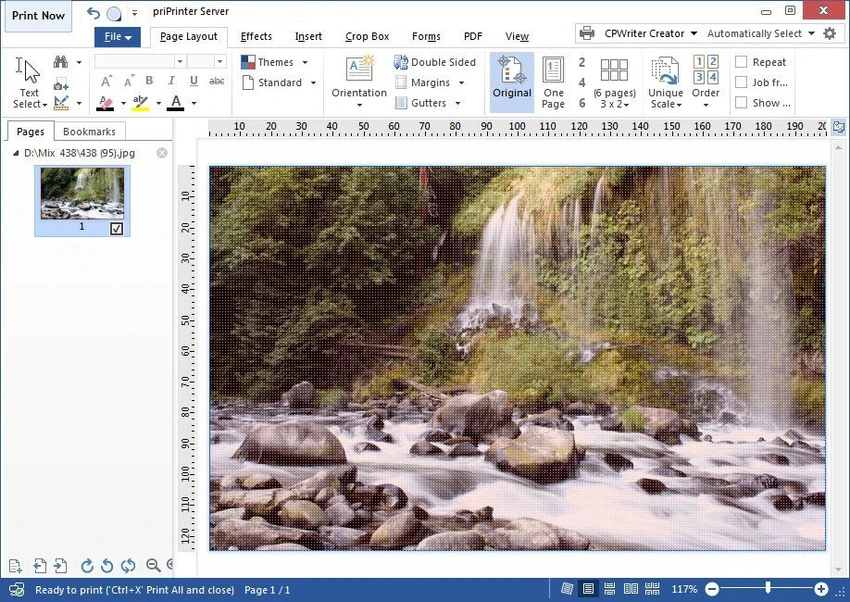

priPrinter Server is a virtual printer and print preview application that gives users complete control over print jobs before they reach a physical printer. Instead of printing documents immediately, the software opens an interactive preview where pages can be rearranged, edited, resized, or enhanced before final output. In addition to print optimization, priPrinter Server supports exporting documents to PDF and image formats, making it a flexible solution for document preparation, review, and print management.
Features of priPrinter Server
- Virtual printer driver for Windows
- Interactive print preview before printing
- Rearrange, delete, and organize pages
- Adjust page margins and layout
- Place multiple pages on a single sheet
- Edit or redact text before printing
- Apply custom watermarks
- Create booklets and posters
- Print in single-sided or duplex mode
- Export print jobs to PDF
- Save output as image files
- Print history with search functionality
- Reprint previously processed documents
- Search print history by words or phrases
- Drag-and-drop margin adjustment
- Precise manual margin input
- Save layouts and settings as reusable profiles
- Multiple preview modes, including 3D page viewing
User Experience
priPrinter Server integrates into Windows as a standard printer, allowing users to select it from virtually any application. Once a document is sent to print, it opens inside an interactive preview environment where adjustments can be made before final output. The editing tools are intuitive and designed to minimize wasted paper and unnecessary reprints. Users can reposition pages, combine multiple pages onto a single sheet, adjust margins, and apply watermarks without modifying the original document.
One particularly useful feature is the searchable print history, which makes it easy to locate and reprint previous documents without repeating the entire workflow. Support for reusable profiles also helps streamline recurring print tasks by preserving preferred layouts and settings. The inclusion of PDF and image export further expands its usefulness beyond physical printing, making it suitable for digital archiving and document sharing. Overall, the software offers a comprehensive printing workflow while maintaining a clean and efficient user experience.
Who Should Use priPrinter Server?
- Business and office environments
- Users who frequently print reports or technical documents
- Graphic designers preparing printed materials
- Organizations needing reusable print workflows
- Users who regularly export documents to PDF
- Anyone wanting greater control over print layout and formatting
Conclusion
priPrinter Server transforms standard printing into a far more efficient and flexible process. By allowing users to preview, modify, and optimize documents before printing, it helps reduce wasted paper while improving the quality and consistency of printed output.


