


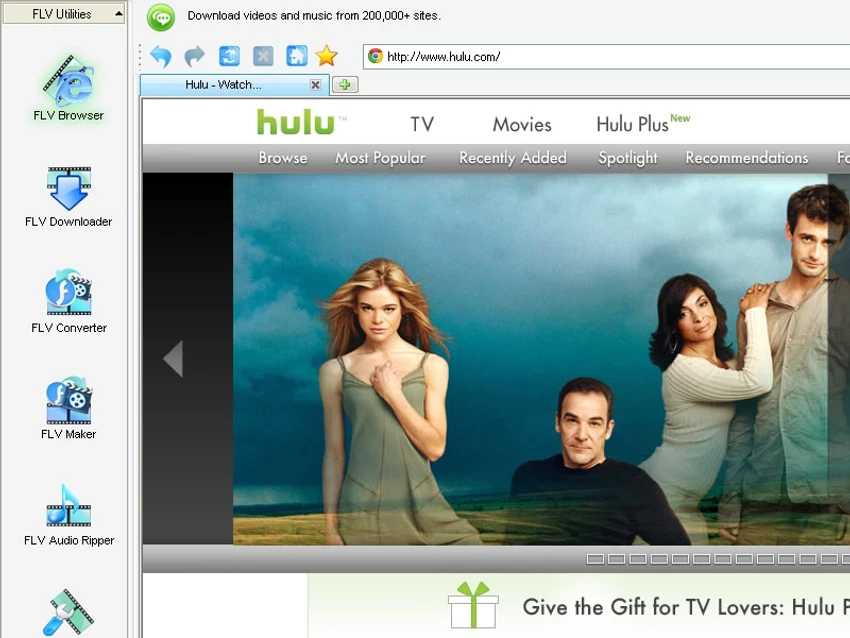

GetFLV is a multifunctional Windows application designed to help users download online videos, convert media files, extract audio, and perform basic video editing tasks. Despite its name, the software supports more than just FLV files, offering a broader set of media management tools for users who frequently work with online video content.
Overview
GetFLV goes beyond being a simple video downloader by combining several multimedia utilities into a single package. The application includes an integrated web browser for locating online videos, automatic video detection, download management, format conversion, audio extraction, and basic video enhancement features. Its all-in-one approach makes it appealing to users who want to download, convert, and prepare media files without switching between multiple applications. While the interface contains numerous features that may require some initial exploration, the included guidance system helps users become familiar with the available tools.
Features of GetFLV
- Integrated web browser for locating and downloading online videos
- Automatic video link detection
- Download videos directly from supported websites
- Multiple download quality options
- Video conversion tools with support for multiple formats
- Device-optimized conversion profiles
- Batch video conversion support
- FLV video creation tools
- Audio extraction from video files
- Video trimming capabilities
- Video cropping tools
- Basic video enhancement options
- Color adjustment controls
- Watermark insertion functionality
- Customizable output quality settings
- Multiple browser kernel options for compatibility and performance
User Experience
GetFLV offers a feature-rich environment that combines downloading and media processing into a single workspace. The integrated browser is particularly useful because it simplifies the process of locating videos and detecting downloadable media without requiring external browser extensions.
Once a video is found, download options are presented clearly, allowing users to select quality settings and storage locations. Download speeds depend primarily on the user's internet connection, and the overall download workflow is straightforward. The conversion tools are one of the application's stronger points. Format profiles are organized into categories, making it easier to prepare media files for various devices. Advanced users can also customize output settings for greater control over video quality and file size.
Basic editing functions such as trimming, cropping, color adjustments, and watermarking add extra flexibility for users who want to make simple modifications before sharing or storing videos. While the software is generally easy to use after a short learning period, occasional minor stability or functionality issues may be encountered based on testing observations mentioned in the provided information.
Who Should Use GetFLV?
- Users who frequently download online videos
- Content collectors managing personal media libraries
- Users who need video format conversion tools
- People looking to extract audio from video files
- Users who want basic video editing features without dedicated editing software
- Anyone seeking an all-in-one video downloading and processing solution
Conclusion
GetFLV delivers more functionality than its name initially suggests. Rather than serving solely as a video downloader, it combines downloading, conversion, audio extraction, and basic editing tools into a single platform. For users who regularly download online videos and need straightforward conversion and editing capabilities, GetFLV provides a convenient all-in-one solution. While it may not replace professional media editing software, it offers a practical balance of features for everyday multimedia tasks.


