7-Zip logo

7-Zip 26.02

  • User Rating:
    ★★★★★
    ★★★★★
    0.0 0Votes
  • Requirements:
    Windows
  • Version: 26.02
  • Latest updated: 4 days ago
  • License: Open Source  
  • Publisher: Igor Pavlov
  • Size: 3 MB
× app stores

7-Zip is a lightweight yet powerful file archiver designed for high compression performance and wide format compatibility. It is widely used on Windows systems for compressing, extracting, and managing archives efficiently while maintaining strong encryption and solid system integration.

Overview

7-Zip is a file compression utility focused on delivering a high compression ratio, especially with its native 7z format using LZMA and LZMA2 compression algorithms. It supports a broad range of archive formats for both packing and unpacking, making it a versatile tool for everyday file management tasks. The software integrates directly with Windows Shell, allowing users to compress or extract files with simple right-click actions. It also includes a built-in file manager and a command-line version for advanced users and automation tasks.

Features of 7-Zip

  • High compression ratio using 7z format with LZMA and LZMA2 compression
  • Supports multiple formats for packing/unpacking: 7z, XZ, BZIP2, GZIP, TAR, ZIP, and WIM
  • Unpacking support for many additional formats including RAR, ISO, VHD, DMG, and more
  • Strong AES-256 encryption for 7z and ZIP formats
  • Self-extracting archive creation for 7z format
  • Integration with Windows Shell for quick file operations
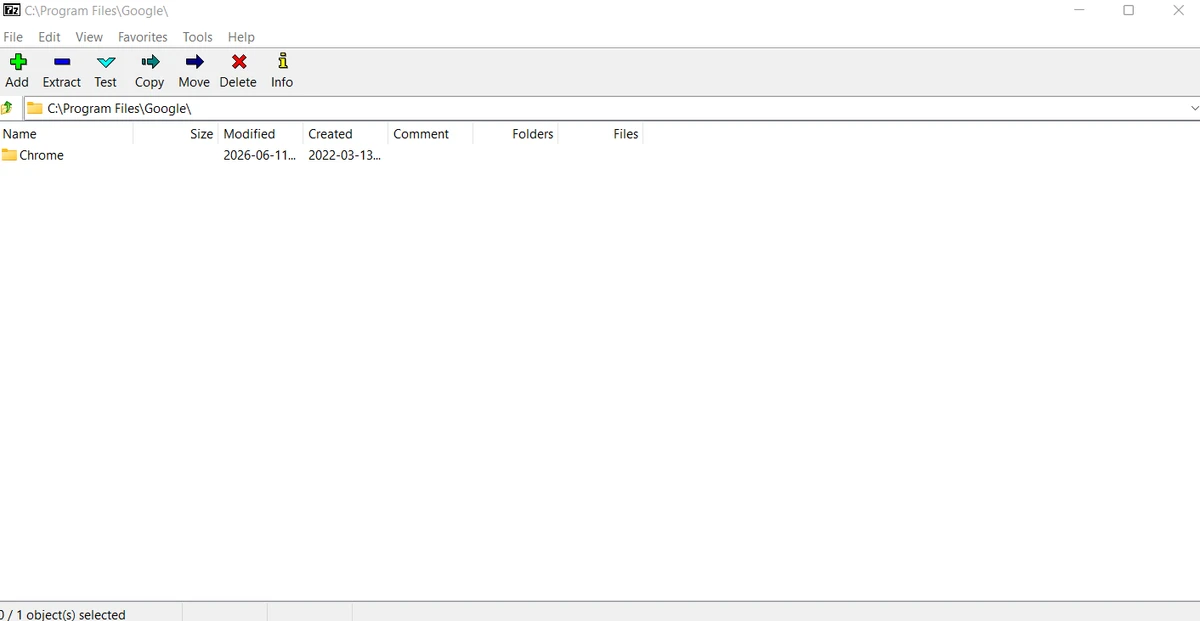
  • Built-in powerful file manager
  • Command-line version for advanced usage and scripting
  • Plugin support for FAR Manager
  • Available in 87 languages
  • Better compression ratio than PKZip and WinZip for ZIP and GZIP formats (based on provided data)

User Experience

Using 7-Zip feels straightforward and efficient, especially for users who regularly work with compressed files. The right-click Windows integration makes basic tasks like extracting archives quick and intuitive. The built-in file manager provides a more traditional interface for browsing archives, while the command-line tool adds flexibility for technical users. Performance is generally fast, and the software handles large archives without unnecessary system overhead. While the interface is simple and functional rather than modern, it prioritizes usability and speed over visual design.

Who Should Use 7-Zip?

7-Zip is ideal for users who need a reliable, no-cost compression tool for Windows. It suits both casual users who simply extract ZIP files and advanced users who require automation, scripting, or handling multiple archive formats.

  • Office and productivity users managing compressed files
  • IT professionals working with system images and archives
  • Developers handling packaged software or datasets
  • Users who need strong encryption for archived files

Conclusion

7-Zip stands out as a practical and efficient file compression tool with strong format support and reliable performance. Its combination of high compression ratios, encryption capabilities, and system integration makes it a dependable choice for everyday and advanced file management tasks.

Pros & Cons

Pros

  • High compression ratio with 7z format
  • Supports a wide range of archive formats
  • Strong AES-256 encryption support
  • Windows Shell integration for easy access
  • Includes file manager and command-line tool
  • Free and lightweight

Cons

  • Basic interface compared to modern alternatives
  • Limited to Windows system requirements in this data
  • No provided rating or update details in the source

Frequently Asked Questions

What is 7-Zip used for?

7-Zip is used for compressing and extracting files in various archive formats, including its own high-efficiency 7z format.

Does 7-Zip support encrypted archives?

Yes, it supports strong AES-256 encryption for 7z and ZIP formats.

Can 7-Zip open RAR files?

Yes, it can unpack RAR files, although it cannot create them.

Is 7-Zip free to use?

Yes, 7-Zip is a free file compression utility for Windows.

Does 7-Zip work with Windows Explorer?

Yes, it integrates with Windows Shell for quick access via right-click menus.

Recommended apps [Freeware]:
  • Automatic Email Processor 4.1.0 Automatic Email Processor logo Automatically save, archive, print, and process Outlook emails and attachments with customizable rules.
  • ExplorerPatcher 26100.8457.70.3 ExplorerPatcher logo restores Windows 10-style taskbar, menus, and Explorer behavior on Windows 11.
  • Digital Clock 5.2.2 Digital Clock logo customizable desktop clock app with skins, alarms, opacity control, and system tray support
  • Don't Sleep 10.22 Don't Sleep logo prevent sleep, restart, or hibernation with a lightweight Windows power control utility
  • MusicBee 3.6.9668 MusicBee logo a free music player and library manager with tagging, podcast support, album art lookup, and playlists
  • AVG Clear 26.6.11050 AVG Clear logo completely removes AVG antivirus products, files, settings, and registry entries from Windows systems
Recommended apps [Shareware]:
  • Coolutils Print Maestro 4.2.0.0 Coolutils Print Maestro logo print folder contents, export directory trees, and generate detailed file reports quickly
  • Total Excel Converter 7.1.0.135 Total Excel Converter logo convert Excel, ODS, CSV, DBF, and more into PDF, DOC, HTML, SQL, and other formats on Windows.
  • MediaHuman YouTube to MP3 Converter 3.9.21 MediaHuman YouTube to MP3 Converter logo downloads audio from YouTube, SoundCloud, and other platforms in high-quality MP3 format
  • EF CheckSum Manager 26.05 EF CheckSum Manager logo creates and verifies MD5, SHA, and SFV checksums to ensure file integrity and detect corruption.
  • Classroom Spy Pro 5.6.6 Classroom Spy Pro logo Monitor, control, and manage student computers remotely with Classroom Spy Pro for Windows classrooms
  • reaConverter Pro 8.0.229 reaConverter Pro logo batch image converter and editor supporting 700+ formats with automation and advanced processing tools