


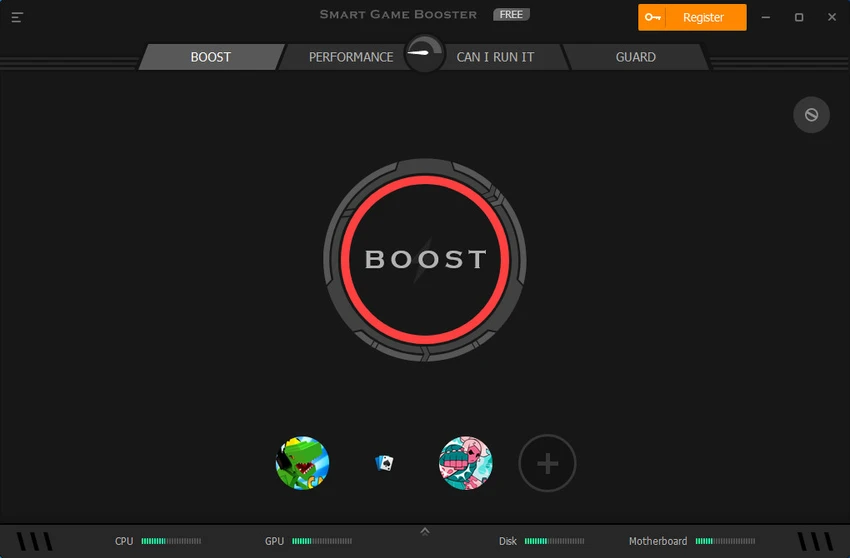

Smart Game Booster is a Windows optimization utility built specifically for gamers who want to maximize PC performance with minimal effort. It combines system optimization, hardware monitoring, network acceleration, and game management into a single application, helping reduce lag, improve frame rates, and create a smoother gaming experience. With one-click optimization and real-time monitoring tools, Smart Game Booster is suitable for both casual and competitive gamers looking to get more from their hardware.
Features of Smart Game Booster
- One-click game optimization
- Frees RAM and system resources
- Terminates unnecessary background processes
- Startup program management
- FPS optimization
- Real-time FPS monitoring
- CPU and GPU temperature monitoring
- Fan speed monitoring
- Hardware performance monitoring
- Network acceleration with access to 500+ game servers worldwide
- Organizes games from Steam, Uplay, and Origin
- Hardware boosting with GPU and VRAM overclocking
- Modern, gamer-friendly interface
User Experience
Smart Game Booster is designed with simplicity in mind. After installation, the main dashboard clearly presents the available optimization tools without overwhelming the user. Using the Boost button is straightforward. With a single click, the software closes unnecessary background processes, cleans RAM, and adjusts startup items to free additional system resources before launching a game. The integrated monitoring tools are especially useful during gameplay. Having CPU temperature, GPU temperature, fan speed, and FPS displayed in real time makes it easy to keep an eye on system health without switching to separate monitoring applications.
Another useful addition is the built-in game launcher, which organizes titles from supported platforms such as Steam, Uplay, and Origin into one convenient location. The latest version also introduces a redesigned interface, making navigation cleaner and more intuitive while adding a new network acceleration feature for supported game servers. While the software includes GPU and VRAM overclocking capabilities, results will naturally vary depending on individual hardware and system configuration.
Who Should Use Smart Game Booster?
- PC gamers seeking higher frame rates
- Users experiencing lag or performance drops
- Gamers wanting one-click optimization
- Players who monitor CPU and GPU temperatures
- Users with game libraries across multiple launchers
Conclusion
Smart Game Booster combines several useful gaming utilities into one streamlined application. From freeing system resources and monitoring hardware to organizing games and providing network acceleration, it offers a convenient way to prepare your PC for gaming sessions.


