


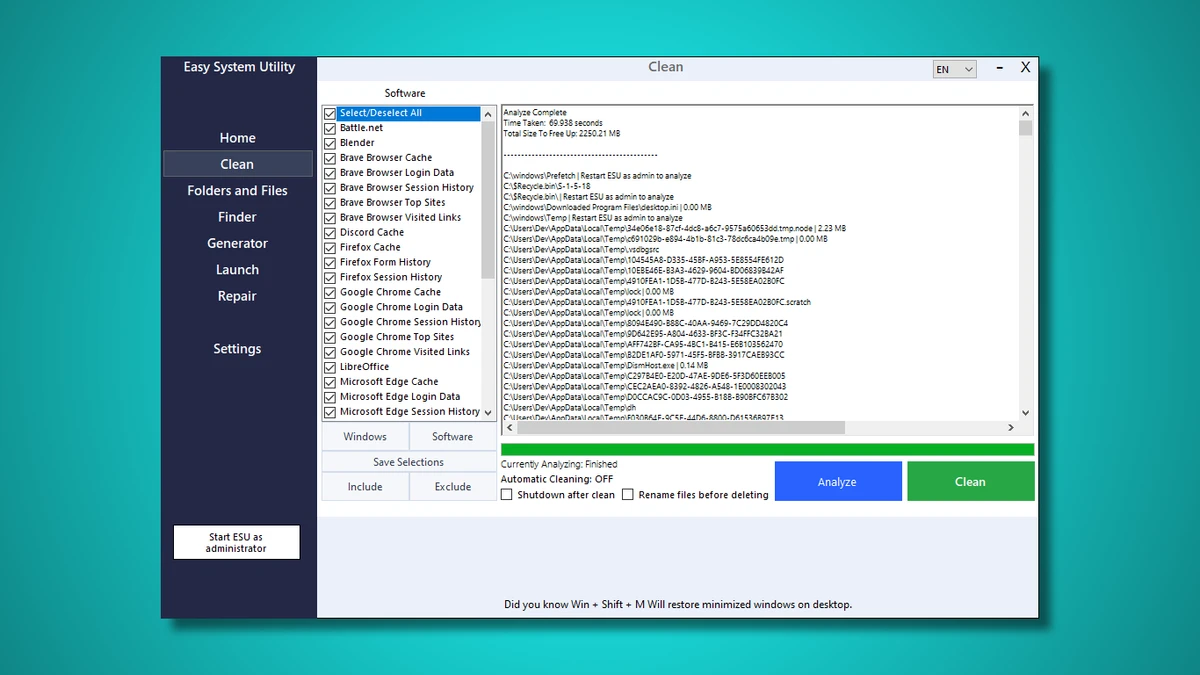

Easy System Utility is a Windows 10 and Windows 11 utility designed to help users analyze system information, clean junk files, and perform a wide range of maintenance tasks. It combines system monitoring, cleanup tools, file management features, and repair utilities into a single interface aimed at improving overall PC performance and usability.
Overview
Easy System Utility positions itself as an all-in-one system maintenance solution for everyday Windows users. It provides a centralized dashboard where users can view hardware specifications, remove unnecessary files, manage system settings, and perform optimization tasks. The software is structured into different functional areas such as system overview, disk cleanup, file utilities, and advanced repair tools. It also includes additional utilities like password generation, WiFi password retrieval, and image-related batch processing tools, making it a broad toolkit for system maintenance.
Features of Easy System Utility
- System overview with CPU, GPU, RAM, motherboard, and driver details
- Disk cleanup for temporary files, cache, logs, thumbnails, and Prefetch data
- Software cleanup tools for removing leftover application files
- File unlocking and bulk file/folder management
- Image tools including compression, watermarking, and batch processing
- Windows key and WiFi password retrieval tools
- Password generator for creating secure credentials
- Quick launch for files and programs
- Automatic cleaning and startup cleanup options
- Bulk file operations (rename, unlock, delete large folders)
- System repair utilities for software and Windows Update issues
- Printer and network-related repair tools
- DNS configuration changes
- Bulk program uninstaller
Conclusion
Easy System Utility is a comprehensive Windows utility suite that combines system monitoring, cleanup, and repair tools into a single application. Its wide feature set makes it useful for users who prefer having multiple maintenance tools in one place.


