


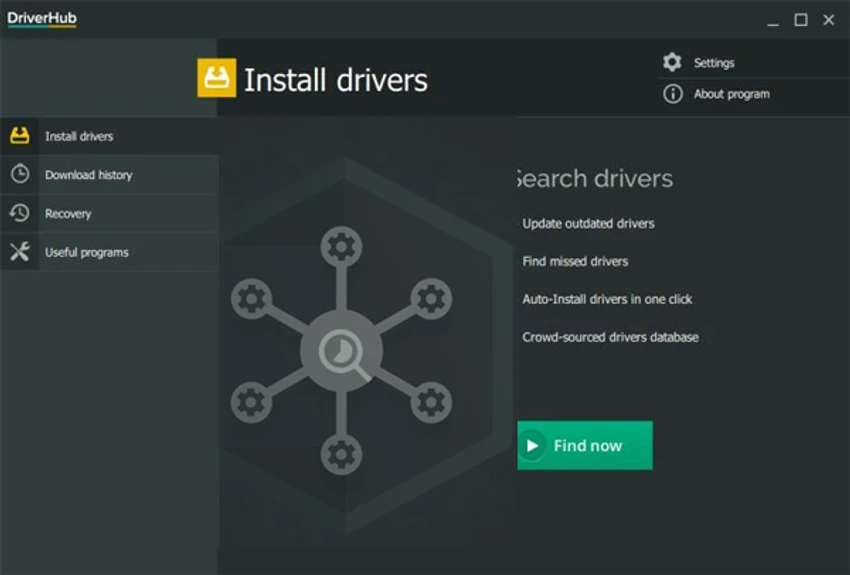

DriverHub is a Windows utility designed to help users find, update, and install the latest device drivers for their computers. It works by scanning the system for outdated or missing drivers and comparing them against a cloud-based driver database to provide updated versions. The software aims to simplify driver maintenance by offering a straightforward interface where users can quickly identify outdated drivers and install updates with minimal effort.
Features of DriverHub
- Scan system for outdated or missing drivers
- Display available driver updates from a cloud database
- Install updated drivers with a simple process
- Large hardware driver database
- Supports a wide range of PC hardware components
- Ability to select or deselect drivers before installation
- Troubleshooting support for incompatible drivers
- Driver download history tracking
- Includes quick access to system tools (Control Panel, Display settings, Command Prompt, PC management)
- Compatible with 32-bit and 64-bit Windows systems
User Experience
During my experience with DriverHub, the software provided a simple and accessible way to check system drivers without manually searching manufacturer websites. The scanning process quickly identifies outdated drivers and presents them in a list, allowing users to decide which updates to install. The interface is structured in a way that is easy to navigate, even for users who are not familiar with driver management. Each detected driver update is clearly listed, and users can selectively choose which updates to apply rather than installing everything at once.
One useful addition is the inclusion of quick access system tools, which provide shortcuts to commonly used Windows utilities such as the Control Panel and Command Prompt. This makes DriverHub slightly more than just a driver updater, adding convenience for general system maintenance tasks. The software also maintains a history of downloaded drivers, which helps users track changes made to their system over time. This can be useful when troubleshooting hardware or rolling back updates.
Who Should Use DriverHub?
- Users who want automatic driver updates
- Beginners who prefer simple system maintenance tools
- PC users experiencing driver-related issues
- People who want to avoid manual driver downloads
- Windows users needing quick hardware updates
Conclusion & Recommendation
DriverHub offers a straightforward solution for keeping Windows drivers updated. With its automatic scanning, cloud-based driver database, and simple installation process, it reduces the complexity of manual driver management.


