


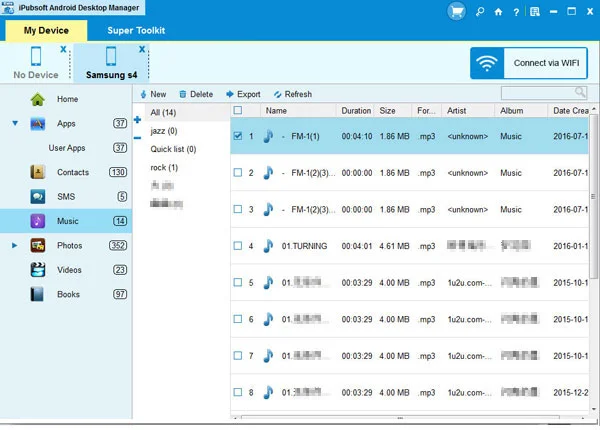

iPubsoft Android Desktop Manager is a desktop utility designed to help users manage Android phones and tablets directly from a PC. It provides file transfer, backup and restore, contact management, SMS handling, and app management tools in a single interface.
Managing files on an Android device can become challenging when dealing with large media libraries, important contacts, or message archives. iPubsoft Android Desktop Manager aims to simplify this process by providing a centralized platform for transferring, organizing, backing up, and restoring Android data.
The software supports a wide range of Android devices and allows users to move photos, music, videos, contacts, and SMS messages between Android devices and computers. Its one-click backup and restore functionality makes it particularly useful for users who want to protect their data before upgrading, resetting, or replacing a device.
In addition to file management, the software includes contact and SMS management features, app installation and removal tools, and device connectivity troubleshooting capabilities. Despite offering a broad set of functions, the program remains easy to use and does not require advanced technical knowledge.
Features of iPubsoft Android Desktop Manager
- One-Click Backup and Restore
- Back up Android data to a PC while preserving original quality.
- Restore saved data back to Android devices quickly.
- Android File Transfer
- Transfer photos, music, videos, contacts, and SMS messages.
- Move files between Android devices and computers efficiently.
- Media Management
- Organize and manage music, videos, and photos from a desktop interface.
- Push media files from PC to Android devices.
- Contact Management
- Import and export contacts easily.
- Export contacts in VCF format.
- Edit contacts directly from the computer.
- SMS Management
- Import and export SMS messages.
- Manage messages on a larger desktop screen.
- Send bulk messages from the computer.
- App Management
- Install Android applications from the PC.
- Uninstall unwanted applications.
- Back up large applications from Android devices.
- File Search During Transfer
- Locate specific files quickly while managing data transfers.
- Connection Troubleshooting
- Helps resolve connection and disconnection issues between Android devices and computers.
- Broad Android Compatibility
- Supports Android phones and tablets from brands including Samsung, HTC, Motorola, Sony, LG, Huawei, ZTE, Dell, and others.
Conclusion
iPubsoft Android Desktop Manager is a versatile Android management solution that combines file transfer, backup, restore, contact management, SMS handling, and app management into a single package. Its lightweight footprint and user-friendly interface make it suitable for both casual users and those who frequently manage Android devices from a PC.


