Monkey's Audio logo

Monkey's Audio 13.13

  • User Rating:
    ★★★★★
    ★★★★★
    0.0 0Votes
  • Requirements:
    Windows
  • Version: 13.13
  • Latest updated: 2 days ago
  • License: Freeware  
  • Publisher: Monkey's Audio
  • Size: 3 MB
× app stores

If you want to reduce the size of your music collection without sacrificing audio quality, Monkey's Audio offers a compelling solution. Unlike traditional lossy formats such as MP3 or WMA, it uses lossless compression to preserve every bit of the original recording while still saving valuable storage space. Designed for music enthusiasts, collectors, and anyone who values audio fidelity, Monkey's Audio allows you to compress and restore digital music files without any loss in quality. Its combination of efficient compression, broad software compatibility, and flexible tagging makes it a reliable choice for managing high-quality music libraries.

Overview

Monkey's Audio is a free lossless audio compression utility for Windows that compresses digital music while maintaining the exact quality of the original recording. Because it uses lossless compression, compressed files can be decompressed back to their original state without any changes to the audio data. In addition to efficient compression, the software includes error detection, metadata tagging through APE Tags, and support for external encoders. It is also compatible with numerous popular media players and audio applications, making it easy to integrate into existing music workflows.

Key Features of Monkey's Audio

  • Lossless audio compression with no reduction in sound quality
  • Restore compressed files back to their exact original state
  • Efficient compression optimized for speed and storage savings
  • Compatible with popular media players and CD ripping software
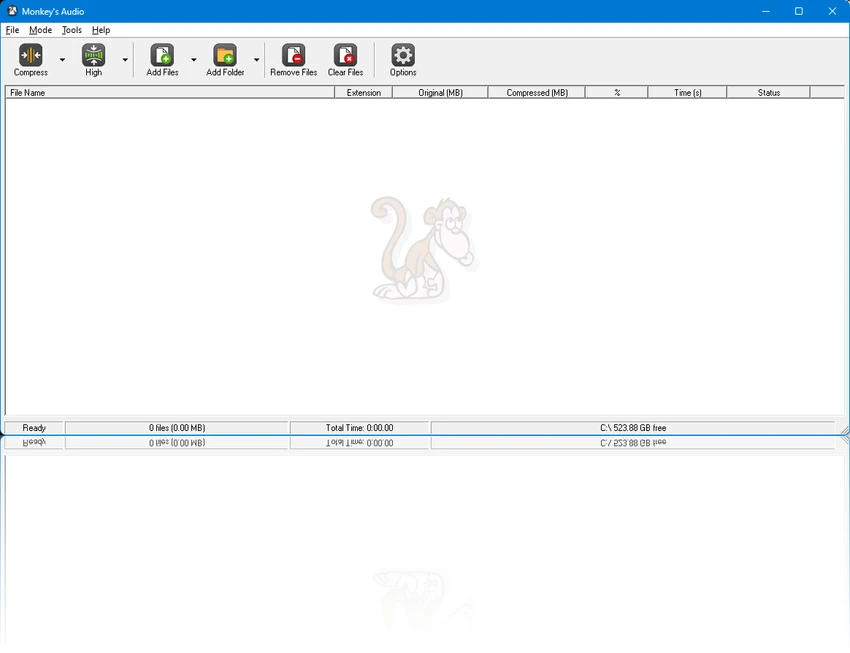
  • Windows interface designed for ease of use
  • Completely free to use
  • Built-in error detection using redundant CRC verification
  • Flexible APE Tag support for organizing music collections
  • External encoder support for broader encoding workflows
  • Freely available source code and SDK
  • Non-restrictive licensing for developers

User Experience

Monkey's Audio focuses on doing one job well: compressing music files without compromising audio quality. During use, the interface feels straightforward, making it easy to compress or decompress files without navigating unnecessary complexity. One of the biggest advantages is the confidence that every compressed file can be restored to its original state. This makes it particularly useful for archiving CD collections or maintaining a high-quality digital music library while reducing storage requirements.

The built-in error detection provides additional peace of mind by helping ensure compressed files are decompressed correctly. Meanwhile, APE Tag support allows music libraries to remain well organized with flexible metadata management. Compatibility is another strength. Monkey's Audio works with several popular media players and ripping applications, allowing users to continue using their preferred software while taking advantage of the APE format.

For developers and advanced users, the availability of source code, an SDK, and permissive licensing offers additional flexibility for integrating Monkey's Audio into other applications.

Who Should Use Monkey's Audio?

  • Audiophiles
  • Music collectors
  • Users archiving CD collections
  • Anyone who wants to preserve original audio quality
  • Users managing large lossless music libraries
  • Developers looking for a freely licensed lossless audio codec

Conclusion

Monkey's Audio remains a solid choice for anyone seeking high-quality lossless audio compression. By preserving every bit of the original recording while reducing storage requirements, it provides an excellent balance between sound quality and efficiency.

Pros & Cons

Pros

  • True lossless audio compression
  • Original audio quality is fully preserved
  • Compressed files can be restored exactly
  • Efficient compression with optimized performance
  • Compatible with many popular media players
  • Flexible APE Tag metadata support
  • Built-in error detection for data integrity
  • Free to use
  • Open source components with SDK availability

Cons

  • Focused exclusively on lossless audio compression
  • APE format compatibility depends on the media player being used
  • Does not provide the smaller file sizes achievable with lossy compression formats

Frequently Asked Questions

What is Monkey's Audio?

Monkey's Audio is a free lossless audio compression utility that reduces the size of music files while preserving their original sound quality.

Does Monkey's Audio reduce audio quality?

No. Monkey's Audio uses lossless compression, meaning the original audio data is fully preserved.

Can compressed files be restored to their original format?

Yes. Files compressed with Monkey's Audio can be decompressed back to their exact original state without any loss of data.

Which media players support Monkey's Audio?

Monkey's Audio is compatible with several popular media players and audio applications, including Media Center, Foobar, Windows Media Player, and Winamp, among others.

What are APE Tags?

APE Tags are Monkey's Audio's metadata format, allowing users to organize and catalog their music collections with flexible tagging.

Is Monkey's Audio free?

Yes. Monkey's Audio is completely free to use.

Does Monkey's Audio provide developer resources?

Yes. The project includes freely available source code, an SDK, and non-restrictive licensing, making it suitable for integration into other software.

Recommended apps [Freeware]:
  • Autoruns 14.30 Autoruns logo a Windows startup manager that reveals and controls all autostart programs, services, drivers, and registry entries
  • Personal Backup 6.4.11.0 Personal Backup logo Schedule and automate file backups to local drives, networks, or FTP servers with Personal Backup for Windows
  • AnyDesk 9.7.8 AnyDesk logo fast remote desktop access with secure connections, file sharing, and remote support for Windows users
  • RustDesk 1.4.8 RustDesk logo open-source remote desktop solution with self-hosting, cross-platform support, and customizable remote access tools
  • Q-Dir 12.69 Q-Dir logo a lightweight quad-pane file manager for Windows, offering fast navigation, drag-and-drop, and portable access
  • Calibre 9.10.0 Calibre logo a free, open-source e-book manager for organizing, converting, and reading ebooks across multiple formats on Windows
Recommended apps [Shareware]:
  • iPubsoft Android Desktop Manager 3.7.22 iPubsoft Android Desktop Manager logo transfer files, manage Android data, back up and restore devices, and organize contacts and SMS from your PC
  • 4K Video Downloader Plus 26.1.5 4K Video Downloader Plus logo Download videos, audio, playlists, and subtitles in high quality with 4K Video Downloader Plus
  • DP Animation Maker 3.5.51 DP Animation Maker logo a simple Windows tool for creating animated images, GIFs, and videos with effects, objects, and music.
  • EF CheckSum Manager 26.05 EF CheckSum Manager logo creates and verifies MD5, SHA, and SFV checksums to ensure file integrity and detect corruption.
  • Password Depot 19.2.0 Password Depot logo a secure password manager with AES encryption, auto-fill, and cloud sync support for Windows users
  • XnView MP 1.11.5 XnView MP logo a powerful image viewer, editor, and batch converter supporting 500+ image formats on Windows