


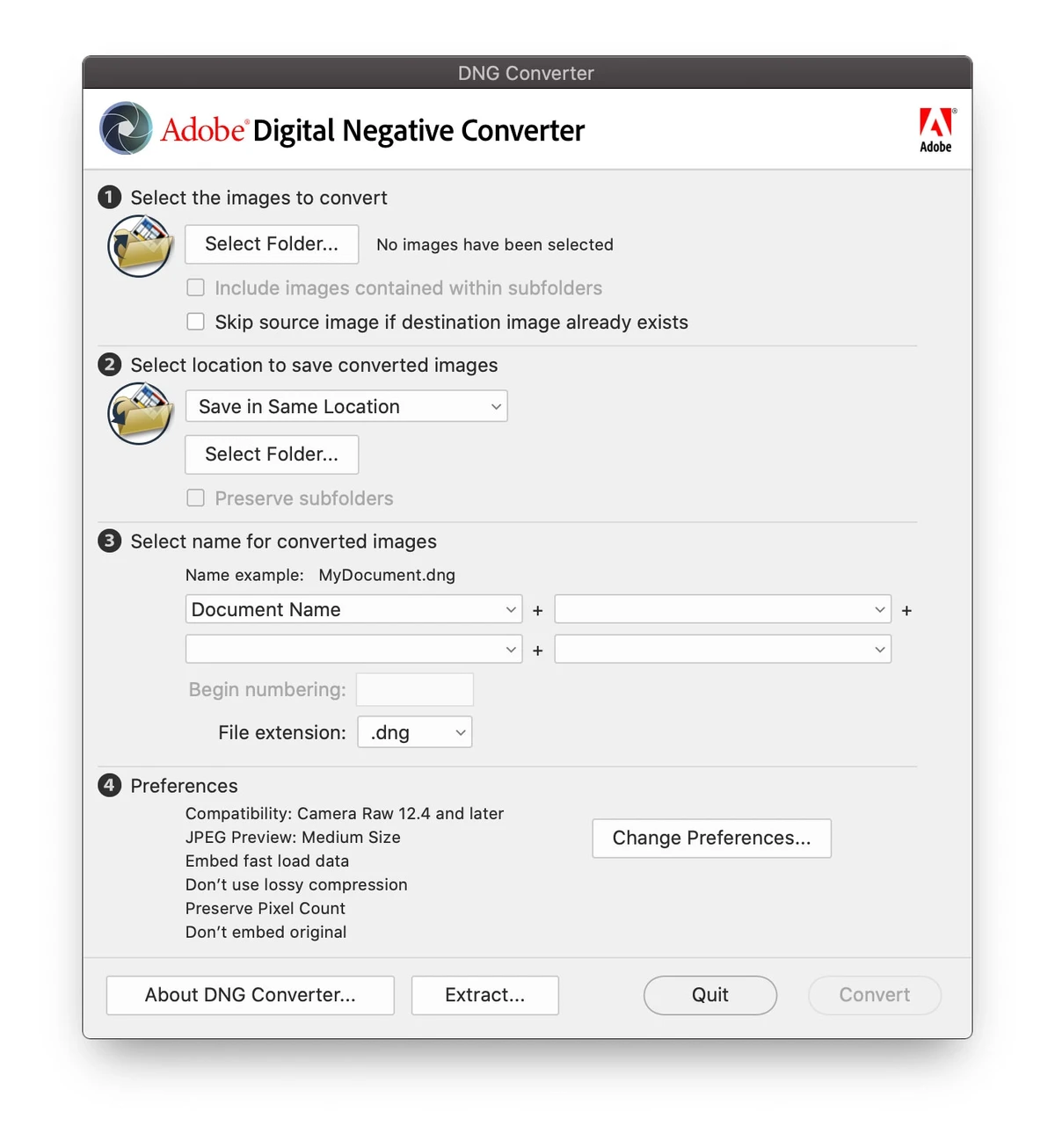

Adobe DNG Converter is a specialized utility that converts camera-specific RAW image files into the Digital Negative (DNG) format, an openly documented RAW file standard developed by Adobe. The software helps photographers create more universally compatible RAW files while preserving the original image data and metadata captured by their cameras. Designed for photographers who work with RAW images, Adobe DNG Converter simplifies long-term file management and improves compatibility across various software applications and workflows.
Features of Adobe DNG Converter
- Convert camera-specific RAW files to DNG (Digital Negative) format
- Preserve original RAW image data during conversion
- Retain standard EXIF metadata
- Store camera information, shooting date, time, and camera settings
- Supports a universal RAW file specification
- Improves compatibility across software and hardware platforms
- Maintains white balance and other editable camera settings
- Supports non-destructive RAW workflows
- Enables continued access to high-quality image data
- Supports 16-bit image data for enhanced detail and fidelity
- Allows flexible image processing after capture
- Compatible with Windows 11 and Windows 10
User Experience
After reviewing Adobe DNG Converter, it becomes clear that the software is designed with simplicity and compatibility in mind. Rather than functioning as a photo editor, its primary purpose is to standardize RAW files by converting proprietary camera formats into the more universal DNG format. For photographers working with multiple camera brands or long-term archives, this can help streamline file management and reduce dependence on camera-specific formats. The conversion process is straightforward and focuses on preserving the original image data rather than altering it.
One of the most valuable aspects of the DNG workflow is that important photographic settings, such as white balance, remain adjustable after capture. Because the software preserves RAW image information, photographers retain significant flexibility when processing images in compatible editing applications. The converter also retains EXIF metadata, including camera information, shooting dates, times, and exposure settings, ensuring that valuable image data remains intact throughout the conversion process.
Since Adobe DNG Converter is a dedicated utility rather than a complete editing suite, its interface remains lightweight and focused on conversion tasks. This makes it easy to use even for photographers who simply want to standardize their RAW image libraries.
Benefits of Using RAW and DNG Files
Adobe highlights several advantages of working with RAW and DNG files:
- Smaller file sizes compared to uncompressed TIFF files
- No JPEG compression artifacts
- Adjustable white balance after image capture
- Greater control over image conversion settings
- Access to 16-bit image data for higher image quality
- Ability to process the same image using different conversion settings
- Improved compatibility through a universal RAW format
Who Should Use Adobe DNG Converter?
- Professional photographers
- Photography enthusiasts
- RAW image workflow users
- Digital asset managers
- Photo archivists
- Multi-camera photographers
- Users seeking long-term image compatibility
Conclusion
Adobe DNG Converter provides a simple yet effective way to convert proprietary camera RAW files into the openly documented DNG format. By preserving image quality, metadata, and editing flexibility, it helps photographers maintain a consistent and future-friendly workflow.


