


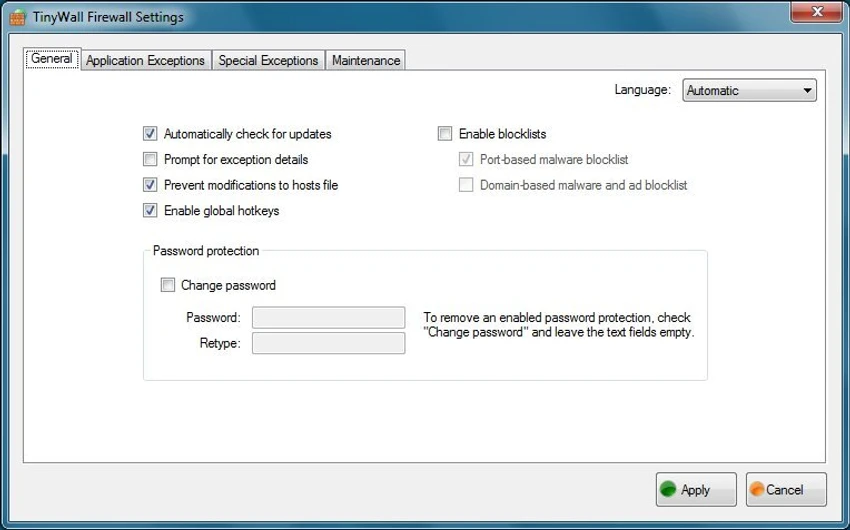

TinyWall is a lightweight firewall management tool designed for Windows users who want stronger control over network security without dealing with complex configurations. It works on top of the built-in Windows Firewall and simplifies how users manage rules, exceptions, and application access. TinyWall is built as a simple yet effective interface for managing Windows Firewall. Instead of replacing the system firewall or installing heavy drivers, it enhances the existing Windows security system.
The software focuses on ease of use, removing the need for technical knowledge about ports, protocols, or advanced networking rules. Users can quickly allow or block applications, manage exceptions, and apply security rules with minimal effort. It is also designed to remain lightweight, with no ads, no unnecessary background components, and no kernel-level drivers—helping maintain system stability while improving control over network activity.
Features of TinyWall
- Lightweight firewall manager for Windows
- Works directly with built-in Windows Firewall
- No kernel drivers or system-level heavy components
- Simple configuration with minimal technical knowledge required
- Ability to add exceptions and custom firewall rules
- Built-in protection against trojans, viruses, and worms
- Firewall modes for flexible security control
- Temporary rule support for short-term access needs
- Blocklist and whitelist management
- Anti-fraud and protection against fake or malicious connections
- Completely free with no ads or hidden limitations
User Experience
Using TinyWall feels straightforward and clean compared to traditional firewall configuration tools. The interface is minimal, and most actions are focused on allowing or blocking applications rather than dealing with technical network settings. For everyday users, this reduces confusion and makes firewall management more accessible. Advanced users may appreciate the ability to fine-tune rules while still relying on Windows Firewall as the core protection engine. Performance impact is minimal since TinyWall does not install heavy system drivers and operates efficiently on top of existing Windows security infrastructure.
Who Should Use TinyWall?
- Users who want simple firewall control without complexity
- People who rely on Windows Firewall but need better usability
- Users looking for a lightweight, ad-free security tool
- Beginners who want protection without technical configuration
- System users who prefer minimal, non-intrusive security tools
Conclusion
TinyWall is a practical firewall management tool that improves the usability of Windows Firewall without adding unnecessary complexity. Its lightweight design, ad-free experience, and simple rule management make it a strong choice for users who want better control over network security.


