


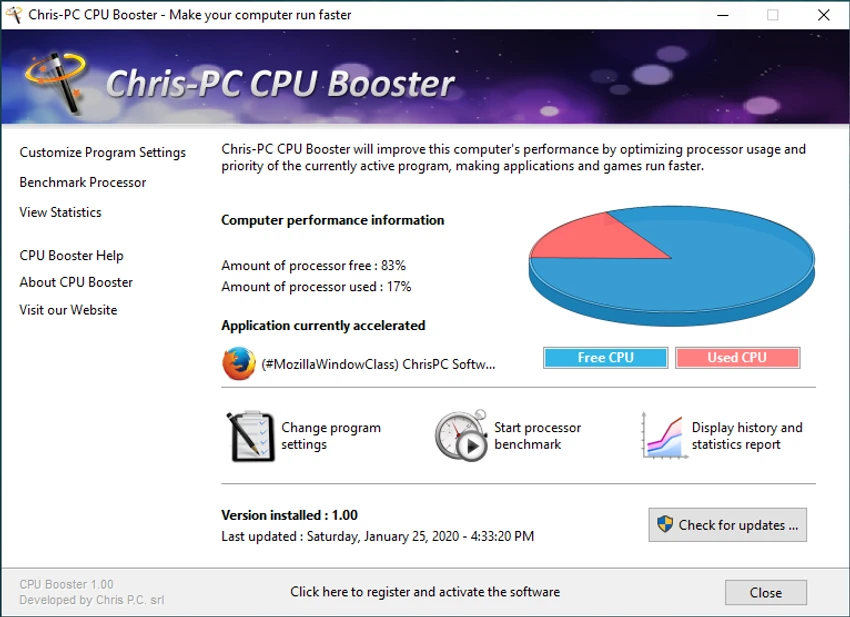

Chris-PC CPU Booster is a Windows system utility designed to optimize processor usage by intelligently managing CPU core allocation and application priority. The software helps demanding applications receive more available processing power by directing foreground programs to less-used CPU cores on multi-core processors. It can automatically adjust CPU priorities so active applications receive higher priority while less important background processes use fewer resources. Designed for users running CPU-intensive software such as games, photo editing applications, and video production tools, Chris-PC CPU Booster aims to improve system responsiveness without requiring hardware upgrades. The application also includes processor benchmarking, performance statistics, real-time CPU monitoring, and background operation features.
Features of Chris-PC CPU Booster
- CPU core optimization: Assigns foreground applications to less-used CPU cores to help improve processing availability.
- Application priority management: Gives active programs higher CPU priority while reducing priority for less demanding background applications.
- Multi-core processor support: Uses multi-core CPU capabilities to help balance workload distribution.
- Automatic background operation: Runs quietly after setup and optimizes selected applications without constant user input.
- AI-based CPU management: Uses an intelligent system to continuously switch foreground applications to the least-used processor core.
- Processor benchmark test: Includes a benchmark tool to evaluate processor performance and system stability.
- Performance statistics: Provides an overview of computer performance while CPU Booster is active.
- Real-time CPU monitoring: Includes a dynamic system tray icon showing current CPU usage.
- Simple interface: Designed with an intuitive layout for easier CPU management.
Interface and Usability
Chris-PC CPU Booster focuses on providing a simple way to manage CPU performance without requiring advanced technical knowledge. The software works mainly in the background after installation and configuration, allowing users to continue using their applications while CPU optimization runs automatically.
The real-time CPU usage display and performance statistics provide useful information about system activity. Users who regularly run demanding software may find the application convenient for adjusting processor priorities and managing how Windows distributes CPU resources.
Who Should Use Chris-PC CPU Booster?
Chris-PC CPU Booster is suitable for users who run processor-intensive applications and want additional control over CPU resource allocation. It may be useful for gamers, video editors, photographers, and users working with demanding software. The tool is also designed for users who want to optimize CPU usage without upgrading hardware, especially on systems where processor resource management affects application performance.
Conclusion
Chris-PC CPU Booster offers a straightforward way to manage CPU resources and prioritize demanding applications. With features such as CPU core optimization, background operation, performance monitoring, and benchmarking, it provides users with additional control over how Windows handles processor usage.


