



Wondershare Filmora is a professional video editing software designed to help users create, edit, and share high-quality videos. With intuitive tools for cutting, merging, adding music, and applying effects, it caters to beginners and intermediate users looking for a smooth editing experience.
Overview
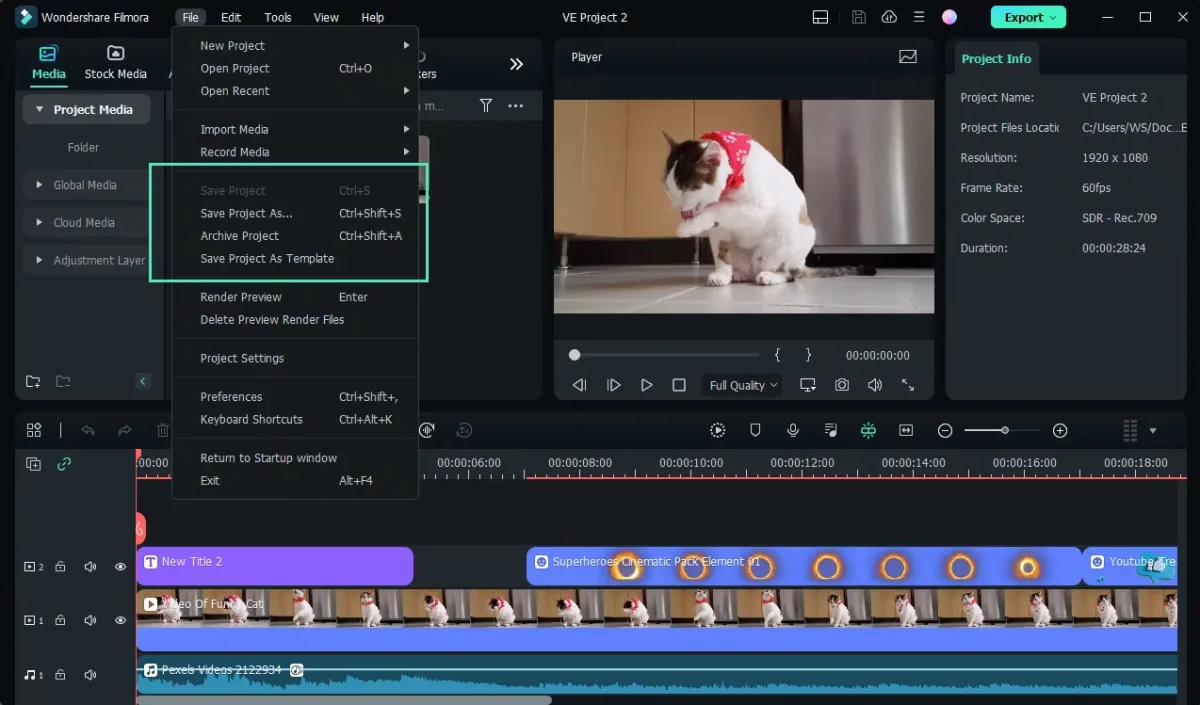
Wondershare Filmora v15 builds on previous versions with advanced features for both casual and professional video editors. The software allows users to import footage from cameras, phones, or social media, and combine videos, images, and audio into polished projects. Filmora provides a rich library of effects, transitions, animated text, and audio options, along with the ability to export in 4K resolution. New features such as motion tracking, keyframing, color match, and audio ducking give editors more creative control.
Its user-friendly interface simplifies video editing, making it accessible to newcomers while still offering flexibility for experienced users. With both dark and light modes, Filmora ensures comfortable editing for long sessions.
Features of Wondershare Filmora
- Professional video editing with simple controls
- Cut, trim, and merge video clips effortlessly
- Hundreds of visual effects and filters
- Add music from a rich library or custom tracks
- Insert animated text and titles
- Adjust video speed and motion effects
- Add frames to images for a polished look
- Intuitive, easy-to-use interface for all skill levels
- Monthly updates with new effects, filters, and elements
- Export videos in up to 4K resolution
- Record screen activity on computer or mobile devices
- Motion Tracking for attaching elements to moving objects
- Keyframing for customizing animations
- Color Match to match clip colors automatically
- Audio Ducking for clearer dialogue over background music
- Shortcut editor for faster workflow
- Enhanced title editing (Windows only)
User Experience
Using Wondershare Filmora feels seamless from the moment you open it. Importing clips from different devices is straightforward, and the drag-and-drop timeline makes arranging clips simple. The effects library is visually appealing, with hundreds of filters, transitions, and graphic elements ready to use. Editing tasks like splitting, trimming, or adjusting audio are intuitive. Advanced features such as motion tracking and keyframing work smoothly, even on moderate hardware. The software supports a wide range of input formats, including MP4, MOV, MKV, AVI, and more, as well as audio files like MP3, WAV, FLAC, and AAC.
Overall, Filmora strikes a balance between simplicity and power, making it a solid choice for social media creators, hobbyists, and small businesses.
Who Should Use Wondershare Filmora?
Wondershare Filmora is ideal for:
- Beginners looking for a simple, intuitive editing tool
- Content creators on YouTube, Facebook, or Instagram
- Hobbyists and semi-professional editors
- Anyone needing fast, visually appealing video edits with music and effects
Conclusion
Wondershare Filmora 15 is a versatile, professional-grade video editor that combines ease of use with powerful features. Whether you’re creating social media videos, family movies, or small business content, Filmora makes video editing straightforward and enjoyable. Its extensive library of effects, audio, and animation tools ensures creative flexibility.


