


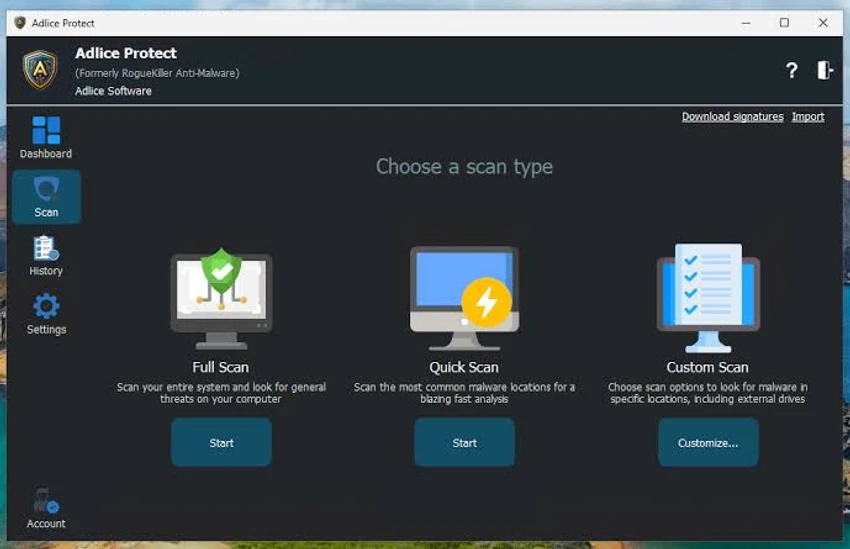

Adlice Protect, formerly known as RogueKiller, is a standalone anti-malware application designed to detect and remove stubborn malware that traditional antivirus software may miss. Built primarily for advanced users and IT professionals, it combines signature-based detection with heuristic analysis to identify both known and unknown threats. Unlike many security tools that automatically remove detected items, Adlice Protect provides detailed scan results, allowing users to review potential threats before taking action. This level of control makes it particularly effective for diagnosing persistent infections, including rootkits and rogue security software, while also helping verify the integrity of a Windows system.
Because it operates independently, Adlice Protect can typically be used alongside an existing antivirus solution without causing software conflicts.
Key Features of Adlice Protect
- Standalone anti-malware scanner
- Signature-based malware detection
- Heuristic analysis for unknown threats
- Detects and removes stubborn malware
- Rootkit detection and removal
- Detects rogue security software
- Helps remove ransomware infections
- Terminates known malicious processes
- Restores modified HOSTS file
- Restores altered DNS settings
- Restores proxy settings
- Detailed scan results for manual review
- Can be used alongside existing antivirus software
- Command-line version available
- Multi-language support
Interface and Usability
Adlice Protect is designed with advanced troubleshooting in mind rather than maximum simplicity. The interface provides detailed information about detected objects, allowing users to inspect potential threats before deciding whether to remove them.
During use, the application scans for malware, suspicious processes, registry modifications, and system changes that may indicate an infection. Rather than automatically deleting everything it detects, it presents the findings for review. This gives experienced users greater control but also requires careful decision-making to avoid removing legitimate system components.
For IT professionals and experienced users, this level of transparency is valuable. Less experienced users, however, may find the detailed scan reports more complex than those offered by consumer-focused anti-malware applications.
Who Should Use Adlice Protect?
- Advanced Windows users
- IT professionals
- System administrators
- Malware removal specialists
- Users troubleshooting persistent malware infections
- Anyone needing a second-opinion malware scanner alongside an existing antivirus
Conclusion
Adlice Protect offers far more than a standard malware scanner. By combining signature-based detection with heuristic analysis, it is capable of identifying both known and emerging threats while giving users detailed visibility into potential system issues. Its ability to remove stubborn malware, terminate malicious processes, and restore altered HOSTS, DNS, and proxy settings makes it particularly useful when dealing with persistent infections that conventional antivirus software may not fully resolve.


