


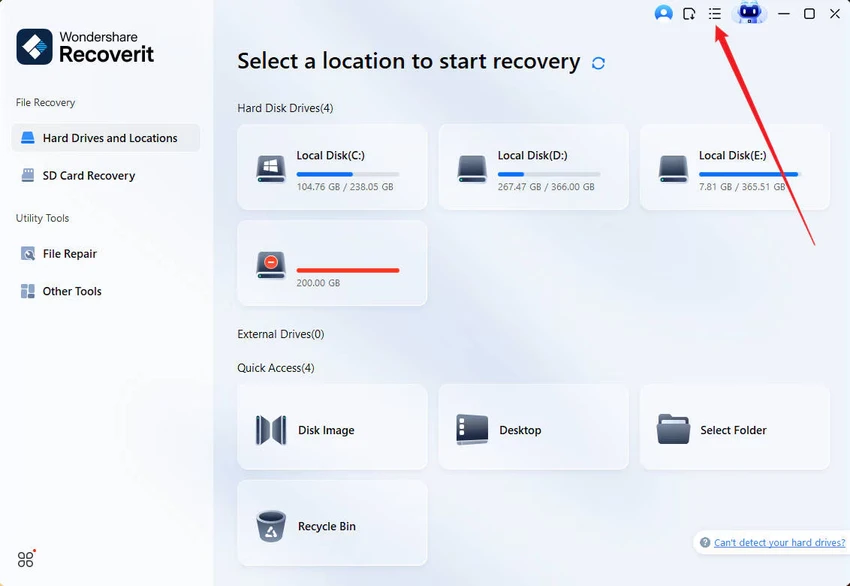

Wondershare Recoverit is a comprehensive data recovery solution designed to restore lost, deleted, formatted, or corrupted files from a wide range of storage devices. It supports recovery across multiple file types and scenarios, making it a versatile tool for both personal and professional data restoration needs. The software is built to handle everything from simple accidental deletions to more complex cases such as corrupted drives, virus attacks, and even crashed operating systems. With support for advanced recovery modes and video repair features, Recoverit positions itself as an all-in-one recovery platform for Windows users.
Features of Wondershare Recoverit
- Recover deleted, lost, formatted, or corrupted files
- Supports 1000+ file formats including documents, photos, videos, music, and emails
- Recover data from 2000+ storage devices
- Works with HDDs, SSDs, USB drives, SD cards, cameras, drones, and more
- Supports recovery from 500+ data loss scenarios
- Preview files before recovery for precise restoration
- Advanced video recovery for Ultra HD, 4K, and 8K videos
- Recover videos from DSLR, drones, action cameras, and other devices
- Advanced video repair with quick and deep repair modes
- Restore corrupted, truncated, or broken video files
- Crashed computer recovery using bootable USB creation
- Supports data rescue from unbootable systems
- "No data, no charge" recovery model
- Compatible with Windows 11, 10, 8.1, 8, 7, Vista, and Windows Server editions
User Experience
After reviewing Wondershare Recoverit, the software presents itself as a structured and guided recovery tool aimed at users who may not be familiar with advanced data restoration techniques. The interface is designed to walk users through scanning, previewing, and recovering files in a step-by-step process. One of the most useful aspects is the preview feature, which allows users to verify recoverable files before restoring them. This helps avoid unnecessary recovery of unwanted or corrupted data and improves accuracy in file selection.
The software performs well across a wide range of recovery scenarios. Whether dealing with accidental deletion, formatted drives, or corrupted storage devices, Recoverit provides dedicated modes that adapt to different levels of data loss severity. The advanced video recovery feature is particularly notable. It is designed to handle large, high-resolution video files such as 4K and 8K recordings from professional cameras, drones, and other devices. This makes it especially valuable for content creators and videographers.
In cases of system failure, the bootable USB recovery option allows users to retrieve files from a crashed computer, adding an important layer of system-level recovery capability. While the tool is feature-rich, some of its advanced recovery and repair functions may require additional time to fully understand, especially for first-time users dealing with complex data loss situations.
Who Should Use Wondershare Recoverit?
- Users who accidentally deleted important files
- Professionals dealing with corrupted or lost data
- Photographers and videographers recovering large media files
- Businesses needing recovery from failed storage devices
- Users with formatted drives or partitions
- Anyone recovering data from crashed Windows systems
Conclusion
Wondershare Recoverit delivers a comprehensive approach to data recovery, combining ease of use with powerful recovery and repair features. From accidental file deletion to complex system crashes and high-resolution video recovery, it covers a wide range of scenarios.


