


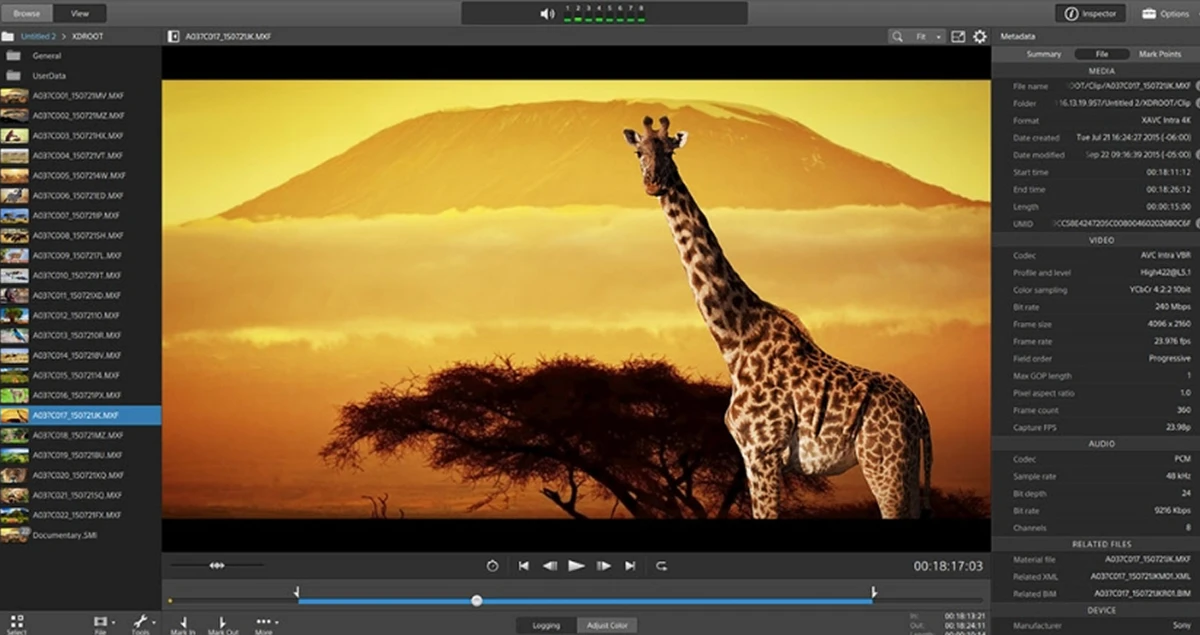

Catalyst Browse is a cross-platform media viewing and logging tool designed for Sony Pro video formats. It is used to simplify media handling by allowing users to browse, review, and manage footage directly from cameras, decks, or card readers. The software is built to support professional video workflows, offering tools for inspecting clips, managing metadata, and preparing footage for further production stages. It also integrates options for copying, transcoding, and uploading media to cloud-based services, helping streamline the transition from capture to post-production.
Features of Catalyst Browse
- Browse media from Sony cameras, decks, or card readers
- Thumbnail and detailed list views for quick navigation
- View and edit clip metadata
- Set in and out points on video clips
- Apply color correction and color looks
- Supports Sony S-Log and RAW workflows with accurate color space viewing
- Copy clips or selected portions to local drives or NAS
- Transcode media into multiple production formats
- Create, import, and export Sony Professional Disc clip lists
- Upload media directly to Sony Ci Media Cloud Services
- Review ultra-wide color gamut footage for high-quality monitoring
- Supports ASC-CDL color file import and export
Interface and Usability
Catalyst Browse uses a structured layout built around media browsing and clip inspection. Users can switch between thumbnail and list views to navigate large volumes of footage more efficiently. Each clip can be opened in detail, where metadata, color settings, and playback controls are available. The interface focuses on clarity and quick access to essential tools like in/out marking, metadata editing, and color adjustments. The workflow is designed to support fast review and selection of footage before moving it into editing or post-production tools.
Who Should Use Catalyst Browse?
- Video editors and assistants handling Sony Pro footage
- Production teams reviewing and logging raw camera media
- Users working with S-Log or RAW video formats
- Studios needing quick media review and selection tools
- Teams preparing footage for post-production workflows
Conclusion
Catalyst Browse provides a focused and efficient way to review and manage Sony Pro video content. It is not a full editing suite, but it plays an important role in the early stages of production by enabling fast browsing, metadata control, and media organization.


