


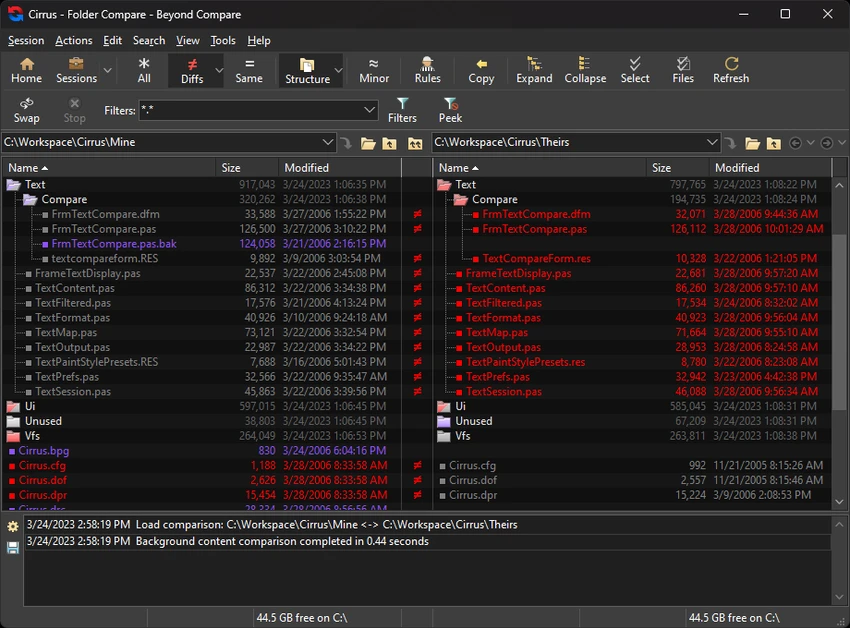

Beyond Compare is a professional file comparison and synchronization tool designed for developers, system administrators, and advanced users who need precise control over data differences. It supports Windows, macOS, and Linux, offering a consistent and powerful workflow across platforms. The software allows users to compare files, folders, and even complex data formats, merge changes intelligently, and synchronize local or remote data sources such as FTP servers and cloud storage.
Features of Beyond Compare
- Compare files and folders with advanced difference detection.
- Merge changes from two versions into a single unified output.
- Synchronize data across local drives, FTP sites, and cloud storage.
- Support for ZIP archives and remote file systems.
- Visual diff highlighting for quick change identification.
- Syntax highlighting for code and structured text files.
- Dedicated viewers for images, executables, and binary data.
- Intelligent filtering to focus on relevant differences.
- Integrated support for version control workflows.
- Command-line automation and scripting support.
- Flexible folder sync tools for backups and mirroring.
- Dark theme and modern UI improvements (BC5 update).
User Experience
Beyond Compare delivers a highly structured and efficient experience for handling file differences. Its interface is designed around clarity, allowing users to quickly identify changes between files or folders through color-coded comparisons and side-by-side views. For developers, the text comparison mode is particularly useful, offering syntax highlighting and customizable comparison rules for source code, HTML, and configuration files. This makes it easier to track changes in complex projects.
The folder synchronization feature is another strong point, enabling users to keep directories in sync across multiple devices or remote servers. The process is highly configurable, allowing fine-tuned control over what gets copied, updated, or ignored.
Merge functionality is intuitive and reduces the complexity of combining changes from multiple versions. Conflicts are clearly highlighted, and users can resolve them efficiently without losing track of modifications. Despite its advanced capabilities, the software remains stable and responsive, even when working with large datasets or complex directory structures.
Who Should Use Beyond Compare?
- Software developers managing code changes.
- System administrators handling backups and server syncs.
- IT professionals comparing system configurations.
- Users working with large datasets or file structures.
- Anyone needing advanced file merge capabilities.
Conclusion
Beyond Compare is a premium-grade utility that excels in file comparison, merging, and synchronization tasks. Its depth of features makes it an essential tool for technical professionals, especially in development and system administration environments.


