Rollback RX logo

Rollback RX 12.91

  • User Rating:
    ★★★★★
    ★★★★★
    0.0 0Votes
  • Requirements:
    Windows
  • Version: 12.91
  • Latest updated: 1 week ago
  • License: Free Trial  
  • Publisher: Horizon DataSys
  • Size: 48 MB
× app stores

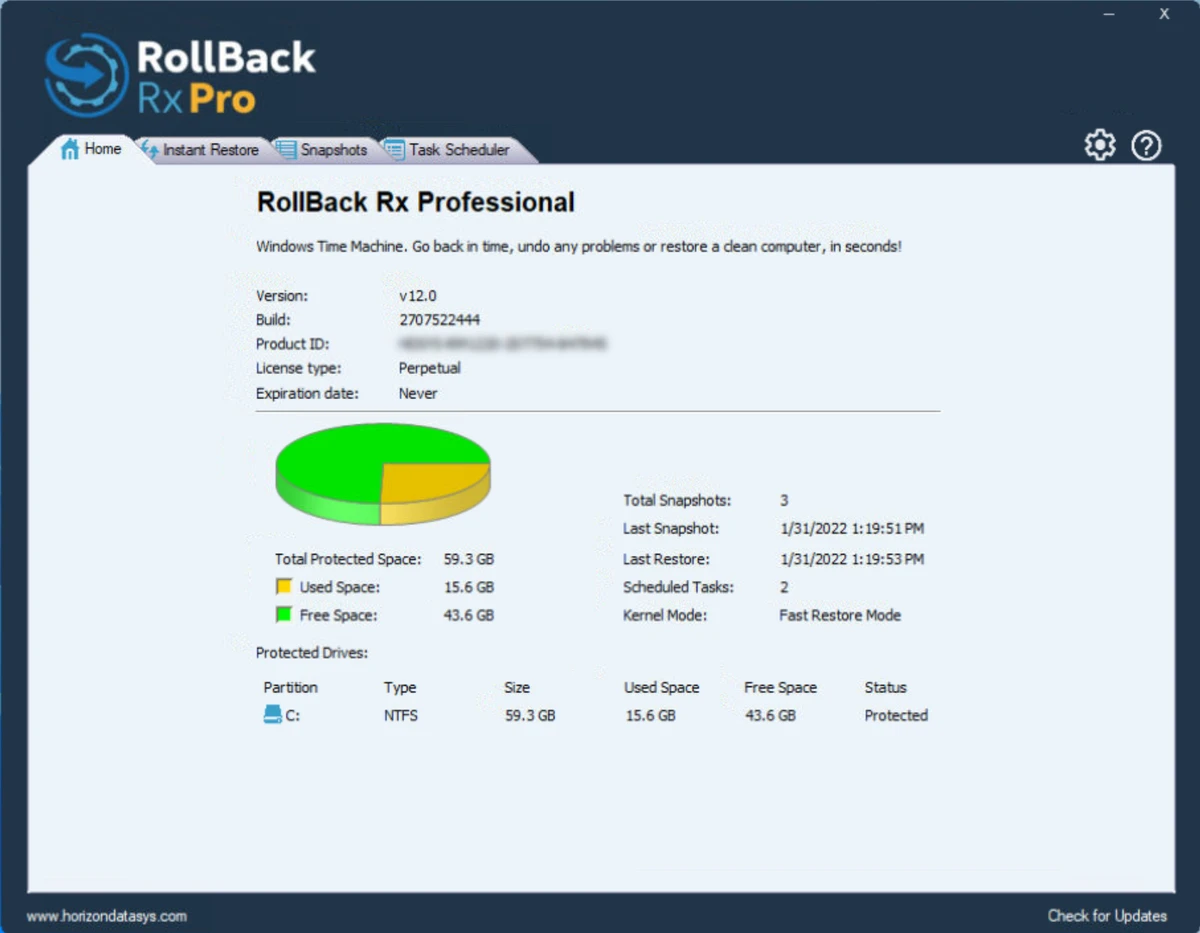
Rollback RX is a Windows system recovery solution designed to help users instantly restore their computer to a previous working state. It acts like a “time machine” for your PC, allowing you to reverse system errors, crashes, malware infections, or failed updates within seconds using snapshots.

Overview

Rollback RX focuses on fast system rollback and snapshot-based recovery instead of traditional backup methods. The software allows users and IT administrators to create system snapshots in seconds without rebooting and restore the entire system state almost instantly. It is built for disaster recovery scenarios where restoring Windows to a clean or stable state is critical, especially after system failures, software conflicts, or security issues.

Features of RollBack Rx

  • Instant system restore to any previous snapshot within seconds
  • Create system snapshots without rebooting
  • Disaster recovery for system crashes and boot failures
  • Restore files and folders from any snapshot state
  • Supports rollback from malware or virus attacks
  • Works even when Windows cannot start
  • Schedule automatic snapshots or trigger them on execution events
  • Explore snapshots and recover individual files via drag-and-drop
  • Snapshot locking to prevent deletion
  • Multi-boot and multi-OS support
  • Virtual machine compatibility (host and guest environments)
  • AES 256-bit snapshot encryption for data protection
  • Administrative access control and multi-user management
  • Built-in snapshot optimization and storage management tools
  • Silent installation and enterprise deployment support
  • Detailed system operation logging

User Experience

From a usability perspective, RollBack Rx is designed for users who prioritize system stability and quick recovery over traditional backup workflows. The snapshot manager interface is described as GUI-based and allows users to manage multiple restore points efficiently. In real-world usage scenarios, the ability to roll back a system after a failed update or malware infection is the standout experience. The fact that snapshots can be taken without rebooting also reduces workflow disruption, especially in professional or IT-managed environments.

However, because the software operates at a deep system level, it is primarily suited for users who are comfortable managing system states and recovery points rather than casual users who only need simple file backups.

Who Should Use RollBack Rx?

  • IT administrators managing multiple Windows systems
  • Power users who frequently test software or system changes
  • Businesses needing fast disaster recovery solutions
  • Users concerned about malware or system corruption risks
  • Environments where system uptime and quick recovery are critical

Conclusion

Rollback RX is a powerful system recovery solution built around instant snapshot rollback technology. It is particularly valuable for IT environments and advanced users who need rapid recovery from system failures, malware attacks, or problematic updates.

Pros & Cons

Pros

  • Extremely fast system restore using snapshots
  • No reboot required for creating snapshots
  • Works even when Windows fails to boot
  • Strong disaster recovery capabilities
  • Supports enterprise deployment and multi-system management

Cons

  • Not suitable as a simple file backup tool
  • Requires understanding of system snapshots and recovery concepts
  • Deep system integration may not suit beginner users

Frequently Asked Questions

What is RollBack Rx used for?

It is used to instantly restore a Windows system to previous states using snapshot-based recovery.

Can RollBack Rx recover files after system failure?

Yes, it allows users to retrieve files and folders from any snapshot, even after a crash.

Does RollBack Rx work when Windows cannot boot?

Yes, it supports recovery even in non-bootable system states.

Can I schedule automatic snapshots?

Yes, snapshots can be scheduled or triggered automatically based on specific actions or files.

Is RollBack Rx suitable for enterprise use?

Yes, it includes tools for group management, deployment, and administrative control.

Recommended apps [Freeware]:
  • Valentina Studio 17.5 Valentina Studio logo manage SQL and NoSQL databases with schema design, queries, reports, and cross-platform support.
  • Zortam Mp3 Media Studio 33.96 Zortam Mp3 Media Studio logo Manage, tag, rip, organize, convert, and play MP3 files with the all-in-one Zortam Mp3 Media Studio
  • Far Manager 3.0 Build 6699 Far Manager logo Manage files efficiently with Far Manager's fast text-based interface, plugins, and archive support
  • HomeBank 5.10.2 HomeBank logo Track expenses, manage budgets, and analyze personal finances with HomeBank's powerful reporting tools
  • Norton 360 Remover 26.6.11050.2580 Norton 360 Remover logo a utility that completely uninstalls Norton 360 security software, removing leftover files and settings
  • StarDesk 1.4.1 StarDesk logo remote desktop solution offering low-latency connections, file transfer, remote assistance, Quick Launch, and remote device management.
Recommended apps [Shareware]:
  • EF Commander 26.06 EF Commander logo a feature-rich Windows file manager with FTP, media tools, archiving, and advanced file control
  • COAA PlanePlotter 6.7.6.3 COAA PlanePlotter logo a Windows tool that decodes live aircraft data like ADS-B and ACARS and displays real-time radar-style tracking
  • DBF Converter 7.85 DBF Converter logo convert DBF files to CSV, Excel, SQL and text with fast batch processing and filtering
  • Modern CSV 2.4.3 Modern CSV logo high-performance CSV editor for Windows with fast large-file handling, multi-cell editing, filtering, and sorting tools
  • Google Antigravity 2.2.1 Google Antigravity logo AI-powered IDE that uses autonomous agents to automate coding, testing, and software development workflows
  • Karaosoft Karma 2026.6.26 Karaosoft Karma logo Manage karaoke shows using drag-and-drop rotation, triple display support, and smart search tools.