


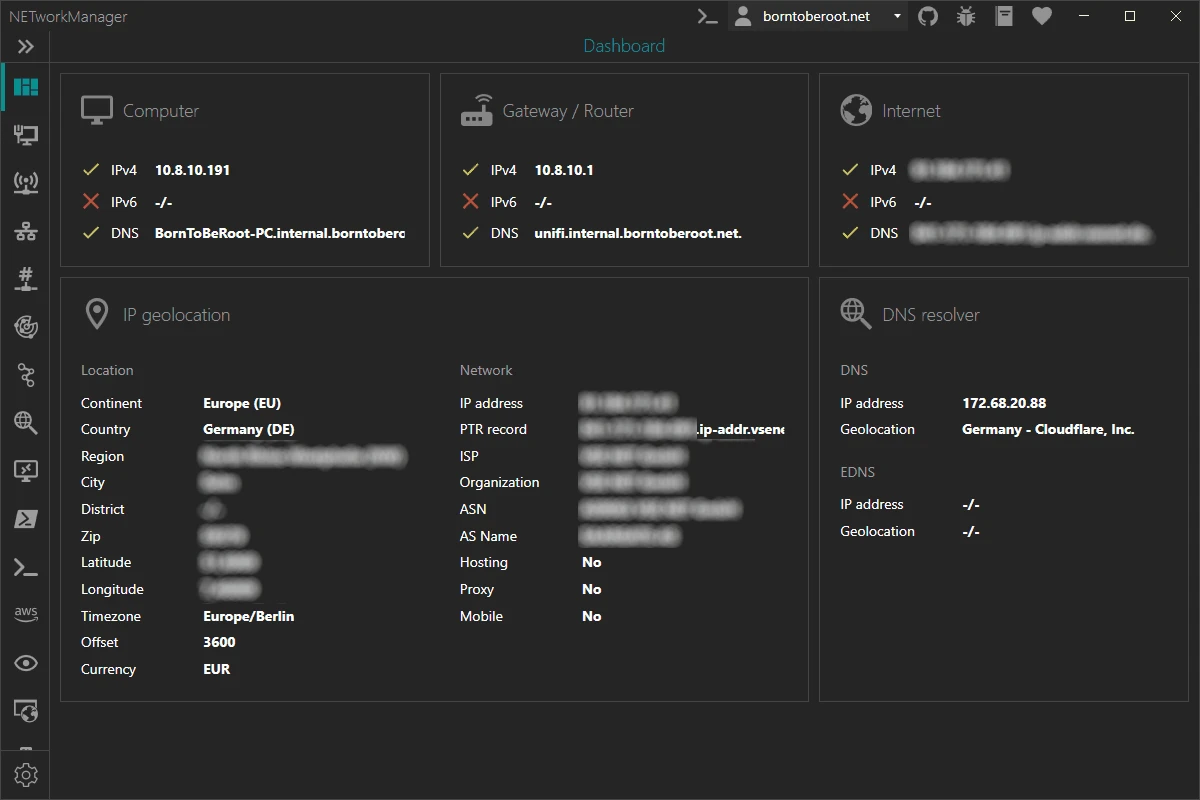

NETworkManager is an open-source network management and troubleshooting application designed to help users monitor, configure, and diagnose network connections from one central interface. The software combines a wide range of networking tools, allowing users to view network interface information, check IP addresses and DNS details, configure network adapters, scan networks, and troubleshoot connectivity issues. It provides access to utilities such as ping monitoring, DNS lookup, port scanning, remote connections, Wake on LAN, and subnet calculations. By bringing multiple essential networking functions together, NETworkManager helps administrators, IT professionals, and advanced users manage network environments more efficiently without needing to switch between separate tools.
Features of NETworkManager
- Network interface management with information, bandwidth monitoring, and configuration options.
- WiFi tools for viewing networks and channels.
- IP scanner for discovering network devices.
- Port scanner for checking available ports.
- Ping monitor for tracking network availability.
- DNS lookup tools.
- Network monitoring capabilities.
- Remote desktop support.
- PowerShell access.
- PuTTY integration (requires PuTTY).
- TigerVNC integration (requires TigerVNC).
- SNMP support with Get, Walk, and Set functions for versions v1, v2c, and v3.
- Wake on LAN functionality.
- HTTP header viewing tools.
- Subnet calculator for calculating networks, subnets, and supernets.
- OUI and port lookup features.
- Connection management tools.
- ARP table viewing.
Interface and Usability
NETworkManager is designed around the idea of collecting essential networking utilities into a single workspace. Instead of opening multiple separate applications for tasks such as checking IP information, scanning ports, testing connections, or performing DNS lookups, users can access these functions from the main interface. The software provides detailed information about network interfaces, including IP addresses and DNS-related data, while also allowing connected network adapters to be configured through profiles. Tools such as ping monitoring, IP scanning, and network calculations make it practical for diagnosing common connection problems.
Because NETworkManager includes many advanced networking functions, it is best suited for IT professionals, administrators, and experienced users who need access to multiple troubleshooting tools in one application.
Who Should Use NETworkManager?
- IT professionals managing computer networks.
- Network administrators troubleshooting connectivity problems.
- Advanced users who need diagnostic and scanning tools.
- Users who want an open-source alternative for network management tasks.
- Technicians working with remote connections and network devices.
Conclusion
NETworkManager is a practical all-in-one networking toolkit for users who need quick access to essential troubleshooting and management functions. By combining network information, scanning tools, monitoring features, remote access utilities, and configuration options, it reduces the need to rely on multiple separate applications.


