


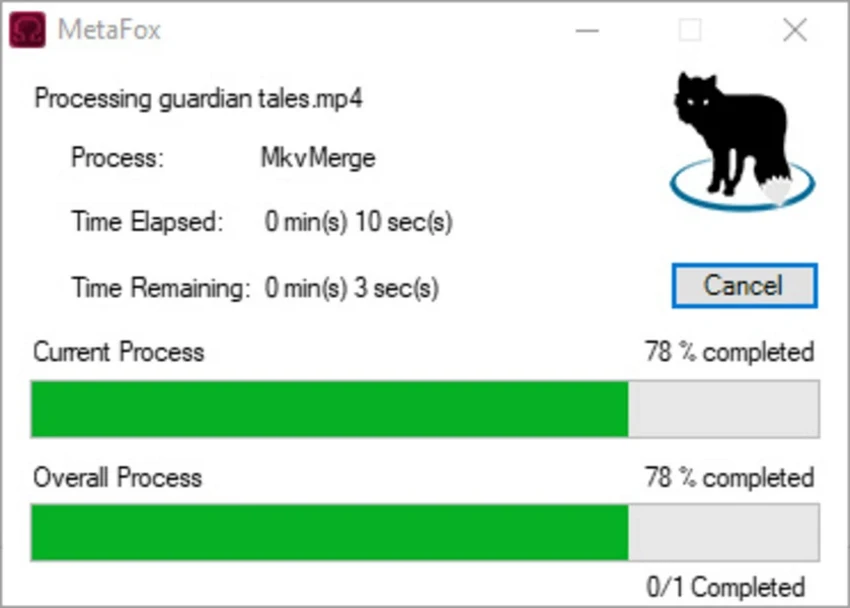

MetaFox is a free and lightweight video conversion tool designed to convert different video formats into the MKV format. The software focuses on simplicity, offering a minimal interface where users can convert videos by simply dragging and dropping files into the application window. Instead of requiring complicated conversion steps, MetaFox automatically processes the selected videos and saves the converted MKV files in the same folder where the application is running. It supports various video formats, including HEVC, AVI, MOV, MP4, MPG, FLV, RMVB, and more.
The application also includes batch processing support, allowing users to handle multiple video files more efficiently. While MetaFox keeps the conversion process simple, it still provides additional settings for users who want more control, including options related to compression headers, DVD video splitting, file appending, and muxing options. Its small size and straightforward workflow make it suitable for users who need a quick MKV conversion solution.
Features of MetaFox
- Drag-and-drop video conversion for a simple conversion workflow.
- MKV format conversion from various supported video formats.
- Support for multiple input formats, including HEVC, AVI, MOV, MP4, MPG, and FLV.
- Batch processing support for converting multiple videos.
- Fast conversion process with a lightweight application design.
- Automatic output location by saving converted videos in the same folder as the application.
- Conversion progress information with remaining time display.
- Process cancellation option when conversion is running.
- Additional configuration options including muxing, compression headers, file appending, and DVD video splitting.
Interface and Usability
MetaFox is built around a simple drag-and-drop interface that keeps the conversion process accessible for all types of users. Instead of navigating through multiple menus, users can add videos directly by dropping them into the main window and starting the conversion process.
The application’s minimal design makes it easy to learn, especially for users who only need basic MKV conversion. Batch processing and progress tracking add convenience when working with multiple files.
MetaFox also includes a settings section with additional options for advanced users. However, some settings are not clearly explained, which may make certain options difficult to understand without prior knowledge of video processing. The software also automatically saves converted files in the same folder where MetaFox is running, without offering a separate destination selection.
Who Should Use MetaFox?
MetaFox is suitable for users who need a quick and uncomplicated way to convert videos into MKV format. It is a good choice for people who prefer lightweight tools instead of larger video editing applications with complex interfaces. The software can also be useful for users who regularly convert multiple video files and want a simple batch processing option without spending time configuring advanced settings.
Conclusion
MetaFox is a practical and lightweight solution for users who need a straightforward way to convert videos into MKV format. Its drag-and-drop workflow, small size, and support for multiple video formats make it convenient for quick conversion tasks.
The software is especially suitable for users who do not need a full video editor and simply want an efficient MKV converter. Although some advanced options could benefit from clearer explanations, the basic conversion process remains simple and accessible.


