


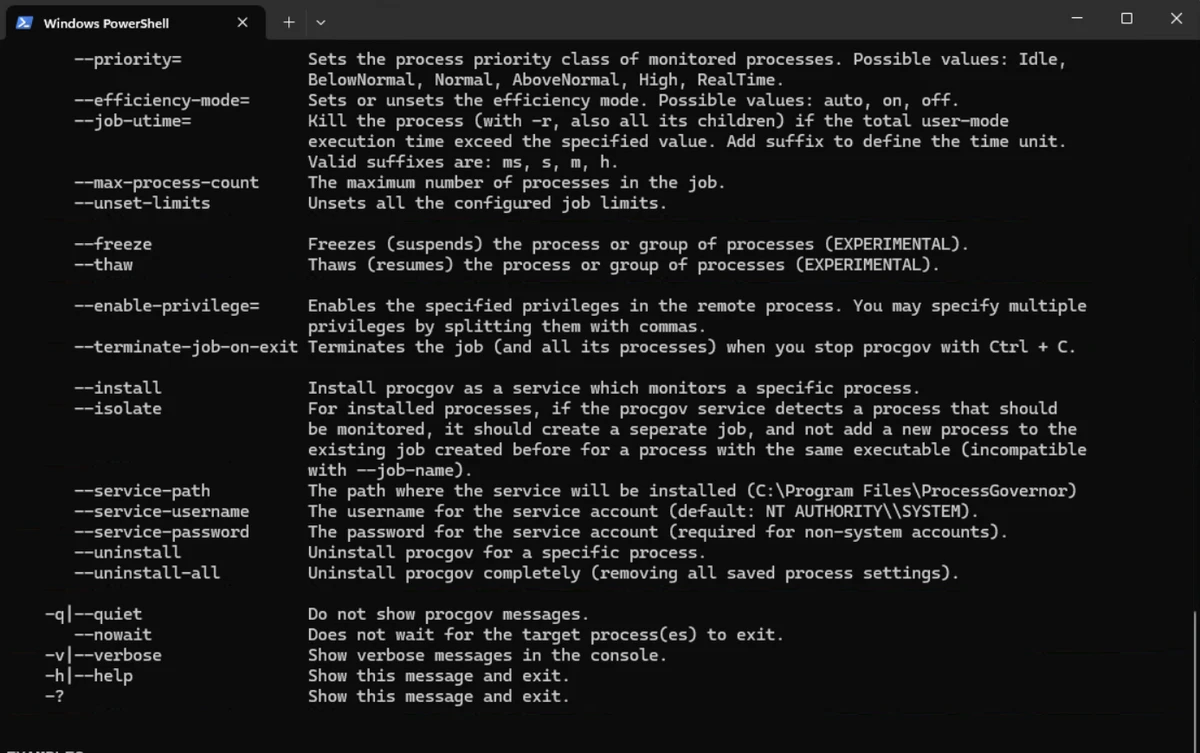

Process Governor is a Windows command-line utility designed to control and limit CPU and memory usage for running or newly created processes. The software allows users to apply resource restrictions to individual applications, helping manage situations where certain programs consume excessive system resources.
The tool is especially useful when running demanding applications on older hardware or systems where resource spikes affect overall performance. By setting limits on CPU and memory usage, users can reduce the impact of specific processes and maintain better system responsiveness. Process Governor supports applying restrictions to both existing processes and new processes launched through the command line. Users can attach limits to a running application by specifying its process ID (PID), or they can start a new program with predefined resource limits applied from the beginning.
The application works through command-line commands, making it more suitable for advanced users, system administrators, and technical users who need precise control over process behavior. It provides a direct way to manage system resources without relying on a graphical interface.
For users who need detailed control over CPU and memory consumption of specific applications, Process Governor provides a focused solution for process resource management.
Features of Process Governor
- Limit CPU usage for running or newly created processes
- Restrict memory usage for selected processes
- Apply limits to existing processes using process IDs
- Start new applications with predefined resource restrictions
- Command-line based operation for advanced control
- Helps manage resource spikes from demanding applications
- Useful for controlling processes on older or limited hardware systems
Interface and Usability
Process Governor uses a command-line interface rather than a traditional graphical user interface. This design provides direct control over process limits but requires users to work with command parameters and process information. Applying restrictions to an existing process involves specifying its process ID, while launching a new process with limits requires entering the application path and any required arguments. Once configured correctly, the tool provides a straightforward way to control resource usage.
The command-line approach makes Process Governor a better fit for experienced users who are comfortable managing applications through terminal commands. Users looking for visual process management tools may find the workflow less familiar.
Who Should Use Process Governor?
- System administrators managing Windows machines
- Advanced users optimizing resource usage
- Developers testing application behavior under resource limits
- Users running demanding software on older hardware
- Technical users who prefer command-line utilities
Conclusion
Process Governor is a specialized system utility for users who need precise control over CPU and memory usage in Windows processes. Its command-line design makes it powerful and flexible, particularly for administrators and experienced users who need to automate or fine-tune resource management.
While it may not be the easiest choice for beginners, it provides a practical way to prevent individual applications from consuming excessive system resources. If you need a lightweight tool for controlling process limits through the command line, Process Governor is worth exploring.


