


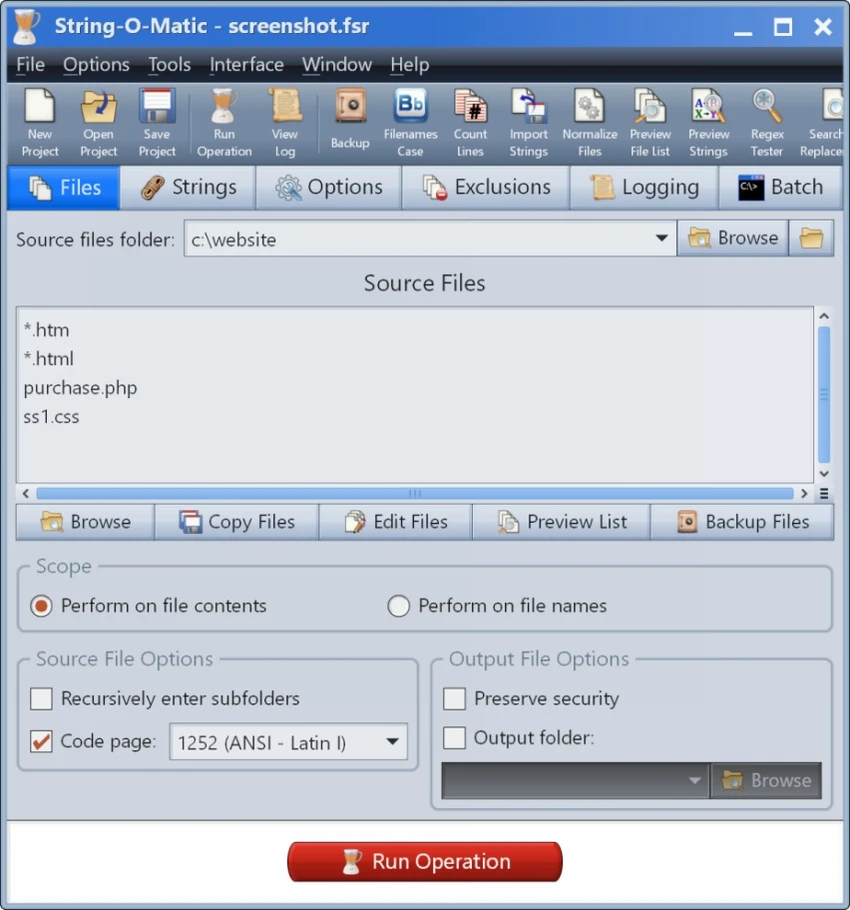

String-O-Matic is a Windows utility designed for performing advanced search and replace operations across multiple files at once. It is especially useful for software developers, web developers, and anyone working with large codebases or text-heavy projects. The software can process multiple file types, including source code, HTML, and plain text files. Beyond editing file contents, it also supports batch renaming of filenames, making it a versatile tool for project-wide changes. With support for Unicode, regular expressions, and automated workflows, String-O-Matic helps reduce repetitive manual editing and significantly improves productivity in large-scale file management tasks.
Features of String-O-Matic
- Perform search and replace across multiple files simultaneously
- Supports file content editing and filename modifications
- Works with ASCII, UTF-8, and 16-bit Unicode files
- Supports regular expressions for advanced pattern matching
- Wildcard support using * and ? for file selection
- Case-sensitive and case-insensitive search options
- Whole word matching to avoid partial replacements
- Line restriction options (beginning, end, or specific ranges)
- Preview mode to review changes before applying them
- Optional prompt before each replacement operation
- Automatic backup of source files in compressed ZIP format
- Built-in operation logging for tracking changes
- Ability to run DOS batch commands before and after operations
- Recursive folder search support
- Bulk filename case conversion tool included
- Tools for newline normalization and whitespace cleanup
- Project file support for saving and reusing configurations
Interface and Usability
String-O-Matic is a utility-focused tool designed for efficiency rather than modern visual design. Its interface is structured around defining search parameters, selecting file sets, and executing batch operations. While it may feel technical to beginners, experienced developers will find the workflow logical and powerful. The inclusion of wizards and a detailed help system helps simplify project setup for new users. The ability to preview changes before execution and create automatic backups adds an extra layer of safety, making it suitable for working on critical or large-scale projects.
Who Should Use String-O-Matic?
- Software developers working on large codebases
- Web developers editing multiple HTML or script files
- System administrators managing configuration files
- Technical writers performing bulk text updates
- Anyone needing automated batch file modifications
Conclusion
String-O-Matic is a powerful and reliable tool for bulk text processing and file management. Its advanced search and replace capabilities, combined with safety features like backups and preview mode, make it especially valuable for developers and technical professionals.


