


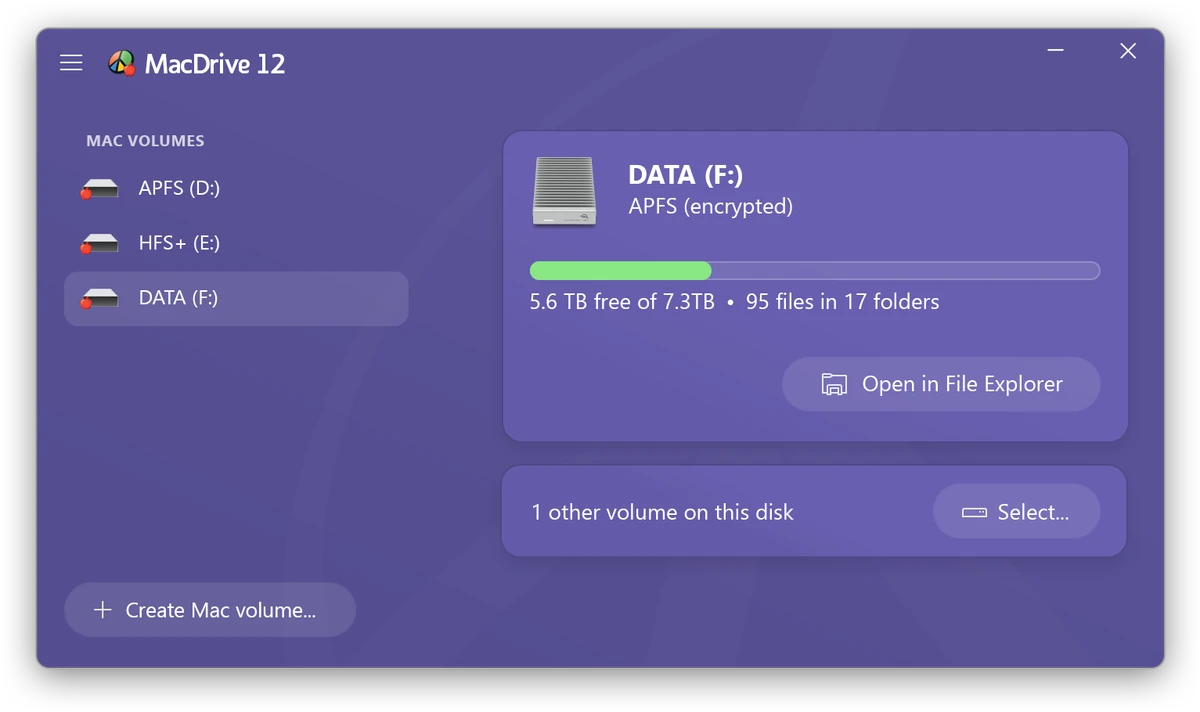

MacDrive is a powerful Windows utility designed to bridge the gap between macOS and Windows file systems. It allows users to access, read, write, and manage Mac-formatted drives directly on a Windows PC without requiring file conversion, cloud transfers, or workaround solutions like exFAT. With support for modern Apple file systems such as APFS (including encrypted volumes), legacy HFS+, and RAID configurations, MacDrive enables seamless cross-platform workflows for professionals working across Mac and Windows environments.
Features of MacDrive
- Full read and write support for HFS+ drives
- Full read and write support for APFS drives
- Support for encrypted APFS volumes with password authentication
- Access to Mac disks directly in Windows Explorer as drive letters
- Create, format, and partition Mac disks from Windows
- Repair and verify Mac disk integrity
- Automatic mounting and dismounting of Mac drives
- Support for portable drives, SSDs, and Thunderbolt devices
- Compatibility with SoftRAID and Apple RAID volumes
- High-speed data transfer optimized for large files
- Detailed disk diagnostics and system information tools
- Native-like integration with Windows file management system
- Compatible with Windows 11, Windows 10, Windows Server 2019 and 2022
User Experience
After reviewing MacDrive, the software clearly focuses on solving one of the most persistent challenges in cross-platform environments: seamless access to Mac-formatted drives on Windows systems. Once installed, Mac disks appear directly in Windows Explorer, allowing users to interact with them just like native Windows drives. The ability to read and write to both APFS and HFS+ file systems eliminates the need for intermediate formats or cloud-based transfers. This is especially valuable in professional environments such as video production, photography, and IT support, where large files are frequently exchanged between Mac and Windows systems.
One of the standout features is support for encrypted APFS volumes. This allows users to access secured Mac drives without losing encryption compatibility, which is critical for sensitive data workflows. Disk management capabilities add further utility. Users can create, format, and repair Mac disks directly from Windows, reducing the need to switch between operating systems for maintenance tasks. Performance is optimized for high-speed transfers, making it suitable for large media files such as 4K video projects or large photo libraries. Automatic mounting and integration with Windows Explorer help streamline everyday usage, making MacDrive feel like a native extension of the operating system.
Who Should Use MacDrive?
- Video editors working across Mac and Windows systems
- Photographers transferring large media libraries
- IT professionals managing cross-platform storage
- Studios with mixed operating system environments
- Users accessing Mac-formatted external drives on Windows
- Professionals working with RAID or encrypted APFS volumes
Conclusion
MacDrive delivers a robust and reliable solution for accessing Mac-formatted drives on Windows without conversion or data loss. With support for modern APFS encryption, RAID volumes, and seamless Windows Explorer integration, it eliminates one of the major barriers between macOS and Windows workflows.


