ShareX logo

ShareX 21.0.0

  • User Rating:
    ★★★★★
    ★★★★★
    0.0 0Votes
  • Requirements:
    Windows
  • Version: 21.0.0
  • Latest updated: 3 weeks ago
  • License: Freeware  
  • Publisher: ShareX
  • Size: 133 MB
× app stores

ShareX is a feature-rich and open-source screen capture and screen recording tool designed for Windows users who need fast, flexible, and highly customizable capture workflows. During my review, it stood out as more than just a simple screenshot utility—it functions as a complete media capture and sharing system.

The software allows users to capture screenshots in multiple ways, record screen video using FFmpeg, and instantly edit or upload captured content to a wide range of online services. Its automation features, especially the “After Capture” workflow, make it highly efficient for users who frequently share visual content. In addition to screenshots and recording, ShareX also supports file uploads and clipboard-based sharing, making it a versatile productivity tool for creators, developers, and support teams.

Features of ShareX

  • Capture screenshots in multiple modes:
    • Full screen capture
    • Window capture
    • Region (rectangle) capture
    • Scrolling capture
  • Screen recording using FFmpeg.
  • Capture GIF animations.
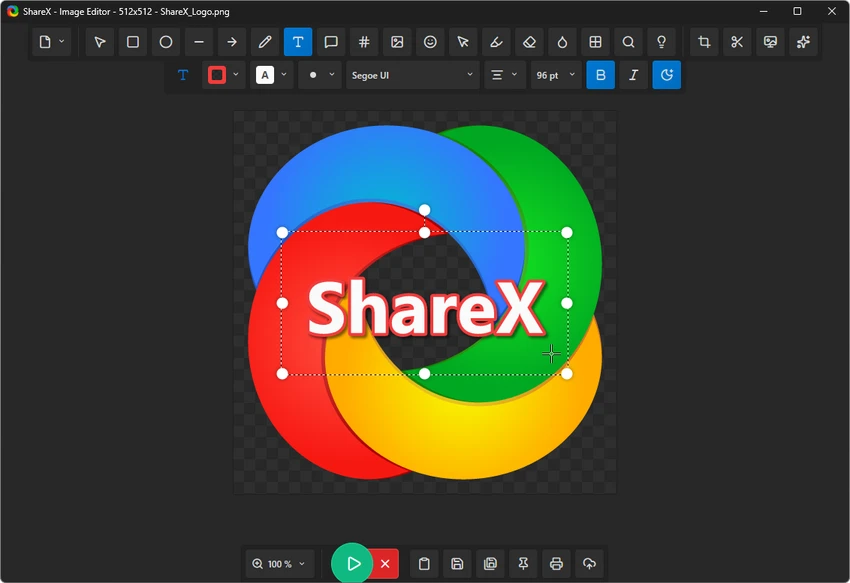
  • Built-in image editor for annotations and edits.
  • Image effects and watermark tools.
  • AI-powered background remover (new feature).
  • Automatic upload to 25+ online services, including:
    • Imgur
    • Dropbox
    • Flickr
    • ImageShack
  • Save screenshots automatically to:
    • Clipboard
    • Local storage
    • External services
  • After-capture automation workflows.
  • Upload files or clipboard content, not just images.
  • Share links instantly after upload.
  • Customizable capture and upload settings.

Interface and Usability

ShareX provides a highly functional but technical interface. From my experience, it is designed for efficiency rather than simplicity. Users can configure detailed capture workflows, automate post-processing steps, and define how each screenshot or recording is handled after capture.

While the initial setup may feel overwhelming for beginners due to the large number of options, once configured, ShareX becomes extremely fast and seamless to use. The ability to automate uploads, edits, and file naming significantly improves productivity. The built-in editor is practical for quick annotations, allowing users to highlight, blur, or mark areas directly after capture.

Who Should Use ShareX?

  • Content creators and streamers.
  • Developers and QA testers.
  • Technical support teams.
  • Bloggers and documentation writers.
  • Users who frequently share screenshots online.
  • Anyone needing advanced screen capture automation.

Conclusion

ShareX is a top-tier screen capture and recording tool that goes far beyond basic screenshot functionality. Its powerful automation, editing tools, and integration with online services make it an essential utility for users who frequently work with visual content.

Pros & Cons

Pros

  • Completely free and open-source
  • Extremely powerful capture options
  • Screen recording and GIF support
  • Built-in image editor with annotation tools
  • Automated upload workflows
  • Supports many cloud and image hosting services
  • Highly customizable

Cons

  • Steep learning curve for beginners
  • Interface can feel complex at first
  • Requires setup to unlock full potential

Frequently Asked Questions

What is ShareX used for?

ShareX is used for taking screenshots, recording screen videos, capturing GIFs, and sharing files or images online.

Does ShareX support screen recording?

Yes. ShareX uses FFmpeg to record screen video and also supports GIF recording.

Can ShareX upload screenshots automatically?

Yes. ShareX can automatically upload captured images or files to multiple online services and generate shareable links.

Is ShareX free to use?

Yes. ShareX is completely free and open-source.

Does ShareX include image editing tools?

Yes. It includes a built-in editor for annotations, effects, and watermarking.

Is ShareX suitable for beginners?

It can be challenging at first due to its advanced settings, but it becomes very efficient once configured properly.

Recommended apps [Freeware]:
  • Garmin Express 7.29.0.0 Garmin Express logo manage Garmin GPS devices with map updates, backups, software updates, and device registration
  • Microsoft Edge 150.0.4078.83 Microsoft Edge logo modern Chromium-based browser offering fast performance, strong security, privacy controls, and cross-platform support
  • Futuremark SystemInfo 5.92.1497 Futuremark SystemInfo logo scans your PC hardware and system components, generating detailed diagnostic reports.
  • RustDesk 1.4.9 RustDesk logo open-source remote desktop solution with self-hosting, cross-platform support, and customizable remote access tools
  • Jubler Subtitle Εditor 9.0.1 / 10.0.0 Jubler Subtitle Εditor logo edit, sync, translate, and correct subtitles with real-time video preview
  • Microsoft Safety Scanner 1.453.370 Microsoft Safety Scanner logo removes viruses, spyware, and unwanted software with quick, full, or custom on-demand scans
Recommended apps [Shareware]:
  • Charles 5.2.0 Charles logo HTTP proxy tool for web debugging, allowing developers to inspect, modify, and analyze network traffic in real time
  • Duplicate Finder 2026 v418 Duplicate Finder logo remove duplicate photos and videos by scanning files using MD5 hashing for accurate results.
  • Jutoh 3.31.7 Jutoh logo Create, edit, and publish ebooks in multiple formats with Jutoh
  • Start11 2.7.3 Start11 logo Windows customization tool that restores classic Start Menu styles and enhances taskbar functionality on Windows 10 and 11
  • MobaXterm 26.4 MobaXterm logo Manage SSH, RDP, VNC, X11, FTP, and Unix tools in one powerful Windows application
  • Lossless Extract 3.0.1 Lossless Extract logo Extract high-resolution audio from Blu-ray, SACD, MKV, and DVD-Audio while preserving lossless quality and immersive audio formats.