


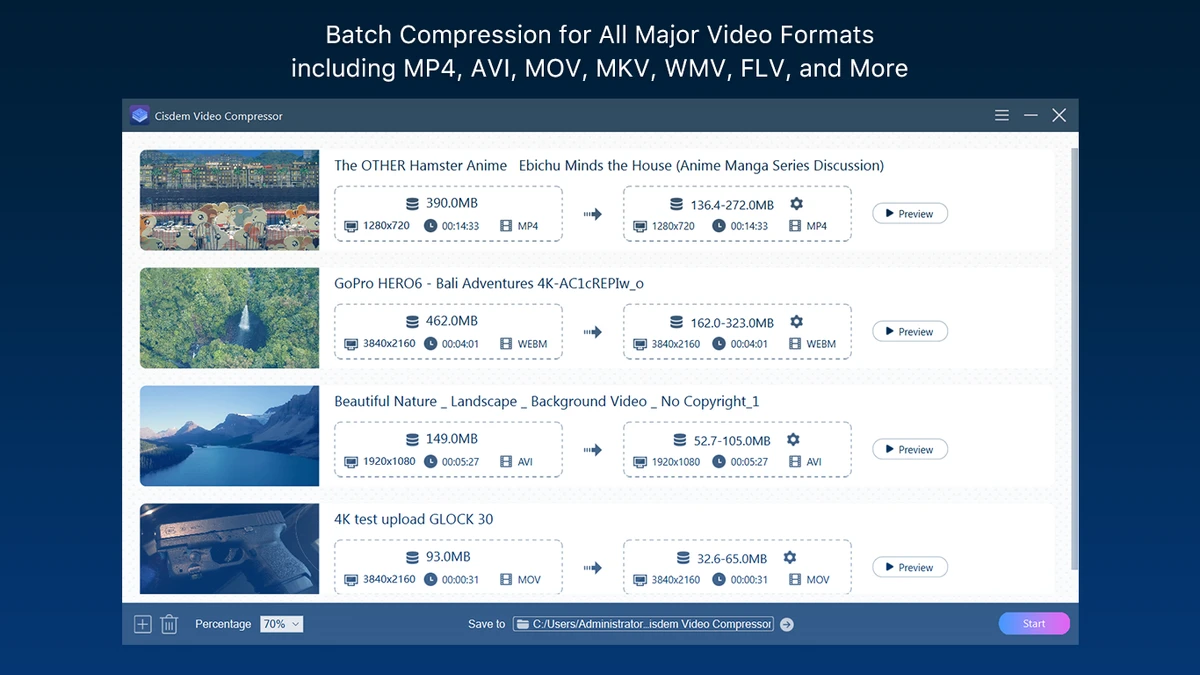

Cisdem Video Compressor is a media compression tool for Windows that helps users reduce the size of video and audio files while maintaining high output quality. It is designed for people who need smaller media files for easier storage, faster uploads, or smoother sharing across websites, email, and social media platforms. Instead of relying on one-click compression alone, the software gives users detailed control over the compression process by allowing them to adjust settings such as target file size, compression percentage, encoder, resolution, bitrate, and other video parameters.
The software supports exporting compressed media in a variety of widely used formats, ensuring compatibility with different devices and platforms. A built-in preview feature allows users to review the results before completing the compression, helping them fine-tune settings if necessary. One of its strongest advantages is batch compression, which enables multiple video or audio files to be processed simultaneously without quantity restrictions, making it especially useful for large media libraries. Combining flexible customization with an accessible interface, Cisdem Video Compressor offers a practical solution for managing media files efficiently while preserving visual and audio quality.
Features of Cisdem Video Compressor
- Compress video and audio files while maintaining quality
- Customize compression percentage or target file size
- Adjust encoder, resolution, bitrate, and other video parameters
- Preview compressed files before exporting
- Batch compression with no quantity limitations
- Multiple bitrate encoding modes
- Adjustable output quality settings
- Export videos and audio in widely used formats
- Designed for Windows
- Suitable for optimizing files for web, email, and social media sharing
Interface and Usability
Cisdem Video Compressor offers a clean and straightforward interface that makes video compression accessible for users of different experience levels. The workflow is simple, allowing users to import media files, choose the desired compression settings, and export the optimized results in just a few steps.
The available customization options are organized clearly, making it easy to adjust the compression percentage, target file size, encoder, resolution, bitrate, and other parameters without feeling overwhelmed. Before exporting, the preview function allows users to evaluate how the selected settings affect the final output, reducing the need for repeated compression attempts. For users working with multiple files, the batch compression feature streamlines the process by handling numerous videos or audio files simultaneously, saving considerable time.
Who Should Use Cisdem Video Compressor?
- Users who need to reduce video file sizes for storage
- Content creators preparing videos for social media
- Professionals sending large media files by email
- Users who want more control over compression settings
- Anyone managing large collections of video or audio files
- Windows users looking for batch media compression
Conclusion
Cisdem Video Compressor is a practical solution for anyone who regularly works with large media files. Its combination of flexible compression settings, preview functionality, and unlimited batch processing makes it suitable for both casual users and professionals who need to optimize videos and audio without significantly affecting quality. The straightforward interface keeps the workflow simple while still providing enough customization for more advanced requirements.


