Dropbox logo

Dropbox 258.4.3749

  • User Rating:
    ★★★★★
    ★★★★★
    0.0 0Votes
  • Requirements:
    Windows
  • Version: 258.4.3749
  • Latest updated: 3 days ago
  • License: Freeware  
  • Publisher: Dropbox
  • Size: 284 MB
× app stores

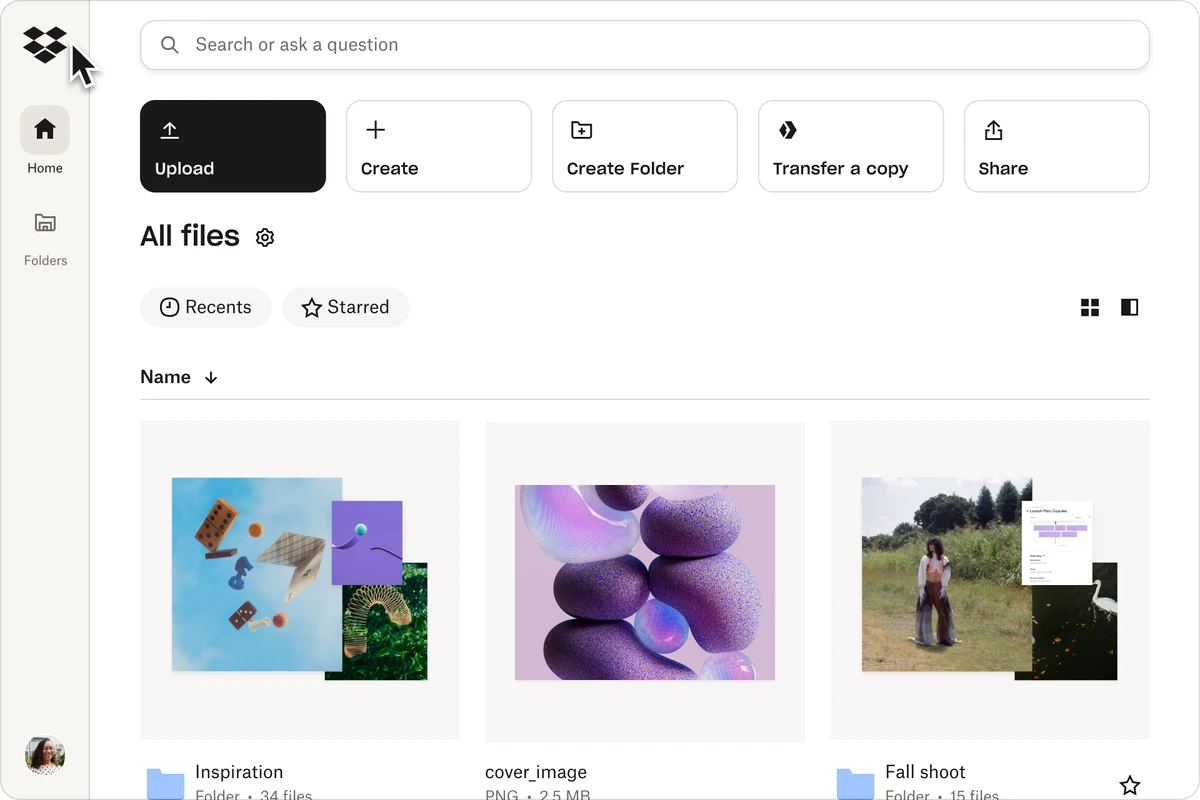
Dropbox is a cloud-based file storage and synchronization service that allows users to store, access, and share files across multiple devices. Once installed, it creates a dedicated folder on your computer where any file added is automatically synced to the cloud and all connected devices. The service is designed for both personal and professional use, offering a simple way to keep files backed up, accessible, and shareable from anywhere.

Key Features of Dropbox

  • Automatic file synchronization across devices.
  • Cloud backup for documents, photos, videos, and other files.
  • File version history and recovery of deleted files.
  • Easy file and folder sharing with others.
  • Smart sync updates only changed parts of large files.
  • Access files from:
    • Windows PCs
    • Mobile devices
    • Web browser
  • Secure file transfer using SSL encryption.
  • AES-256 encryption for stored data.
  • Seamless integration with system file explorer.
  • Real-time updates across connected devices.

User Experience

Dropbox works like a normal folder on your computer, making it extremely easy to use even for beginners. Any file placed inside the Dropbox folder is automatically synced to the cloud without requiring manual uploads. File sharing is straightforward, allowing users to generate links or share folders directly with others, even if they don’t have a Dropbox account. This makes collaboration especially simple for teams, students, and families.

One of its most useful features is version history, which allows users to recover deleted files or restore previous versions. This provides a strong safety net against accidental deletion or file corruption. Performance is generally smooth, with smart syncing ensuring that only modified parts of large files are updated, reducing bandwidth usage and improving speed.

Who Should Use Dropbox?

  • Users who need automatic file backup.
  • Students and professionals sharing documents.
  • Teams collaborating on projects.
  • Users working across multiple devices.
  • Anyone needing secure cloud storage.

Conclusion

Dropbox is a trusted cloud storage platform that simplifies file management across devices. With automatic syncing, secure storage, and easy sharing features, it provides a dependable solution for both personal and professional use.

Pros & Cons

Pros

  • Simple and intuitive interface.
  • Automatic cloud synchronization.
  • Strong file sharing and collaboration tools.
  • File recovery and version history.
  • Fast and efficient sync technology.
  • Secure encryption (SSL and AES-256).

Cons

  • Requires internet connection for syncing.
  • Free storage is limited compared to paid plans.
  • Advanced features may require subscription.

Frequently Asked Questions

What is Dropbox used for?

Dropbox is used for storing, syncing, and sharing files across multiple devices via the cloud.

Is Dropbox free?

Yes, Dropbox offers a free plan with limited storage, along with paid upgrades.

Can I recover deleted files?

Yes. Dropbox includes file recovery and version history features.

Does Dropbox work offline?

Files are stored locally, but syncing requires an internet connection.

Is Dropbox secure?

Yes. It uses SSL encryption for transfers and AES-256 encryption for stored data.

Recommended apps [Freeware]:
  • Simple IP Config 2.9.7 Simple IP Config logo a lightweight, portable tool for quickly changing Windows IP, DNS, and network settings
  • Universal USB Installer 2.0.3.7 Universal USB Installer logo create bootable Linux USB drives easily with ISO support and persistence options on Windows.
  • Futuremark SystemInfo 5.92.1497 Futuremark SystemInfo logo scans your PC hardware and system components, generating detailed diagnostic reports.
  • Markdown Monster 4.4.3 Markdown Monster logo a powerful Windows Markdown editor with live preview, HTML/PDF export, Git integration, and blogging tools
  • 1Click Uninstaller 4.0 1Click Uninstaller logo simple Windows uninstaller tool with context menu removal, leftover cleanup, and process termination features
  • QuickImageComment 5.02 QuickImageComment logo Edit IPTC, EXIF, and XMP metadata quickly, a lightweight tool for image comments and photo tagging on Windows
Recommended apps [Shareware]:
  • TweakNow WinSecret Plus 9.5.4 TweakNow WinSecret Plus logo Windows optimization, hidden tweaks, PDF tools, image conversion, and system utilities
  • EF File Catalog 26.05 EF File Catalog logo Catalog disks, folders, archives, and media for fast offline browsing, searching, and file organization
  • TubeMate 6.4.6 TubeMate logo downloads online videos, converts media formats, extracts audio, and manages high-quality video downloads
  • GetFLV 32.2606.25 GetFLV logo combines video downloading, conversion, audio extraction, and basic editing tools in one Windows application
  • XnView MP 1.11.5 XnView MP logo a powerful image viewer, editor, and batch converter supporting 500+ image formats on Windows
  • DiskBoss 16.9.18 DiskBoss logo powerful Windows file management tool for disk analysis, duplicate cleanup, file synchronization, and data migration