


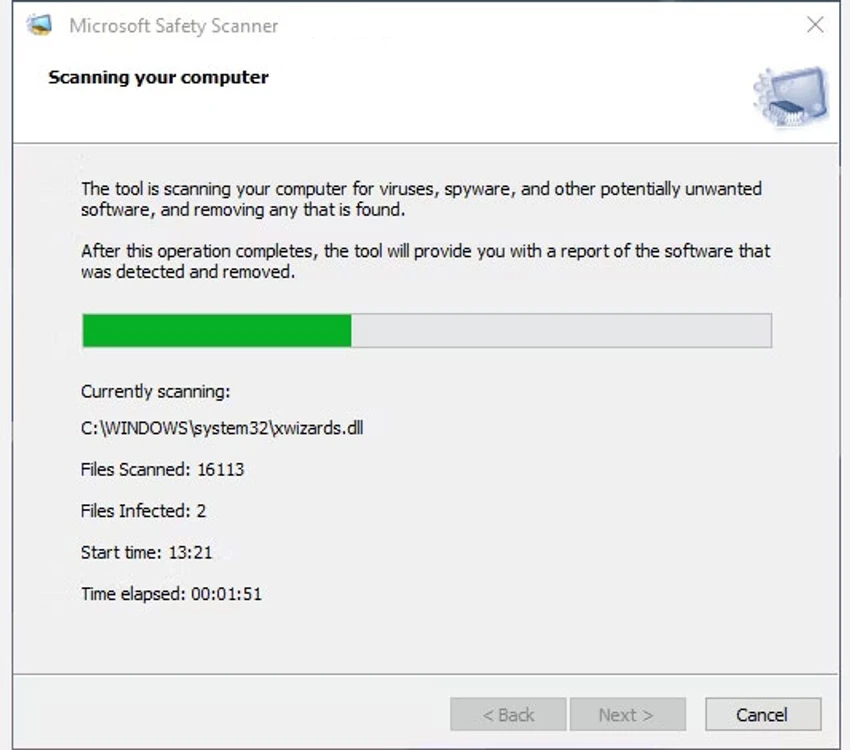

Microsoft Safety Scanner is an on-demand security utility designed to scan Windows systems for viruses, spyware, and potentially unwanted software. Unlike a full antivirus solution, it is intended as a supplemental tool that helps detect and remove threats when a deeper manual scan is required.
During its usage flow, the tool guides users through a simple wizard interface where they can choose between quick, full, or custom scan modes. This makes it accessible even for non-technical users who need to check their system for infections or suspicious files. It is especially useful in situations where a system may already be infected or when a second opinion scan is needed alongside an existing antivirus solution.
Features of Microsoft Safety Scanner
- Detects and removes viruses, spyware, and potentially unwanted software.
- Offers three scan modes:
- Quick scan (checks common infection areas)
- Full scan (deep system-wide analysis)
- Custom scan (user-selected folders)
- Simple wizard-based interface for guided scanning.
- Displays real-time scan progress and statistics.
- Generates a detailed scan report after completion.
- Identifies and reports detected threats during scanning.
- Works alongside existing antivirus software.
- Lightweight, on-demand scanning tool (no continuous background protection).
Interface and Usability
Microsoft Safety Scanner uses a straightforward wizard-style interface that prioritizes simplicity. From my perspective, the scanning process is easy to initiate, with clear prompts guiding users through scan type selection.
The quick scan option is useful for fast checks of high-risk areas, while the full scan provides a more thorough system analysis. The custom scan mode is particularly helpful when users already suspect specific folders or locations. However, because the tool does not run in the background or provide real-time protection, it functions strictly as a manual scanning utility rather than a full security suite.
Who Should Use Microsoft Safety Scanner?
- Users who want a second opinion malware scan.
- Computers suspected of virus or spyware infection.
- Users needing a quick, on-demand security check.
- IT technicians performing system diagnostics.
- Windows users who already have antivirus software installed.
Conclusion
Microsoft Safety Scanner is a practical on-demand malware scanning tool that helps users detect and remove viruses, spyware, and potentially unwanted software. While it lacks real-time protection, it is a useful addition to any security toolkit for periodic system checks or troubleshooting suspected infections.


