


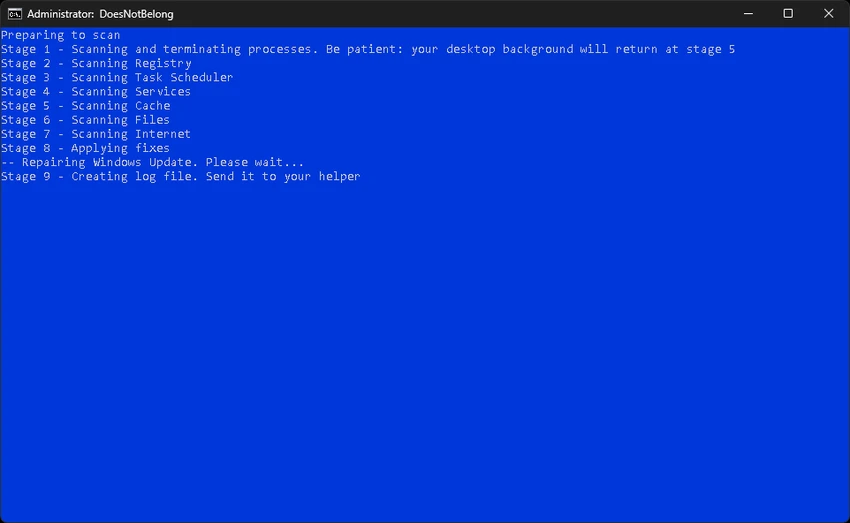

DoesNotBelong (formerly Furtivex Malware Removal Script) is a free malware remediation utility designed to complement traditional antivirus software rather than replace it. It provides an additional layer of on-demand protection by helping identify malware-related issues, repairing Windows system modifications, and performing extensive cleanup tasks that can improve both security and system performance. Unlike a conventional antivirus solution, DoesNotBelong focuses on malware cleanup, registry repair, process management, and Windows maintenance after or during an infection. Because some of its operations modify Windows settings and system components, users should have a basic understanding of Windows internals before using its more advanced capabilities.
Features of DoesNotBelong
- Free on-demand malware remediation tool
- Works alongside existing antivirus software
- Terminates non-essential processes while preserving essential system processes through a whitelist
- Cleans all Windows RunOnce registry entries
- Verifies essential Windows system files and reports missing files
- Clears multiple Windows Event Viewer logs, including:
- Application
- Security
- Setup
- System
- Forwarded Events
- Removes cache files from supported browsers and applications while preserving login cookies
- Supports cleanup for browsers including:
- Microsoft Edge
- Google Chrome
- Mozilla Firefox
- Brave
- Vivaldi
- Yandex
- Detects Windows Defender Event ID 3002 entries (feature currently under development)
- Displays Malwarebytes log filenames if found on the desktop
- Repairs malware-related Windows Registry modifications
- Removes policy restrictions that may interfere with antivirus software
- Displays crash dump information for WinDbg analysis
- Disables the "Show me suggested content in the Settings app" option in Windows 10 and Windows 11
- Automatically creates a Windows System Restore Point before making changes (when System Restore is enabled)
User Experience
Using DoesNotBelong feels more like running a professional malware remediation script than a typical consumer antivirus application. Instead of continuously monitoring the system, it focuses on performing targeted maintenance and cleanup whenever needed. One of its strongest aspects is its proactive process management. During execution, the tool closes unnecessary processes while preserving only essential Windows functions through a carefully maintained whitelist. This approach helps minimize interference during malware cleanup.
The registry repair capabilities are also particularly useful after malware infections. The tool can reverse certain policy restrictions and registry modifications that prevent Windows or antivirus software from functioning properly. Another highlight is the extensive cleanup functionality. Clearing Event Viewer logs, browser caches, and temporary data helps simplify troubleshooting while improving overall system cleanliness. Importantly, browser cookies are preserved, reducing the need to sign back into websites after cleanup.
Advanced users will also appreciate diagnostic information such as missing system file reports and crash dump references for WinDbg analysis. Because the tool performs system-level modifications, it is reassuring that a System Restore Point is automatically created whenever System Restore is available. This provides an additional safety net should unexpected issues occur. Users should note that some antivirus products may flag the script or warn that it is not commonly downloaded. The developer also acknowledges that the utility may receive detections on VirusTotal, making it important to download only from trusted sources and understand the tool's intended purpose.
Who Should Use DoesNotBelong?
- Windows users looking for an additional malware cleanup tool
- IT professionals and system administrators
- Advanced home users troubleshooting malware infections
- Users needing to repair Windows registry changes caused by malware
- Anyone seeking an on-demand companion to their existing antivirus solution
Conclusion
DoesNotBelong is a capable malware remediation utility that goes beyond simple malware detection by helping restore Windows functionality after an infection. Its combination of process management, registry repair, system cleanup, and diagnostic reporting makes it particularly valuable as a secondary security tool alongside a traditional antivirus solution.


