


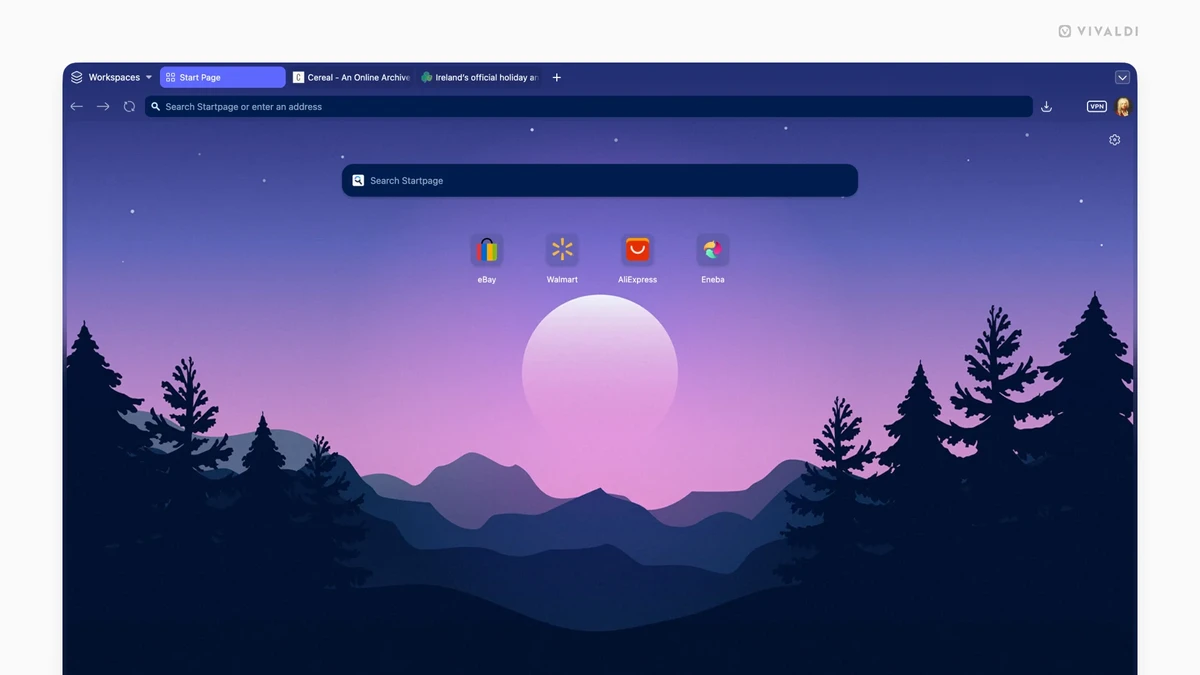

Vivaldi is a feature-rich and highly customizable web browser designed for users who want more control over their browsing experience. Built on the Chromium engine, it supports Chrome extensions while offering additional built-in tools such as email, calendar, notes, and a feed reader. Unlike standard browsers, it focuses heavily on productivity, customization, and user control over the interface and workflow.
Overview
Vivaldi is built around the idea of combining web browsing with productivity tools in a single application. It extends the Chromium foundation with additional features like integrated mail management, calendar scheduling, and feed reading, reducing the need for separate applications. It also emphasizes user customization, allowing users to adjust nearly every part of the interface, from tab behavior to layout positioning. This makes it especially appealing to power users who want to shape the browser around their workflow rather than adapting to a fixed design.
Privacy and user control are also central themes, with built-in tools for tracking protection and flexible configuration options.
Features of Vivaldi Browser
- Chromium-based compatibility with Chrome Web Store extensions
- Built-in email client (Vivaldi Mail) for multiple accounts and unified inbox
- Integrated calendar and contacts management
- Feed reader for RSS and content subscriptions
- Built-in translator supporting 100+ languages
- Tab management with grouping, stacking, and workspace organization
- Highly customizable user interface layout and appearance
- Built-in screenshot tool (including full-page capture)
- Ad and tracker blocking functionality
- Notes tool for saving information while browsing
- Keyboard shortcuts, mouse gestures, and Quick Commands
- Privacy-focused settings and user-controlled data protection
User Experience
Using Vivaldi feels closer to working in a productivity suite than a traditional browser. The interface is dense with options, but highly flexible, allowing users to place tabs, panels, and tools in ways that match their workflow. Features like tab stacking and workspaces are particularly useful for users who manage many projects or research topics at once. The built-in mail and calendar tools further reduce dependency on external apps, creating a more unified workspace.
However, the high level of customization means the browser can feel complex at first, especially for users coming from simpler browsers.
Who Should Use Vivaldi Browser?
Vivaldi is ideal for power users, developers, researchers, and productivity-focused users who want a highly customizable browsing environment. It is especially useful for users who prefer combining browsing, email, and scheduling tools in one application.
Conclusion
Vivaldi is a powerful and flexible browser that goes far beyond basic web navigation. With its built-in productivity suite and deep customization options, it stands out as one of the most feature-packed browsers available.


