


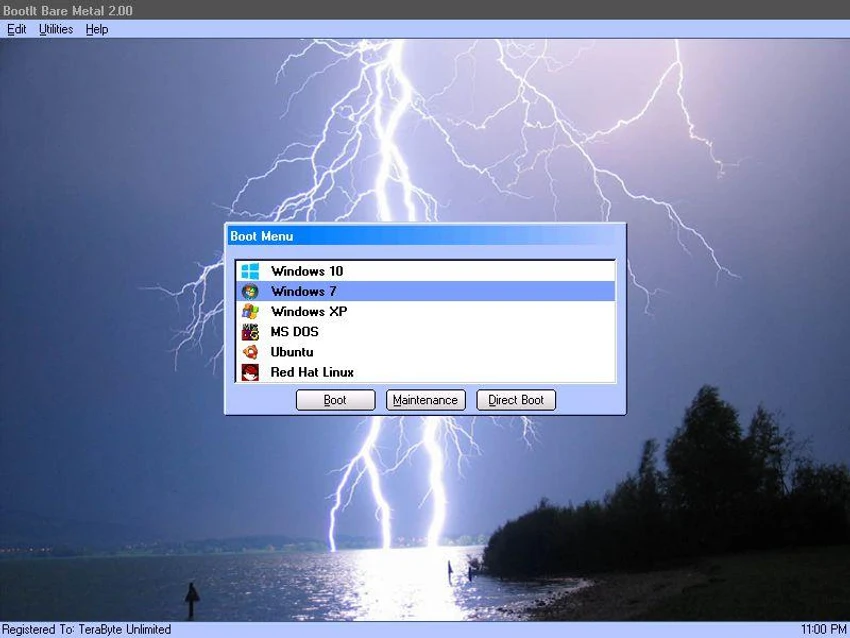

BootIt Bare Metal is a comprehensive disk management solution that combines partition management, multi-boot functionality, and disk imaging into a single application. Designed for advanced users and IT professionals, it provides the tools needed to organize storage devices, install multiple operating systems, and protect important data through reliable backup and restore capabilities. Whether you're configuring a dual-boot PC, migrating to a larger drive, or managing complex partition layouts, BootIt Bare Metal offers an extensive feature set while keeping everything within one integrated environment.
Features of BootIt Bare Metal
- Integrated boot manager for multiple operating systems.
- Boot directly from partitions on up to 16 hard drives.
- Automatic detection of installed operating systems.
- Direct Boot Menu for quickly launching any partition.
- Support for MBR, EMBR, and GPT partition tables.
- Create, copy, move, resize, delete, and undelete partitions.
- Optional secure wiping when deleting partitions.
- Convert disks between MBR, EMBR, and GPT formats.
- Non-destructive resizing of FAT, FAT32, NTFS, and Linux Ext2/Ext3/Ext4 partitions.
- Hide or unhide partitions for different boot configurations.
- Swap drives and customize partition order for each boot item.
- Edit the Windows BCD store to repair boot issues.
- Support for Linux, Windows, MS-DOS, OS/2, and other operating systems.
- Backup entire drives or selected partitions.
- Restore images after disk failure or corruption.
- Clone drives for hardware upgrades or migrations.
- Restore images to larger drives with optional partition expansion.
- Compatible with internal and external storage devices, including USB, IEEE1394, and eSATA.
- Supports very large storage devices beyond 16 exabytes.
User Experience
BootIt Bare Metal is clearly aimed at users who need precise control over disk management rather than a simplified consumer interface. The software places powerful partitioning, boot management, and backup tools in one application, reducing the need to switch between multiple utilities. Its automatic operating system detection simplifies the setup of multi-boot environments, while features like partition hiding and customizable boot configurations make it easier to isolate operating systems from one another. The integrated disk imaging tools also provide a convenient way to create complete backups before making major system changes. Although the interface may feel technical for beginners, experienced users will appreciate the level of control and flexibility it provides.
Who Should Use BootIt Bare Metal?
- IT professionals and system administrators.
- Users running multiple operating systems.
- PC enthusiasts building dual-boot or multi-boot systems.
- Users upgrading or migrating storage drives.
- Anyone needing advanced partition management and reliable disk imaging.
Conclusion
BootIt Bare Metal is far more than a partition manager. By combining advanced partition editing, flexible multi-boot management, and comprehensive disk imaging capabilities, it provides an all-in-one solution for managing storage and protecting system data.


