


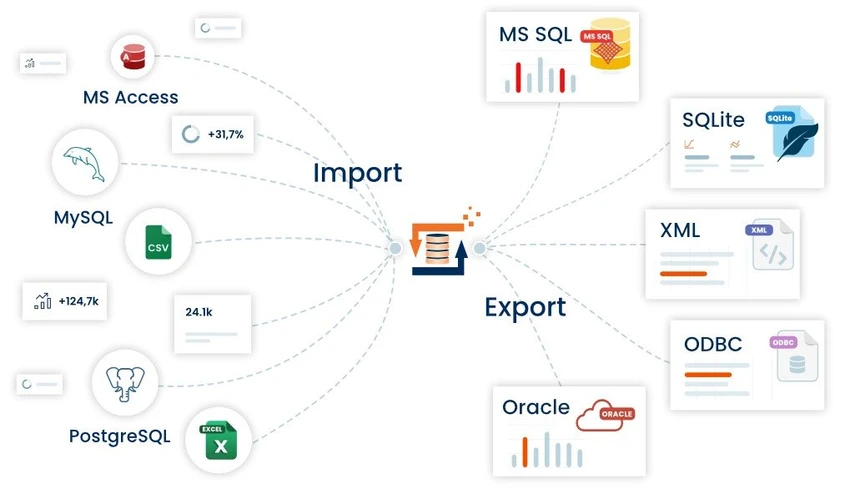

FlowHeater is a data integration and conversion tool designed to connect multiple data sources and enable smooth data transfer between them. It supports a wide range of file formats and database systems, making it useful for users who need to import, export, or synchronize structured data across different environments. Built around the concept of adaptable “adapters,” FlowHeater focuses on flexibility, allowing users to create data flows between text files and major relational databases without complex manual coding.
Overview
FlowHeater functions as a versatile bridge between different data systems. It enables users to move and transform data between text files, spreadsheets, and databases using configurable adapters. The software is designed to handle both simple file-based data operations and more advanced database integrations. Supported data sources include CSV and TXT files, Microsoft Access databases, Excel spreadsheets, and major database systems such as MySQL, SQL Server, Oracle, SQLite, and PostgreSQL. This broad compatibility makes FlowHeater suitable for environments where data comes from multiple platforms. Rather than focusing on a single ecosystem, FlowHeater is built to unify data exchange across heterogeneous systems.
Key Features of FlowHeater
- Supports text file processing (CSV, TXT, ASCII, flat files)
- Import/export with Microsoft Access databases (MDB, ACCDB and more)
- Excel data integration (XLS, XLSX formats)
- MySQL and MariaDB database connectivity
- Microsoft SQL Server support across multiple versions
- Oracle database import/export capabilities
- SQLite database creation and data transfer support
- PostgreSQL integration for data updates and exchange
- Adapter-based architecture for flexible data flow configuration
- Automatic handling of different codepages and locales in text files
User Experience
FlowHeater is designed for structured data handling rather than casual use. Users typically interact with it by configuring adapters that define how data moves between sources. The learning curve may feel technical, especially for users unfamiliar with database structures. However, once workflows are configured, the tool can significantly reduce repetitive data migration tasks.
Its strength lies in consistency and compatibility across different database systems, making it practical for IT teams and data administrators managing multi-platform environments.
System Requirements
- Windows 10 / 11 or Windows Server 2016 / 2019 / 2022 / 2025
- .NET Framework 4.8
- 32-bit or 64-bit processor compatible with the OS
- Minimum 8 GB RAM (more recommended for better performance)
- At least 100 MB of free disk space
Who Should Use FlowHeater?
- Database administrators managing multiple database systems
- Developers working with data migration and transformation tasks
- Businesses needing to synchronize data between Excel, files, and databases
- IT teams handling legacy and modern database environments simultaneously
Conclusion
FlowHeater is a capable data integration solution for users working across multiple databases and file formats. Its adapter-based approach provides flexibility for building structured data workflows between diverse systems.


