


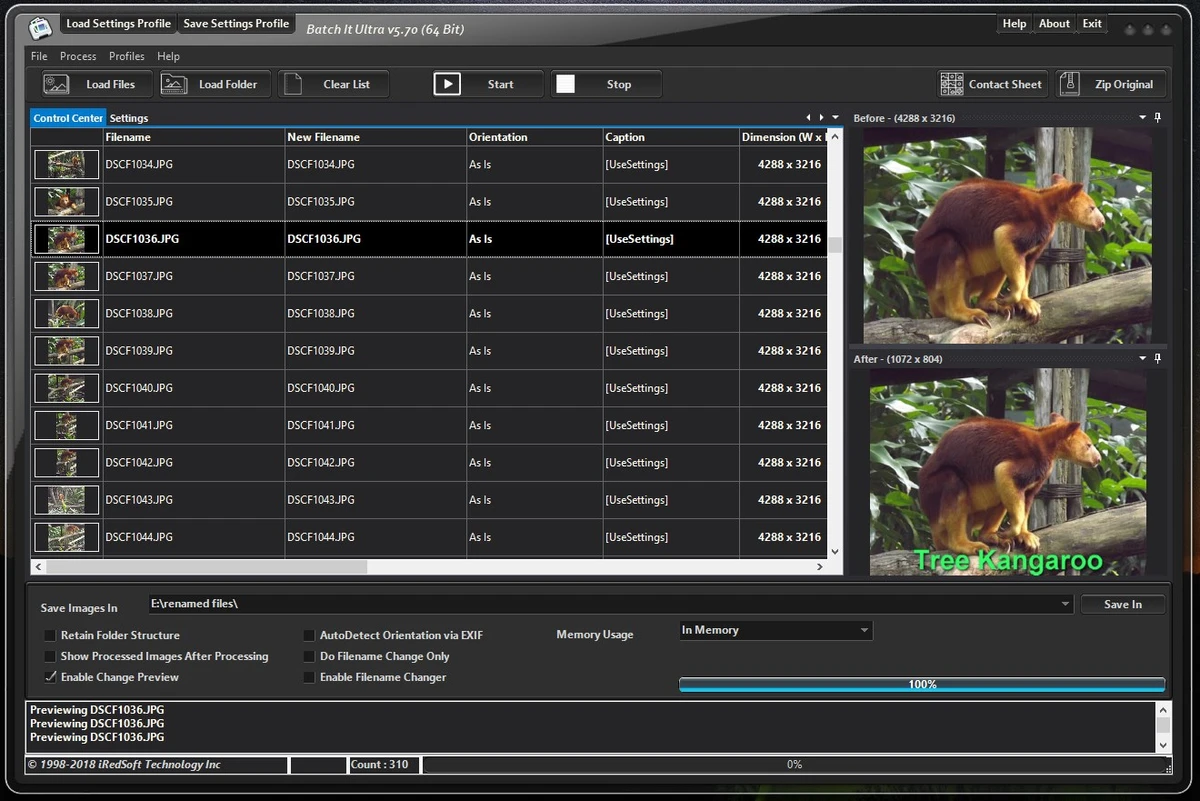

Batch It Ultra is a professional batch image processing application designed to help users resize, convert, edit, organize, and manage large collections of images efficiently. The software has been redesigned to support modern Windows operating systems and provides native support for both 32-bit and 64-bit environments.
The application focuses on automation, allowing users to apply the same processing operations to multiple images at once. It supports batch resizing using different methods, including pixel dimensions, percentage scaling, ratio-based resizing, cropping, and frame-based resizing. Users can also create multiple output sizes from the same image in a single processing run, making it useful for preparing images for different devices, websites, or thumbnail collections.
Batch It Ultra supports a wide range of image formats for importing and exporting, including common formats such as JPEG, PNG, TIFF, BMP, GIF, and various RAW camera formats. The software also includes image enhancement tools, allowing users to apply effects such as sharpening, blur, brightness adjustments, contrast changes, grayscale conversion, red-eye removal, borders, and other visual modifications.
Beyond image editing, Batch It Ultra includes workflow features such as batch file renaming, text captioning, watermark support, contact sheet creation, image backup, and reusable settings profiles. It also provides command-line and server editions for users who need to integrate image processing into automated workflows.
Designed for photographers, businesses, designers, and professionals handling large image collections, Batch It Ultra provides a comprehensive toolkit for managing repetitive image processing tasks on Windows systems.
Features of Batch It Ultra
- Batch resizing with multiple scaling methods
- Resize by pixels, percentage, ratio, cropping, or frame
- Creates multiple image sizes in one processing run
- Maintains image aspect ratios during resizing
- Supports batch format conversion
- Imports many formats including:
- JPEG
- PNG
- TIFF
- BMP
- GIF
- RAW camera formats
- Adobe Photoshop files
- JPEG 2000
- Windows HD Photo
- Exports images to multiple formats
- Supports 48-bit color depth for TIFF images
- Includes image enhancement effects:
- Sharpen
- Blur
- Brightness
- Contrast
- Grayscale
- Negative
- Emboss
- Red-eye removal
- Borders
- Drop shadows
- Provides batch filename changing tools
- Adds customizable text captions
- Supports up to three text captions per image
- Includes watermark support with PNG and GIF logos
- Creates contact sheets as images or multipage TIFF files
- Backs up original images into ZIP files
- Saves and loads processing settings profiles
- Supports command-line automation
- Available in GUI, Command Line, and Server editions
Interface and Usability
Batch It Ultra is designed for users who need to process many images efficiently rather than edit individual photos manually. Its workflow centers around loading image collections, applying processing settings, and generating output files automatically. The software provides multiple ways to add images, including selecting files, loading folders, dragging and dropping from Windows Explorer, and importing file lists. This makes it practical for handling large image collections from different sources.
The settings profile system improves workflow efficiency by allowing users to save complete configurations and reuse them later. This can be especially useful for professionals who process images for different clients or projects. With extensive options for resizing, formatting, captions, and effects, the interface provides significant control. However, the large number of available features may require some time for new users to become familiar with the available tools.
Who Should Use Batch It Ultra?
- Photographers managing large image collections
- Businesses processing product images
- Designers preparing images for websites and publications
- Users converting images between multiple formats
- Organizations needing automated image workflows
- Professionals requiring command-line image processing
Conclusion
Batch It Ultra is a powerful image processing solution for users who need to handle large numbers of images efficiently. Its combination of batch resizing, format conversion, editing effects, watermarking, and automation features makes it suitable for professional and commercial workflows.


