



Syncthing is an open-source file synchronization tool designed as a secure and decentralized alternative to traditional cloud storage and proprietary sync services. Instead of uploading files to third-party servers, Syncthing allows users to synchronize data directly between their own computers while maintaining control over where files are stored and how they are shared.
The software continuously synchronizes selected folders between two or more devices, reducing the need for manual file transfers. Users can choose which folders to share, select trusted devices, and manage access permissions through a browser-based graphical interface.
Syncthing focuses heavily on privacy and security. Files are transferred directly between approved devices, with communication protected using TLS encryption. Each connected device is identified using a cryptographic certificate, ensuring that only authorized nodes can join the synchronization network.
As a portable application, Syncthing does not require a complex installation process. It works across local networks and the internet without requiring advanced IP configuration. For users who want a private way to keep files synchronized without relying on external cloud providers, Syncthing offers a flexible and secure approach to file sharing.
Features of Syncthing
- Open-source decentralized file synchronization
- Peer-to-peer file sharing without third-party servers
- Synchronizes files between two or more computers
- Portable application that does not require traditional installation
- Browser-based graphical interface
- Allows users to choose folders for synchronization
- Device-based access control
- TLS-encrypted communication
- Cryptographic certificate identification for connected devices
- Works over LAN and the internet
- No complicated IP configuration required
- Gives users control over file storage and sharing
Interface and Usability
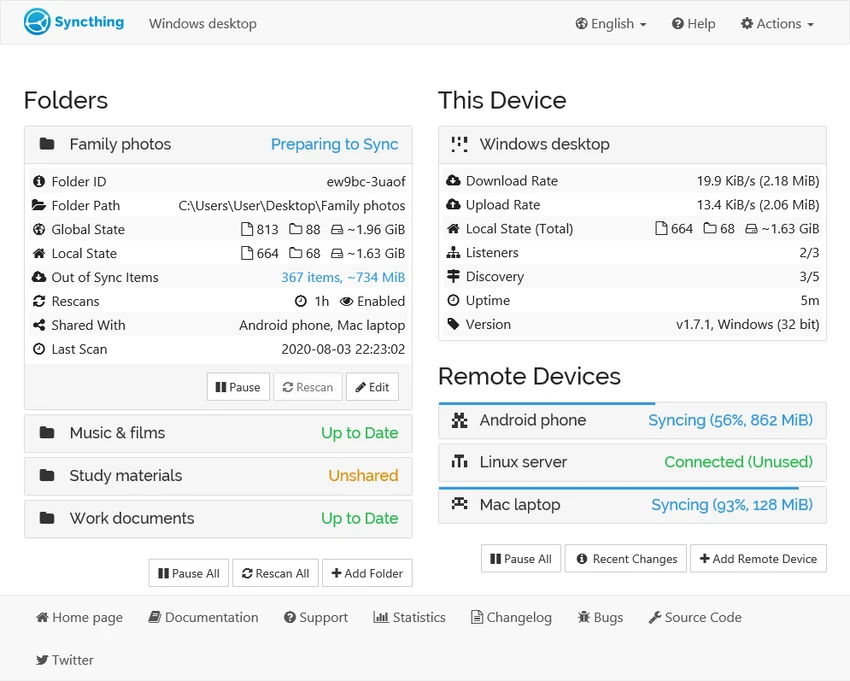
After using Syncthing, I found its browser-based interface practical for managing synchronization tasks. The setup process begins by selecting folders to share and adding trusted devices that should have access to those files.
The interface provides a clear way to configure folders, monitor synchronization activity, and manage connected devices. Since Syncthing handles communication between approved computers automatically, daily file synchronization requires very little user interaction once everything is configured.
Although the application is designed to be user-friendly, users who are unfamiliar with peer-to-peer synchronization concepts may need some time to understand device permissions and folder-sharing settings. However, the control it provides makes it a strong choice for users who prefer managing their own data instead of depending on external cloud services.
Who Should Use Syncthing?
- Users looking for a private cloud alternative
- People who want direct file synchronization between devices
- Users concerned about third-party cloud storage
- Individuals managing files across multiple computers
- Technical users who want full control over data sharing
- Organizations needing secure peer-to-peer file synchronization
Conclusion
Syncthing is a powerful solution for users who want secure file synchronization without relying on traditional cloud storage providers. Its decentralized design, encryption, and device-based permissions provide a high level of control over personal data.


