


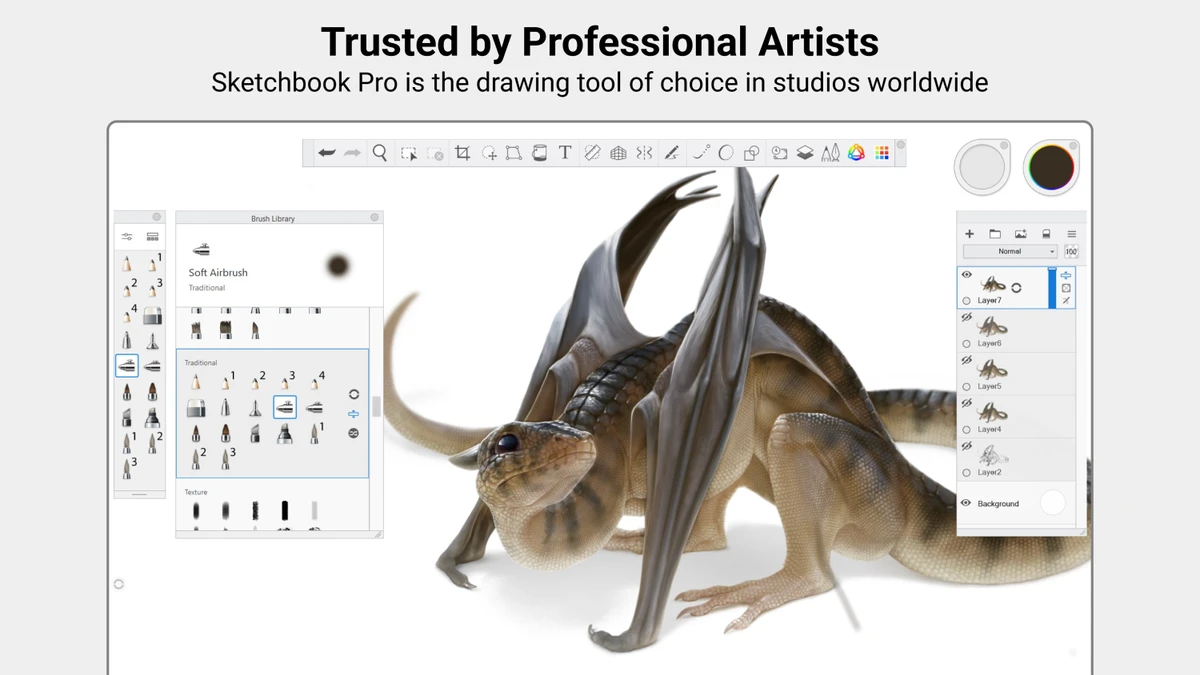

Sketchbook Pro is a digital drawing and painting application designed for artists, illustrators, and creative users who want a natural drawing experience on Windows. The software focuses on making digital artwork feel similar to traditional pen and paper, with responsive brushes, customizable tools, and an uncluttered interface. From quick concept sketches to detailed finished illustrations, Sketchbook Pro provides a collection of professional drawing features, including layers, blend modes, symmetry tools, rulers, and stylus support. Its streamlined workspace keeps the focus on the creative process while still offering advanced controls for experienced artists.
Features of Sketchbook Pro
Natural Drawing Experience
- Designed to replicate the feeling of drawing on paper
- Brushes and pens behave similarly to traditional tools
- Supports stylus input with pressure and tilt recognition
- Provides responsive stroke rendering for more natural artwork creation
Customizable Brush Library
- Includes hundreds of brush types, including:
- Pencils
- Markers
- Airbrushes
- Paint brushes
- Smear brushes
- Allows users to customize brushes to achieve different artistic styles
Professional Layer System
- Supports multiple layers for flexible editing
- Includes blend modes for building complex artwork
- Allows artists to experiment with colors and compositions without affecting the entire drawing
Drawing Guides and Precision Tools
- Provides tools for accurate lines and shapes:
- Traditional rulers
- Curved rulers
- Ellipse guides
- French curve tools
- Includes Predictive Stroke for smoother, cleaner lines
Color and Painting Tools
- Includes color fill tools
- Supports dynamic linear and radial gradients
- Helps users build detailed color effects and polished artwork
Symmetry Tools
- Provides vertical, horizontal, and radial symmetry options
- Allows mirrored strokes for creating patterns and detailed designs quickly
Clean Creative Interface
- Features a minimal interface designed around drawing
- Allows tools and palettes to be hidden when not needed
- Helps artists focus on the artwork rather than the application layout
User Experience
Sketchbook Pro provides an enjoyable drawing environment that feels closer to traditional art tools than many digital painting applications. The interface avoids unnecessary distractions, making it easy to concentrate on sketching, coloring, and refining ideas.
The brush system is one of the strongest parts of the experience. With a wide range of brush types and customization options, users can experiment with different styles while maintaining control over their artwork. The combination of layers, blend modes, and color tools also gives artists flexibility when developing more complex illustrations. Stylus users benefit from the software’s natural pen interaction. Pressure and tilt support help create more expressive strokes, while Windows Ink integration enables pressure sensitivity with compatible devices.
The included rulers, symmetry tools, and Predictive Stroke feature make Sketchbook Pro suitable for both freehand drawing and more precise designs. Beginners can start with simple sketches, while experienced artists have access to tools needed for professional workflows. The application does require capable hardware, especially when working with large images and many layers. Users should ensure their system meets the recommended requirements for the best experience.
Who Should Use Sketchbook Pro?
- Digital artists
- Illustrators
- Concept designers
- Students learning digital drawing
- Tablet and stylus users
- Artists who prefer a simple but powerful creative workspace
Conclusion
Sketchbook Pro offers a balanced combination of simplicity and professional drawing features. It provides the tools needed for quick sketches while still supporting detailed artwork through layers, brushes, guides, and advanced drawing controls.


