


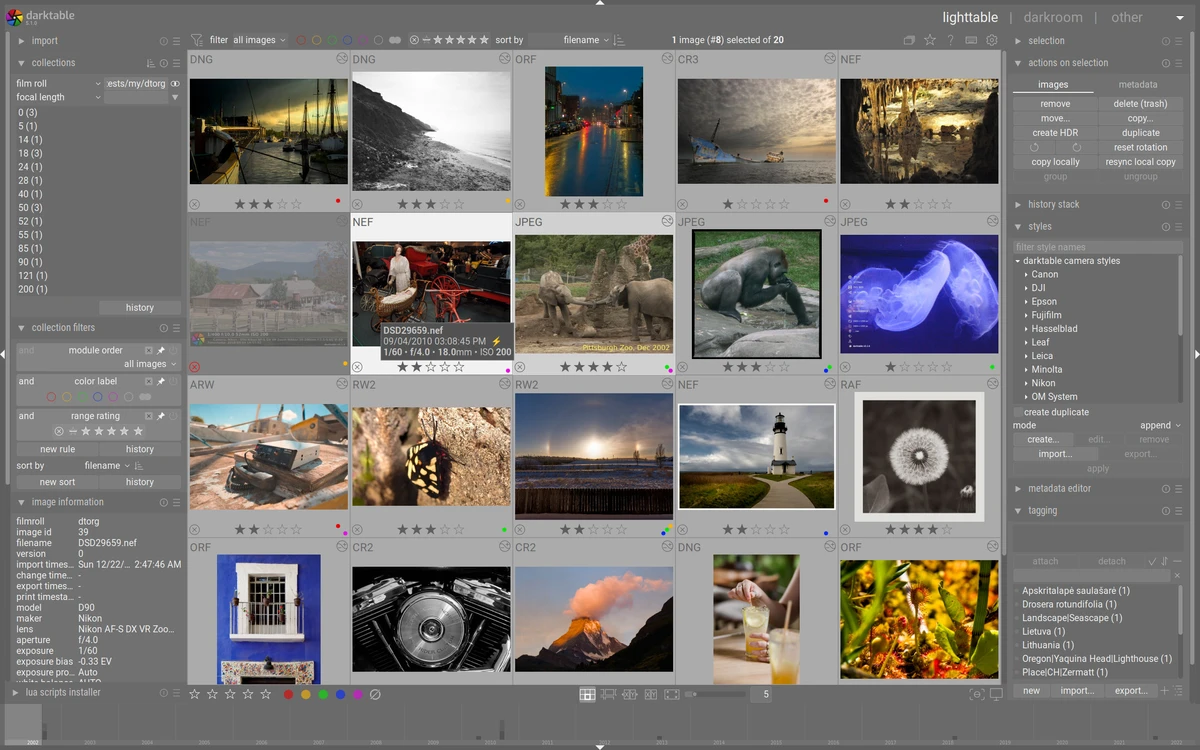

darktable is a free and open-source photography workflow application and RAW image developer designed for photographers who need advanced image management and editing capabilities. Often described as a virtual light table and darkroom, the software combines photo organization tools with non-destructive image editing in a single environment. Built with photographers in mind, darktable provides a professional workflow for importing, organizing, processing, and exporting digital images, particularly RAW files from modern cameras.
Features of darktable
- Open-source photography workflow application
- RAW image development and processing
- Virtual light table for image management
- Darkroom workspace for photo editing
- Import images from folders, cameras, and multiple other sources
- Lighttable module for image organization
- Geotagging tools
- Metadata editor
- Tagging and image categorization
- Style management for editing workflows
- Exposure adjustment tools
- Shadow and highlight controls
- Brightness adjustments
- Saturation controls
- Non-destructive editing workflow
- Built-in onboarding hints for new users
- Portable version available
User Experience
After launching darktable for the first time, users are greeted with helpful hints that explain key features and workflow concepts. While the interface may initially appear complex, especially for beginners, it quickly becomes clear that the software is designed for photographers who need detailed control over their images.
The workflow typically starts by importing photos from folders, cameras, or other supported sources. Once images are loaded, users can switch between the Lighttable and Darkroom workspaces depending on whether they want to organize or edit their photos. The Lighttable module focuses on image management. Features such as tagging, metadata editing, styles, and geotagging help keep large photo collections organized and searchable.
The Darkroom module is where image processing takes place. Common adjustments such as exposure correction, brightness tuning, saturation control, and shadow/highlight recovery are easily accessible, allowing photographers to refine their images with precision. One aspect that may require some adjustment is the interface itself. Many functions are represented by icons rather than traditional menus, encouraging users to explore tooltips and interface elements. New users may face a learning curve, but experienced photographers will likely appreciate the depth and flexibility available.
Who Should Use darktable?
- Professional photographers
- Photography enthusiasts
- RAW image shooters
- Users managing large photo libraries
- Content creators working with high-quality images
- Open-source software supporters
- Users seeking an alternative to commercial photo editing platforms
Conclusion
darktable stands out as one of the most capable open-source photography workflow applications available today. By combining photo management, metadata tools, geotagging, and RAW image processing into a unified platform, it provides photographers with everything needed to organize and enhance their work.


