Far Manager logo

Far Manager 3.0 Build 6699

  • User Rating:
    ★★★★★
    ★★★★★
    0.0 0Votes
  • Requirements:
    Windows
  • Version: 3.0 Build 6699
  • Latest updated: 23 hours ago
  • License: Freeware  
  • Publisher: Far Group
  • Size: 14 MB
×

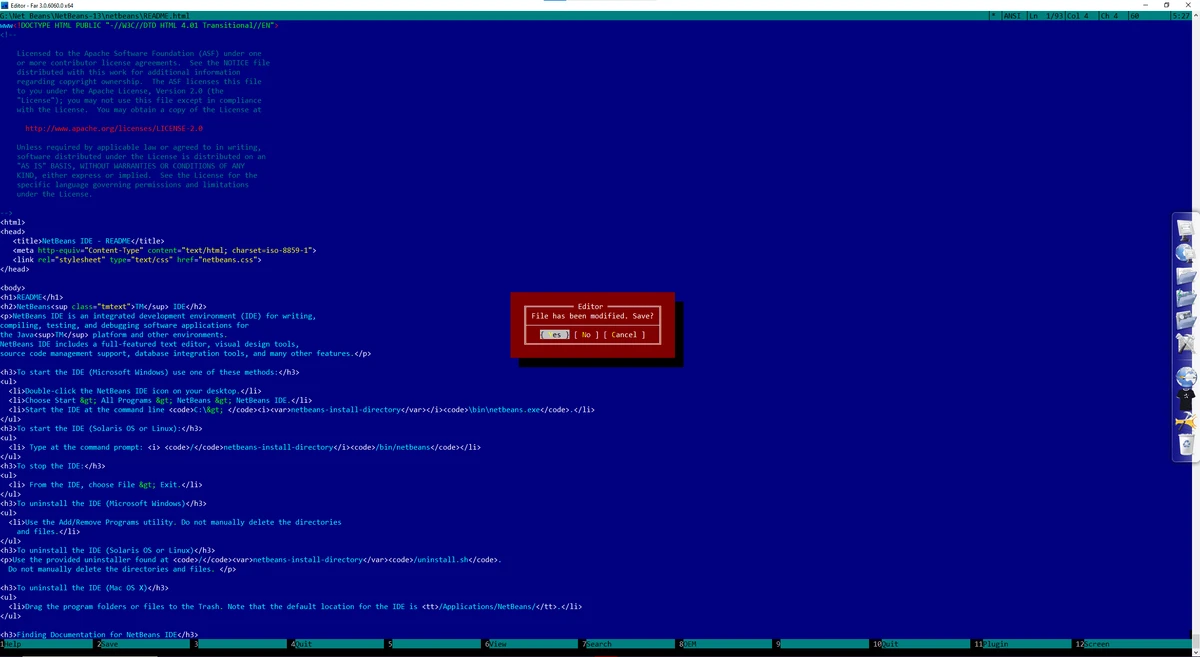
Far Manager is a text-based file management application for Windows that provides advanced tools for handling files, directories, archives, and network resources. Designed for speed and efficiency, it offers a dual-panel interface, extensive customization options, and plugin support that significantly expands its functionality.

While modern file managers often focus on graphical interfaces, Far Manager takes a different approach by providing a powerful text-mode environment optimized for productivity. The software enables users to perform common file operations quickly, including copying, moving, renaming, editing, and viewing files. One of Far Manager's standout features is its plugin architecture. Through plugins, users can add support for archive management, FTP connections, network browsing, temporary file panels, and various other functions. This flexibility allows the software to adapt to a wide range of workflows and user requirements.

Far Manager is particularly appealing to power users, system administrators, and developers who prefer keyboard-driven navigation and efficient file management tools.

Key Features of Far Manager

  • Dual-panel text-based file manager
  • File and directory browsing
  • File viewing and editing tools
  • Copy, move, rename, and delete operations
  • Drag-and-drop support for file transfers
  • Long filename support
  • Configurable file sorting modes
  • Color highlighting for easier navigation
  • Archive management through plugins
  • Built-in FTP client plugin
  • Network browser support
  • Temporary panel functionality
  • Print manager plugin
  • Plugin API for extending functionality
  • Support for NTFS compressed files
  • Support for encrypted file attributes
  • Hard link and symbolic link support
  • Customizable color schemes and interface settings
  • Multi-language support

Who Should Use Far Manager?

  • System administrators
  • IT professionals
  • Developers
  • Advanced Windows users
  • Users who prefer keyboard-driven workflows
  • Individuals managing large file structures
  • Users seeking a lightweight alternative to Windows File Explorer

Conclusion

Far Manager proves that a text-based interface can still be highly effective for modern file management tasks. Its fast performance, flexible plugin system, and extensive customization options make it a valuable tool for power users who spend significant time managing files and directories.

Pros & Cons

Pros

    • Fast and lightweight performance
    • Efficient keyboard-driven file management
    • Extensive plugin support
    • Built-in archive and FTP functionality through plugins
    • Highly customizable interface
    • Supports NTFS advanced file attributes
    • Multi-language support
    • Low system resource requirements

Cons

    • Text-based interface may feel outdated to some users
    • Steeper learning curve for beginners
    • Less visually intuitive than modern graphical file managers

Frequently Asked Questions

What is Far Manager used for?

Far Manager is a file management application that helps users browse, organize, edit, copy, move, and manage files and directories within Windows.

Does Far Manager support FTP connections?

Yes. FTP functionality is available through the included FTP client plugin.

Can Far Manager manage archive files?

Yes. Archive management is supported through plugin modules included with the software.

Is Far Manager customizable?

Yes. Users can customize interface colors, file sorting methods, file associations, viewing options, and other settings.

Does Far Manager support NTFS features?

Yes. The software supports NTFS compressed and encrypted attributes, as well as hard links and symbolic links.

Can I extend Far Manager with plugins?

Yes. Far Manager includes a plugin API that allows users and developers to extend its functionality through custom plugins.

What operating systems are supported?

Far Manager supports Windows 7, Windows 8, Windows 10, and Windows 11.

Recommended apps [Freeware]:
  • Trillian 6.6 Build 15 Trillian logo all-in-one chat software designed to simplify online communication
  • WinScan2PDF 9.77 WinScan2PDF logo scan documents and save them as PDFs or JPEGs with minimal setup and low CPU usage.
  • FBackup 9.9.1044 FBackup logo a free Windows backup tool offering automatic backups, cloud support, encryption, and easy file recovery options
  • AnyTXT Searcher 1.3.3173 AnyTXT Searcher logo fast desktop search tool that indexes and searches full-text content across documents, PDFs, emails, and more
  • Automatic Email Processor 4.0.24 Automatic Email Processor logo Automatically save, archive, print, and process Outlook emails and attachments with customizable rules.
  • DriversCloud 12.1.6 DriversCloud logo scan system hardware, update drivers, monitor performance, and analyze blue screen errors (BSODs) on Windows.
Recommended apps [Shareware]:
  • Adobe Photoshop 2026 Adobe Photoshop logo powerful image editing and graphic design tool for creating, enhancing, and transforming photos, illustrations
  • SketchUp Pro 2026 SketchUp Pro logo powerful 3D modeling software for architects, designers, and engineers with intuitive tools.
  • Foxit PDF Editor 2026.1.1.36485 Foxit PDF Editor logo complete PDF solution for businesses, offering advanced editing, collaboration, and document security features.
  • Topaz Photo 1.6.1 Topaz Photo logo advanced AI to sharpen photos, remove noise, and enhance image quality with ease
  • Charles 5.2.0 Charles logo HTTP proxy tool for web debugging, allowing developers to inspect, modify, and analyze network traffic in real time
  • Total Excel Converter 7.1.0.126 Total Excel Converter logo convert Excel, ODS, CSV, DBF, and more into PDF, DOC, HTML, SQL, and other formats on Windows.