Mypal logo

Mypal 78.0.3

  • User Rating:
    ★★★★★
    ★★★★★
    0.0 ★ 0Votes
  • Requirements:
    Windows
  • Version: 78.0.3
  • Latest updated: 2 weeks ago
  • License: Open Source  
  • Publisher: Feodor2
  • Size: 64 MB
× app stores

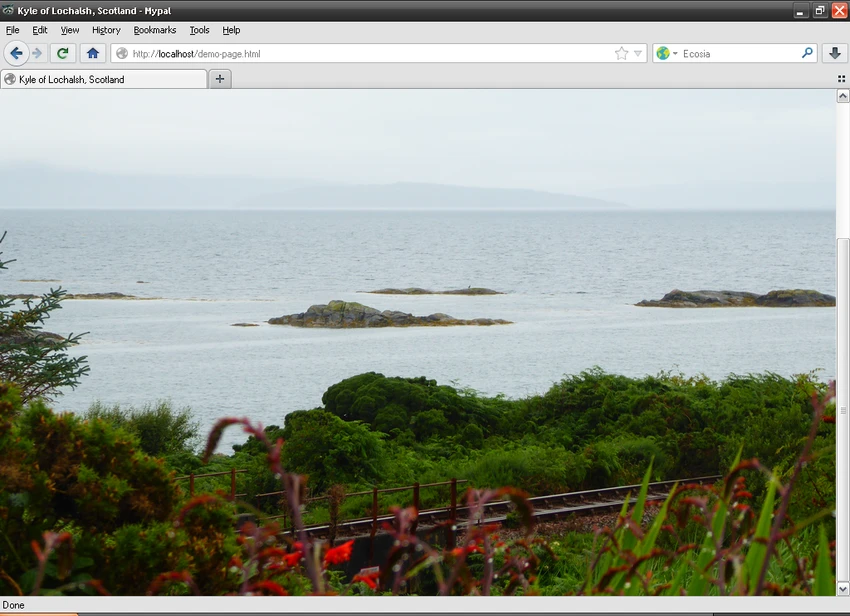
Mypal is an open-source web browser developed primarily for Windows XP users who need a modern and maintained browsing solution on legacy hardware. Based on Firefox code (with Mypal68 built on Firefox 68) and sharing many similarities with Pale Moon, it aims to deliver a secure, reliable, and familiar browsing experience. During my time exploring Mypal, I found it particularly appealing for users who still rely on older Windows systems while wanting compatibility with more current web standards. Its clean interface, optional auto-update functionality, portable version, and default DuckDuckGo search engine make it a practical choice for users seeking a lightweight alternative to mainstream browsers.

Features of Mypal

  • Open-source web browser designed for Windows XP and newer Windows versions.
  • Mypal68 is based on Firefox 68 source code.
  • Similar browsing experience to Pale Moon with minor differences.
  • Designed to provide secure and reliable web browsing on legacy systems.
  • Clean and straightforward user interface.
  • Familiar layout for Firefox users.
  • Uses DuckDuckGo as the default search engine.
  • Optional automatic updates through browser settings.
  • PortableApps version available.
  • Removes unused legacy Mozilla code to streamline the browser.

Interface and Usability

Mypal delivers a familiar browsing environment that should feel comfortable for anyone who has previously used Firefox or Pale Moon. The interface is clean, uncluttered, and easy to navigate, making everyday browsing straightforward without unnecessary distractions.

I found the browser simple to get started with, especially since common navigation elements are positioned where most users would expect them. The optional auto-update feature is easy to enable through the settings, while the availability of a portable edition offers additional flexibility for users who prefer running applications without installation.

Who Should Use Mypal?

  • Windows XP users who need a maintained web browser.
  • Users running older Windows computers.
  • Firefox users looking for a familiar browsing experience.
  • People who prefer lightweight browsers.
  • Users interested in open-source software.
  • Anyone who wants a portable browser option.

Conclusion

Mypal fills an important niche by providing Windows XP users with a modern, actively maintained web browser that emphasizes reliability and familiarity. Built on Firefox 68 code and offering a user experience similar to Pale Moon, it combines lightweight performance with practical features such as optional auto-updates and a portable edition.

Pros & Cons

✓

Pros

  • Specifically designed for Windows XP compatibility.
  • Open-source project.
  • Based on Firefox 68 code.
  • Clean and familiar user interface.
  • Optional automatic updates.
  • Portable version available.
  • Uses DuckDuckGo as the default search engine.
  • Supports newer Windows versions as well.
✕

Cons

  • Primarily focused on legacy Windows systems.

Frequently Asked Questions

Is Mypal free to use?

Yes. Mypal is an open-source web browser that can be downloaded and used free of charge.

Does Mypal support Windows XP?

Yes. Mypal was specifically developed to provide a secure and reliable browsing experience for Windows XP, while also supporting newer versions of Windows.

Is Mypal based on Firefox?

Yes. Mypal68 is based on Firefox 68 source code. Earlier releases were based on Pale Moon, but newer versions use Firefox 68 as their foundation.

Does Mypal automatically update?

Yes. Automatic updates are available and can be enabled through the browser's settings.

Which search engine does Mypal use by default?

Mypal uses DuckDuckGo as its default search engine.

Is there a portable version of Mypal?

Yes. A PortableApps edition is available, allowing you to run Mypal without installing it on your computer.

Recommended apps [Freeware]:
  • Exportizer 10.3.4.822 Exportizer logo view, edit, and export databases to Excel, CSV, SQL, and more with advanced conversion tools.
  • GLview 7.4.6 GLview logo displays detailed OpenGL, Vulkan, DirectX, and GPU information, helping users analyze graphics hardware and driver capabilities
  • Avast Free Antivirus 26.6.11050 Avast Free Antivirus logo real-time malware protection, phishing defense, and scam detection with minimal impact on Windows performance
  • Media Player Classic Black Edition 1.9.0 Media Player Classic Black Edition logo a free media player with a modern dark interface and YouTube playback
  • MikroTik Winbox 4.2 MikroTik Winbox logo Manage RouterOS devices with an intuitive graphical interface for configuring, monitoring, and updating network settings efficiently.
  • v2rayN 7.23.3 v2rayN logo Manage secure proxy connections with advanced routing, encryption, and protocol support for flexible private browsing.
Recommended apps [Shareware]:
  • Screenpresso 2.3.0 Screenpresso logo a versatile screen capture and video recording tool with editing and annotation features.
  • SQL Backup Master 8.5.1120 SQL Backup Master logo SQL Server backups with cloud storage, encryption, scheduling, and recovery features
  • Driver Easy 7.1.3.5200 Driver Easy logo Windows utility for scanning, updating, and managing hardware drivers with offline support
  • priPrinter Professional 7.0.1.2625 priPrinter Professional logo virtual printer driver that lets you preview, edit, and optimize print jobs before sending them to a physical printer
  • Actual Window Manager 8.15.4 Actual Window Manager logo advanced window controls, virtual desktops, transparency, and automation tools for Windows
  • ManyCam 9.3.0.11 ManyCam logo Enhance video calls and live streams with webcam effects, screen recording, voice changing, and multi-platform broadcasting tools.