



QILING Disk Master Server is an enterprise-focused backup and recovery solution designed specifically for Windows Server environments. It extends the capabilities of the standard Disk Master edition by providing enhanced tools for server-level data protection, system imaging, and disaster recovery. The software is clearly built for IT administrators and businesses that require reliable backup strategies for critical server infrastructure. It supports full system backups, incremental and differential backups, and advanced recovery options to ensure business continuity in case of system failure.
In addition to backup and restore features, it also includes disk virtualization, RAMDisk functionality, and secure encrypted storage options, making it a multi-purpose server maintenance tool.
Features of QILING Disk Master Server
- Full system and disk image backup for Windows Server.
- File, folder, and application-level backup support.
- Incremental, differential, and full backup modes.
- One-click system backup and restore functionality.
- Scheduled automated backups (daily, weekly, monthly).
- AES 256-bit encryption for secure backup storage.
- RAMDisk support for improved server performance.
- Virtual disk (secure disk image) creation and management.
- Anti-duplication compression to reduce backup size.
- Disk image splitting and formatting tools.
- Supports large virtual disks up to 4TB.
- GPT and UEFI boot compatibility.
- Fast data migration between server drives.
- Disaster recovery for restoring systems to previous states.
- Backup support for files, databases, emails, and applications.
Interface and Usability
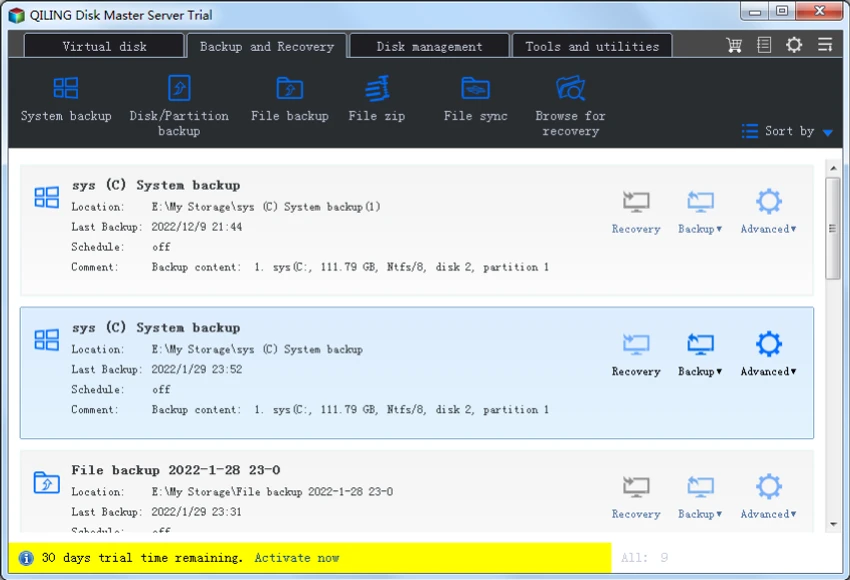
QILING Disk Master Server uses a structured, task-oriented interface tailored for IT administrators managing server environments. From my perspective, the layout prioritizes clarity in backup, restore, and disk management workflows.
The one-click backup option simplifies routine operations, while advanced settings allow administrators to configure encryption, scheduling, and backup strategies in detail. This balance makes it suitable for both basic server maintenance tasks and more complex enterprise backup strategies. Although feature-rich, the interface remains logically organized around core server protection workflows, reducing operational complexity for IT teams.
Who Should Use QILING Disk Master Server?
- IT administrators managing Windows Server infrastructure.
- Businesses requiring reliable disaster recovery systems.
- Organizations needing automated backup scheduling.
- Enterprises handling sensitive or critical data.
- Data centers and managed service providers.
- Users migrating or maintaining server environments.
System Requirements
- Windows Server environments
- GPT & UEFI-compatible systems
- Enterprise-grade hardware recommended
Conclusion
QILING Disk Master Server is a robust and enterprise-ready backup and disaster recovery solution built specifically for Windows Server environments. It provides a comprehensive set of tools for system imaging, encrypted backups, and fast recovery, ensuring business continuity in case of system failure.


