


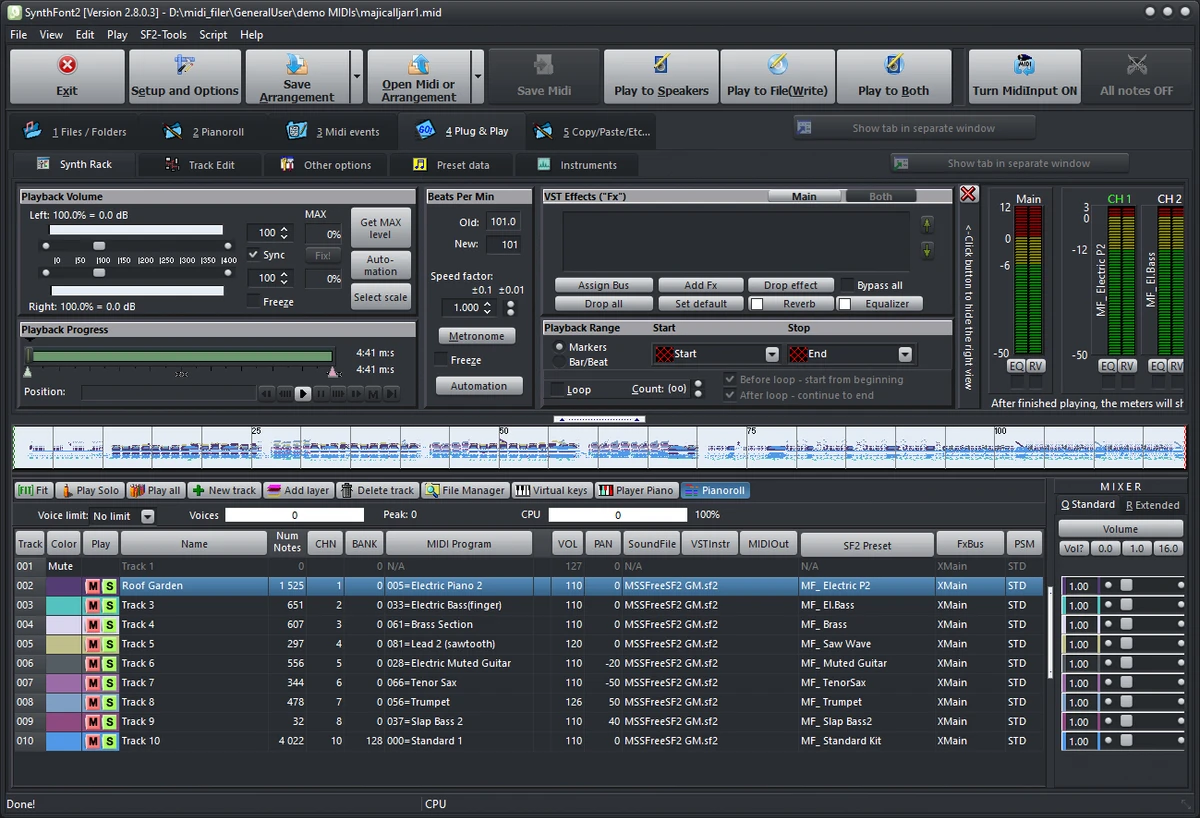

SynthFont2 is a specialized MIDI editing and playback application designed for users who work with MIDI composition, sound design, and audio rendering. Unlike traditional audio files such as MP3 or WAV, MIDI files contain musical instructions rather than recorded sound. SynthFont2 bridges this gap by combining MIDI data with SoundFonts, SFZ files, or VST instruments to generate fully rendered audio output.
SynthFont2 stands out as a powerful tool for musicians and producers who want detailed control over MIDI playback and sound generation. It supports a wide range of sound sources and provides advanced editing tools for shaping musical output with precision. The software is particularly useful for users who want to convert MIDI compositions into high-quality audio files or experiment with different instrument configurations.
Features of SynthFont2
- MIDI playback and editing with multiple time signature support.
- Rendering MIDI files using SoundFonts, SFZ, and GigaSampler files.
- Support for VST instruments as sound sources.
- Export audio in compressed formats such as M4A (AAC-based).
- Variable Bit Rate (VBR) encoding support.
- Multi-core CPU processing for improved performance.
- Pianoroll with smooth playback scrolling.
- SoundFont Override and Bank Manager for flexible instrument assignment.
- Support for SoundFont modulators.
- VU meters for MIDI channel monitoring.
- Ability to handle very large MIDI files.
- Unlimited voice polyphony support.
- Loudness analysis tools for audio balancing.
- Save MIDI data within arrangement files.
- Visual styling and UI customization options.
- Compatibility improvements for modern Windows versions.
Interface and Usability
SynthFont2 presents a functional, workflow-oriented interface designed for MIDI editing and audio rendering tasks. From my perspective, it is tailored more toward experienced users familiar with MIDI sequencing and sound libraries.
The pianoroll editor provides visual control over note placement and timing, while the SoundFont and VST management system allows users to experiment with different instrument sounds. Although the interface is dense with controls, it reflects the software’s professional focus on precision rather than simplicity. Once configured, the playback and rendering process is efficient, especially when working with multi-core systems and large MIDI projects.
Who Should Use SynthFont2?
- Music producers working with MIDI compositions.
- Sound designers experimenting with instrument libraries.
- Composers converting MIDI into audio formats.
- Users working with SoundFonts or SFZ instruments.
- Hobbyists exploring MIDI playback and arrangement.
- Professionals needing advanced MIDI rendering tools.
System Requirements
- Windows Vista and later
Conclusion
SynthFont2 is a professional-grade MIDI editor and rendering tool designed for users who want deep control over how MIDI files are played and converted into audio. With support for SoundFonts, VST instruments, and advanced rendering options, it provides a highly flexible environment for music production and experimentation.


