


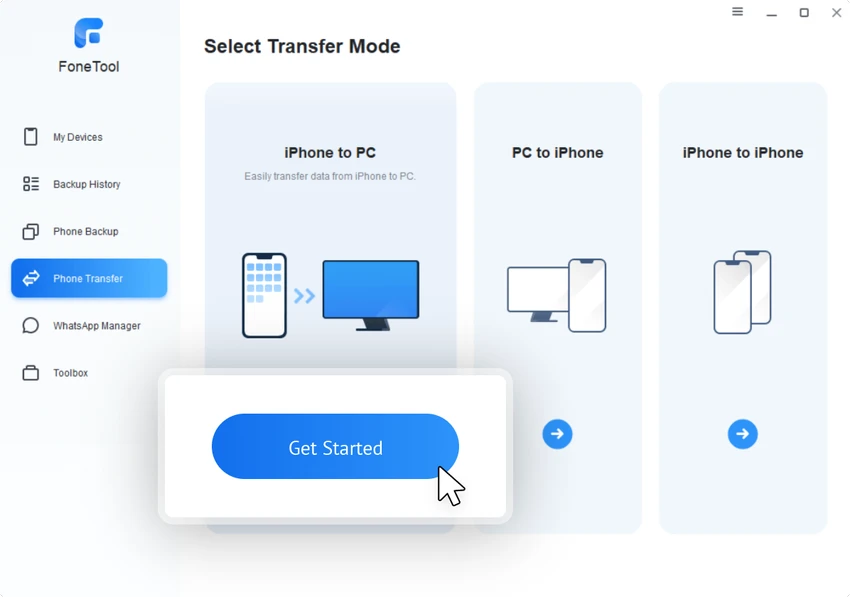

FoneTool is a Windows-based device management application designed to help users back up, transfer, and organize data from iPhone, iPad, and iPod Touch devices. It provides tools for moving files between devices, creating backups, managing media, converting images, and protecting personal data. After using FoneTool, I found that the software focuses on making iOS device management easier from a Windows PC. Its interface guides users through common tasks such as creating backups, transferring files, and checking stored backup history without requiring advanced technical knowledge. In addition to iOS management, FoneTool supports wireless data transfers between Android and iPhone devices, making it useful for users switching between mobile platforms.
Features of FoneTool
- Back up iPhone, iPad, and iPod Touch data to a Windows PC.
- Transfer files between iPhone and PC.
- Transfer data between Android and iPhone devices wirelessly.
- Move content to a new iPhone.
- Backup and transfer WhatsApp data.
- Manage media, documents, and other device files.
- Recover lost or deleted data on iPhone.
- Erase all iPhone data securely.
- Erase private data from devices.
- Find and delete duplicate photos.
- Convert HEIC images to JPG, JPEG, or PNG formats.
- Manage and sync iCloud data.
- Create iPhone and PC ringtones.
- Provide additional device tools through the Toolbox section.
User Experience
FoneTool offers a straightforward experience for users who want to manage iPhone data from a Windows computer. The process begins by connecting an Apple device and allowing the application to recognize it. From there, users can choose whether they want to create a backup, review backup history, transfer files, or access other available tools. The interface is designed with simplicity in mind. The backup and conversion processes provide step-by-step guidance, making the software approachable even for users who do not regularly work with device management tools.
The file transfer features are especially useful for organizing content without relying entirely on cloud services. The ability to transfer data between Android and iPhone devices also makes switching platforms more convenient.
Backup and Data Management Performance
FoneTool provides a collection of tools focused on protecting and organizing personal data. The backup system helps users store important files safely, while features such as duplicate photo detection and HEIC conversion can help optimize device storage and improve file compatibility. The secure erase function is another useful addition for users preparing to sell or give away an iPhone. It helps remove stored information from the device before it changes ownership.
Free vs Pro Version
FoneTool Free Limitations
The free version includes several useful features but applies daily restrictions:
- Up to 30 daily file transfers between iPhone and PC.
- Up to 30 duplicate photo removals per day.
- iCloud management and synchronization.
- HEIC converter.
- Full iPhone data erase.
- WhatsApp backup.
- Ringtone maker.
FoneTool Pro Features
The Pro version removes daily limitations and adds additional capabilities:
- One-click iPhone-to-iPhone data transfer.
- WhatsApp message transfer to a new iPhone.
- iOS system issue fixes.
- iOS/iPadOS upgrade and downgrade tools.
- Private data erasing.
- Universal restore.
- Business use support.
- Faster task execution.
Who Should Use FoneTool?
- iPhone users who manage their devices from Windows PCs.
- Users who want local backups instead of relying only on cloud storage.
- People transferring data to a new iPhone.
- Users switching between Android and iPhone.
- Anyone needing additional tools for iOS file management.
Conclusion
FoneTool provides a convenient collection of tools for Windows users who need better control over their iPhone data. Its combination of backup, transfer, conversion, synchronization, and security features makes it a versatile iOS management solution.


