


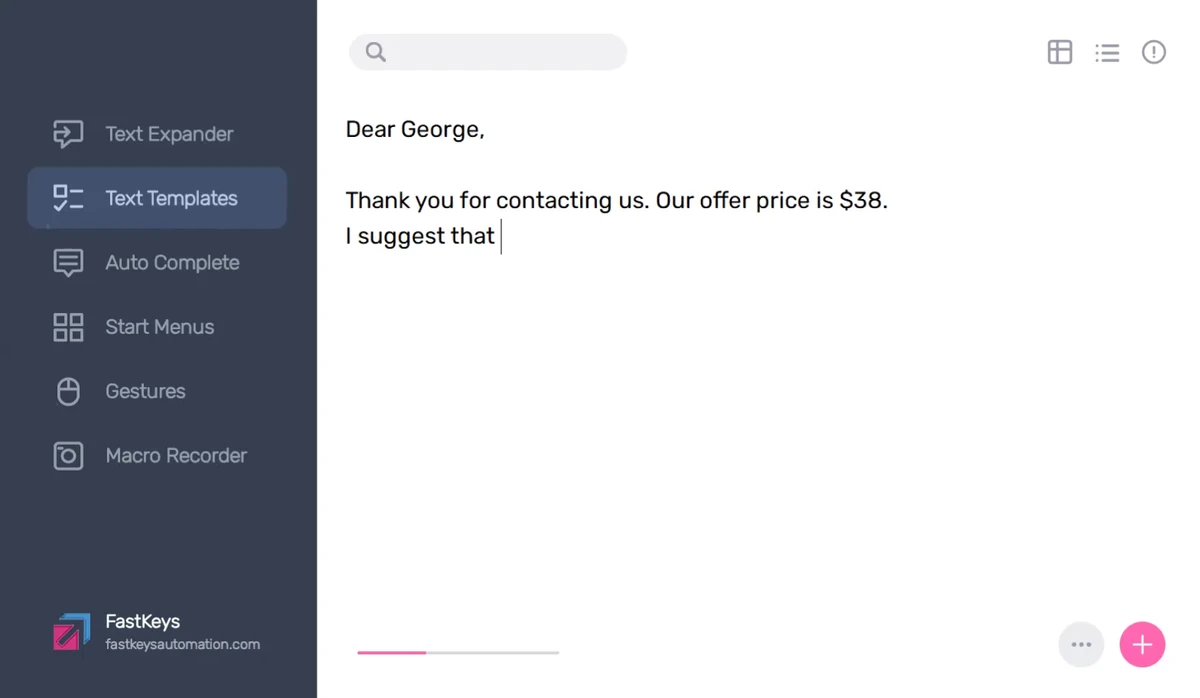

Repeating the same tasks on a computer can consume valuable time, especially when typing common phrases, launching applications, or performing routine actions. FastKeys is designed to simplify these workflows by providing a powerful collection of automation tools in one lightweight Windows application. With support for text expansion, custom shortcuts, mouse gestures, macros, and an optional touch-friendly Start Menu, FastKeys helps users create faster ways to interact with their computer. Its extensive configuration options make it suitable for both everyday productivity improvements and more advanced automation needs.
Overview
FastKeys is a Windows automation utility that allows users to customize how they interact with their computer. The software can create keyboard shortcuts, expand text abbreviations, automate desktop actions, manage mouse gestures, and build custom menus for launching programs and tasks. The application focuses on reducing repetitive work. Users can type short abbreviations that automatically expand into longer text, assign keyboard combinations to launch programs or run scripts, and create mouse movements that trigger specific actions.
In addition to automation features, FastKeys includes tools such as a Clipboard Manager, Volume Control, and Macro Recorder, making it a broad productivity toolkit for Windows users.
Features of FastKeys
Text Expander
- Expand short abbreviations into frequently used text
- Reduce repetitive typing
- Works across applications
- Automate commonly used phrases and responses
Keyboard Shortcuts
- Create custom shortcuts for various actions
- Launch programs, files, folders, and websites
- Execute scripts through keyboard combinations
- Automate Windows desktop tasks
Touch Start Menu
- Create a fully configurable custom Start Menu
- Launch activities from the edge of the screen
- Keep frequently used actions accessible in any application
- Designed for touch-friendly access
Mouse Gestures
- Perform actions using custom mouse movements
- Automate simple or complex tasks
- Reduce reliance on keyboard shortcuts
Auto Complete
- Recognize frequently entered text
- Automatically complete words and phrases
- Provide intelligent text prediction
- Support multiple languages
- Learn from user input patterns
Additional Tools
- Clipboard Manager
- Macro Recorder
- Volume Control
- Extensive customization options
- Feature-rich automation environment
User Experience
FastKeys offers a different approach to productivity by allowing users to build their own automation system rather than relying only on predefined shortcuts. The first impression is that the software provides a large number of options, but this flexibility is also its main strength. The text expansion feature is particularly useful for repetitive communication. Instead of repeatedly typing the same sentences, users can assign short abbreviations that automatically insert longer text in almost any application.
Custom shortcuts provide another efficient way to speed up daily workflows. Launching applications, opening folders, accessing websites, or running scripts can all be assigned to convenient key combinations. For users who frequently perform the same actions, this can significantly reduce unnecessary steps. Mouse gestures add another layer of control. Simple movements can be assigned to actions, allowing users to keep their hand on the mouse while navigating or automating tasks.
The configurable Start Menu is also a unique addition. It provides an alternative way to access frequently used programs and actions without opening the traditional Windows Start Menu. Because FastKeys includes many customization options, new users may need some time to explore all available features. However, users who invest time into configuring it can create a highly personalized automation environment.
Who Should Use FastKeys?
- Office professionals
- Programmers and technical users
- Customer support workers
- Writers and content creators
- Users who frequently repeat computer tasks
- Anyone looking to improve Windows productivity
Conclusion
FastKeys is a comprehensive Windows automation tool that combines several productivity features into one application. From expanding frequently used text to creating shortcuts, macros, and mouse gestures, it provides many ways to reduce repetitive computer tasks.


